AI Summary Powered by PixelBrainy
You have a mobile app idea, a $120,000 development budget, and a 2027 launch target. What can that budget realistically deliver, which features should your MVP include, what should wait for version two, and how long should a properly built app take to reach the App Store and Google Play? For startups and established businesses planning mobile application development, answering these questions early helps establish a realistic product scope, development timeline, and investment plan.
Consider a startup preparing to create a mobile app with a fixed $120,000 budget. The team must decide how much to allocate to product strategy, UI/UX design, frontend and backend development, platform support, integrations, security, testing, deployment, and post-launch improvements. At the same time, the business needs a development partner that provides a transparent scope and explains what the budget can deliver instead of introducing major additional costs during development.
A practical MVP should prioritize the features required to solve the core business problem and deliver value to the first users. Depending on the product, this may involve launching on Android or iOS first, using cross-platform development, limiting complex integrations, or deferring advanced capabilities until real user feedback supports further investment. The decision to build an Android, iOS, or cross-platform application should consider the target audience, product requirements, budget, technical complexity, and long-term roadmap.
This guide explains how to develop a mobile app for business, covering mobile app types, platforms, technologies, features, development stages, costs, monetization strategies, challenges, and best practices. It also covers the key considerations involved in custom mobile app development, from requirements and MVP planning to UI/UX design, development, testing, deployment, and ongoing maintenance.
Whether you are a startup validating a product idea, an established company expanding its digital services, or a business planning the development of mobile application solutions, understanding the relationship between budget, scope, timeline, and product quality can help you make better development decisions. The objective is to launch a focused, reliable first version while creating a technical foundation for future releases.

What exactly does mobile application development involve, and how large is the opportunity for businesses investing in mobile apps in 2027? Mobile application development covers the complete process of turning a product or business idea into software that works on mobile devices. It includes product planning, UI/UX design, frontend and backend development, API integration, database architecture, security, testing, deployment, analytics, and ongoing maintenance.
A business can develop a native Android or iOS application, use cross-platform technologies, or combine mobile applications with cloud services, AI, connected devices, and other digital systems. The right approach depends on the target users, business model, required features, budget, and long-term product roadmap.
| Market Indicator | 2026 / Latest Figure | Future Outlook |
| Global mobile application market | $330.02 billion in 2026 | $1.017 trillion by 2034 |
| Global app market revenue | $739.61 billion in 2026 | $1.10 trillion by 2031 |
| Global app downloads | 528.48 billion in 2026 | Continued expansion through 2031 |
| Global mobile app IAP revenue | $475.84 billion in 2026 | Growing role of subscriptions and paid features |
| Mobile app usage | 5.3 trillion hours in 2025 | Continued growth in engagement |
| Mobile IAP and paid app revenue | $167 billion in 2025 | 10.6% year-over-year growth |
The market figures vary because research companies use different definitions and methodologies. Fortune Business Insights estimates the global mobile application market at $330.02 billion in 2026 and projects it to reach $1.017 trillion by 2034. Statista's broader App market forecast estimates $739.61 billion in 2026 revenue and 528.48 billion downloads.
Mobile usage is increasingly connected to revenue, subscriptions, digital services, commerce, productivity, entertainment, finance, and AI-powered experiences. Sensor Tower reports that consumers spent 5.3 trillion hours in apps during 2025, while global in-app purchase revenue reached $167 billion, up 10.6% year over year. Non-gaming apps also generated more in-app purchase revenue than games for the first time.
The broader mobile ecosystem adds another layer of opportunity. According to GSMA, mobile technologies and services generated $7.6 trillion in global economic value in 2025, equivalent to 6.4% of global GDP, and this contribution is projected to reach $11.3 trillion by 2030 as 5G, AI, and other technologies expand.
The opportunity is not simply to build a mobile app and generate downloads. Businesses can use mobile applications to:
For companies planning custom mobile app development, the market data points to a broader opportunity: build a focused product around a validated user need, choose the right platform strategy, and create an architecture that can support new features as demand grows.
What makes mobile app development a worthwhile investment for businesses in 2027, and where can a mobile application create measurable commercial value? The answer depends on how effectively an app supports customer relationships, revenue generation, operational workflows, competitive positioning, business intelligence, and employee productivity.
For example, a SaaS company may want to extend its existing software to mobile-first customers, while a large enterprise may need an internal application for thousands of field employees. Another business may be considering an app but needs to understand whether the ongoing costs of maintenance, security, testing, and updates will justify the investment.
The commercial value of mobile app development for business therefore depends on more than launching an application. Businesses need to identify the right use case, prioritize valuable functionality, select an appropriate technology strategy, and plan for the application's long-term operation.
Below are six key reasons businesses should consider investing in mobile application development in 2027, along with the commercial value each can provide.
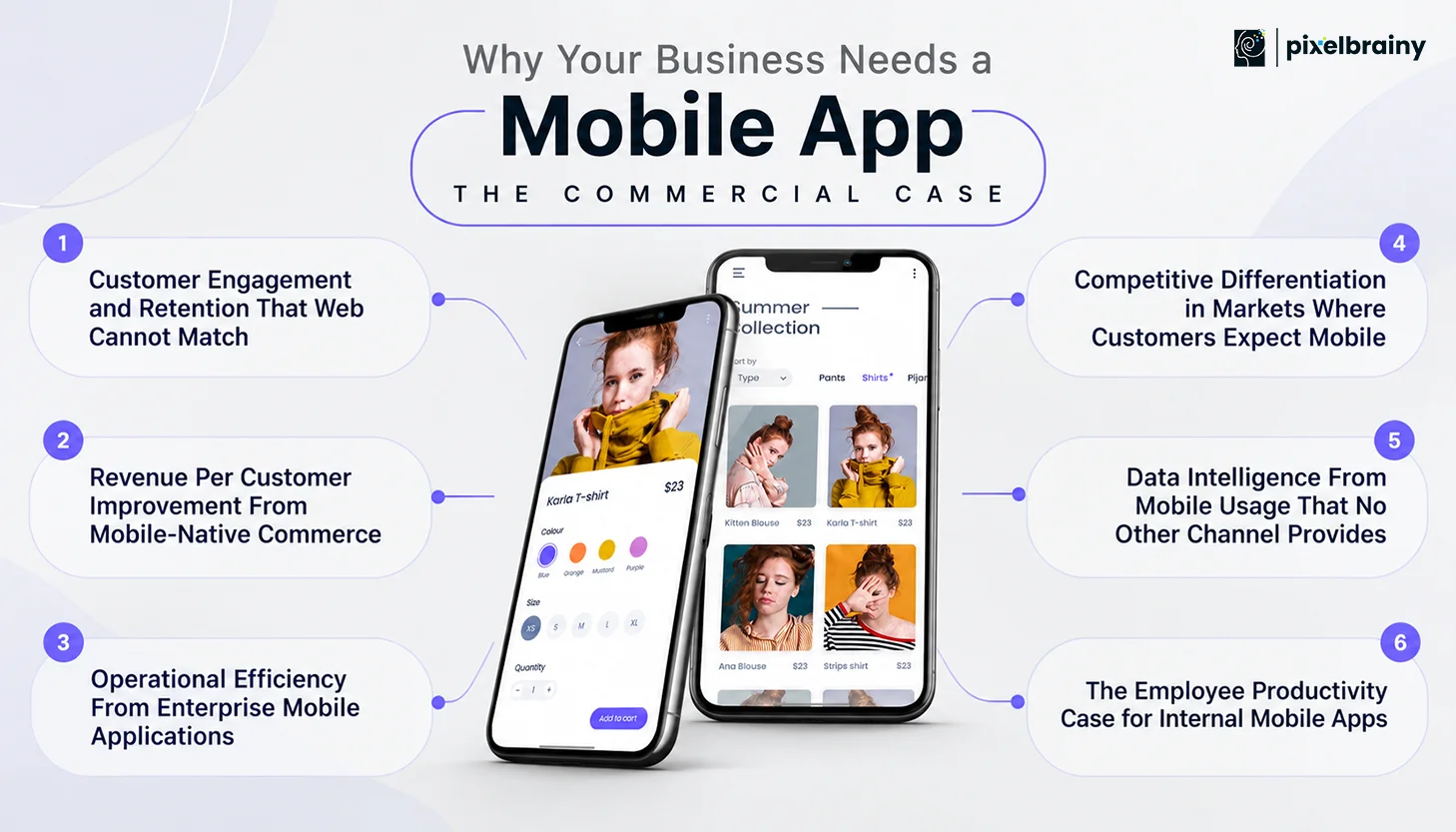
Consider a SaaS company asking, “We are a SaaS company and we want to build a mobile app for our existing software product to improve customer retention and expand our addressable market to mobile-first users.” A dedicated mobile application can extend an existing digital product to customers who prefer accessing software and services through smartphones.
Through custom mobile app development, businesses can provide convenient access to frequently used functionality, personalized experiences, notifications, and mobile-specific features. The objective is to make the product more accessible while creating additional opportunities for ongoing customer engagement.
Mobile applications can support purchasing, subscriptions, premium features, in-app services, and other revenue models. A dedicated mobile experience can simplify the customer journey from product discovery to transaction.
For businesses planning to make a mobile app for business, revenue should be considered as part of the initial product strategy. The application should connect its features with a clear commercial objective, whether that involves increasing purchases, encouraging subscriptions, or expanding access to existing services.
Consider an enterprise asking, “We are an enterprise company with 8,000 employees and we want to build an internal mobile application for field operations.” In this situation, the application can be designed around employee workflows rather than customer engagement.
Enterprise mobile app development can provide field teams with access to business information, operational workflows, and required functionality while they are away from traditional desktop systems. This makes mobile applications relevant to organizations looking to improve how distributed employees complete their daily responsibilities.
A mobile application can give businesses another way to deliver products, services, support, and customer interactions. The competitive advantage comes from how effectively the application addresses user needs and improves the overall experience.
For companies developing a mobile app, differentiation can come from mobile-specific functionality, simpler workflows, personalized experiences, convenient access, and services designed around how customers actually use their smartphones.
Mobile applications can generate useful information about how customers interact with features, products, and services. Analytics can help businesses understand usage patterns, identify popular functionality, and discover areas where the product experience can be improved.
As part of mobile application development solutions, these insights can support product decisions, customer experience improvements, personalization, and future feature planning.
The commercial case for internal applications also extends beyond field operations. Employees can use mobile applications to access information and complete business workflows when they are working across locations or outside traditional office environments.
Businesses considering the creation of mobile application solutions should also account for what happens after launch. As one common concern puts it, “Our company wants to build a mobile app but we are concerned about the ongoing cost after launch.” Maintenance, security updates, compatibility testing, performance improvements, and future feature development should therefore be considered as part of the overall investment.
Businesses building a mobile app should connect the project to a measurable objective rather than treating the application as an isolated technology investment. Depending on the organization, that objective may be customer retention, additional revenue, operational efficiency, employee productivity, competitive differentiation, or better business intelligence.
A focused mobile strategy helps businesses prioritize the right features, allocate development investment effectively, and create an application that can support both immediate requirements and future growth.
What should businesses understand about mobile application development before investing in a new product for 2027? A business asking, “I want to understand everything about mobile application development in 2026”, needs more than a list of new technologies. It needs to know which developments can improve the product, which can affect development costs, and which technologies are actually relevant to its users and business model.
The same applies when a company says, “We cannot get a straight answer from vendors about which approach is genuinely right for our use case versus which approach is right for the vendor's preferred technology stack.” Technology selection should be driven by product requirements, target platforms, performance needs, budget, integrations, and long-term maintenance.
For a SaaS business asking, “We are a SaaS company and we want to build a mobile app for our existing software product to improve customer retention and expand our addressable market to mobile-first users,” the right trends may involve AI, cross-platform development, cloud connectivity, personalization, and multi-device experiences rather than adopting every emerging technology.
Below are the key trends in mobile application development in 2027 that businesses should evaluate when planning, building, or upgrading a mobile product.
AI is becoming an integral part of mobile product experiences, supporting personalization, recommendations, natural-language interactions, automation, intelligent search, and contextual assistance. On-device AI can also support use cases where lower latency, offline functionality, or greater control over sensitive data is important.
For custom mobile app development Integrating AI, businesses should first identify the user problem AI will solve and then select the appropriate model, data architecture, and processing approach.
Faster connectivity and lower latency can support mobile applications that depend on real-time communication, high-quality media, connected devices, cloud processing, and live data. This can benefit applications in areas such as streaming, collaboration, IoT, navigation, and location-based services.
The opportunity for mobile app development is to use 5G capabilities where they improve functionality or user experience rather than treating connectivity as a standalone feature.
AR can connect digital information with a user's physical environment and support product visualization, education, training, navigation, retail, and other interactive experiences.
For businesses developing a mobile app, AR should be introduced when it provides a clear advantage to the user. Its value depends on the specific product experience, device capabilities, and target audience.
Super app architecture brings multiple related services or business functions into a connected application ecosystem. This approach can be relevant for businesses that expect their mobile product to expand beyond an initial core service.
A flexible mobile application development platform can support this direction through modular architecture, APIs, authentication, payments, shared data services, and independently expandable functionality.
Cross-platform mobile app development continues to provide businesses with an approach for delivering applications across Android and iOS from a shared codebase. Native development remains important when an application requires highly specialized platform capabilities, advanced hardware integration, or specific performance characteristics.
The right choice depends on the application's requirements, target devices, performance expectations, development resources, budget, and maintenance strategy. Businesses should evaluate technology based on their product needs rather than accepting a vendor's preferred framework as the default answer.
Privacy needs to be considered during architecture and product planning. Mobile applications may process personal information, location data, payment details, behavioral data, and other sensitive information, making secure storage, permissions, access controls, encryption, and transparent data practices important parts of mobile application development for businesses.
As applications incorporate more AI and connected services, businesses also need to understand what information is collected, where it is processed, and how users can control their data.
Mobile experiences are increasingly connected with smartwatches, health devices, vehicles, sensors, smart glasses, and other connected hardware. This creates opportunities for businesses to extend selected application functions beyond the smartphone.
For companies planning mobile app creation, multi-device support should be based on genuine user requirements. Supporting additional devices can increase development, testing, and maintenance requirements, so each integration should have a clear product purpose.
These trends give businesses several technology paths to consider when building a mobile app for 2027. The right combination depends on the product's users, business goals, budget, platform requirements, and long-term roadmap.
Which mobile app development approach should your business use when building an application for Android, iOS, or both? This decision can influence development cost, time to market, application performance, user experience, device integration, and long-term maintenance. A startup may prioritize faster development and budget efficiency, while an enterprise may require deeper platform integration and maximum control over performance.
For businesses planning mobile application development, the choice should align with the application's purpose, target users, required features, technical requirements, and future roadmap. The question is not simply which technology is popular, but which approach provides the right balance between functionality, performance, development resources, and scalability.
Below are the four major mobile application development approaches businesses can consider when planning, developing, or upgrading a mobile app.
Native mobile app development involves creating apps specifically for a single platform, such as iOS or Android, using platform-specific programming languages, development environments, and frameworks.
Advantages:
Disadvantages:
Hybrid mobile app development combines web technologies with a native application wrapper. This approach allows web-based applications to be packaged and deployed across supported mobile platforms.
Technologies Used: HTML, CSS, JavaScript, and frameworks like Apache Cordova (PhoneGap) or Ionic.
Advantages:
Disadvantages:
Cross-platform mobile app development involves creating applications that can run on multiple platforms from a shared codebase using specialized frameworks. This approach can help businesses support both Android and iOS while reducing duplicated development work.
Frameworks Used: React Native, Flutter, Xamarin.
Advantages:
Disadvantages:
Progressive Web Apps (PWAs) are web applications that provide an app-like experience through modern web technologies. They are accessed through a web browser while offering functionality that can resemble a traditional mobile application.
Technologies Used: HTML, CSS, JavaScript, and web APIs.
Advantages:
Disadvantages:
Each approach offers different advantages for custom mobile app development, and the appropriate choice depends on the application's requirements, target platforms, budget, expected performance, and maintenance needs. Businesses building a mobile app should evaluate these factors before finalizing their development approach.
What type of mobile application should your business build when the requirements are completely different across industries? An e-commerce company may need mobile commerce and payment workflows, while an enterprise may need an internal field operations app, a SaaS company may want to extend its existing platform to mobile users, and a financial business may require transaction security and regulatory controls.
For businesses planning mobile application development, the industry and business model directly influence the application's features, integrations, security requirements, user roles, data architecture, and scalability needs. Modern mobile products are often designed around a specific business workflow rather than treated as a generic app category.
Below are the major mobile application categories businesses can consider when planning, building, or investing in a mobile product.
Consumer mobile apps are designed for individual users and can cover social networking, entertainment, lifestyle, productivity, communication, content, and utility services.
Typical requirements include intuitive navigation, personalization, user accounts, notifications, analytics, search, content management, and performance optimization. The development priority is usually a simple user experience that encourages repeat engagement.
E-commerce and retail applications allow customers to browse products, compare options, make purchases, manage orders, and interact directly with a brand.
Common functionality includes:
For businesses investing in custom mobile app development, these applications may also integrate with inventory, CRM, payment, logistics, and customer support systems.
Also Read: How to Build AI eCommerce Mobile App: Features, Steps and Cost
On-demand applications connect customers with service providers for transportation, food delivery, home services, repairs, logistics, and other location-based services.
These platforms commonly require:
The development scope can become more complex because multiple user roles, real-time interactions, location services, and transaction workflows need to operate together.
Also Read: AI Home Services App Development: Types, Features, Steps and Challenges
SaaS and B2B mobile applications extend business software to customers, employees, partners, or professional users. They can provide mobile access to dashboards, reports, approvals, communication, customer management, and other software functionality.
For a SaaS company developing a mobile app for an existing product, the objective may be to improve customer accessibility, support mobile-first users, increase engagement, and expand the product's addressable market.
Also Read: AI SaaS Billing Software Development: Use Cases, Benefits, and Cost Breakdown
Enterprise internal applications are designed around employee and operational workflows rather than public consumer use. They can support field teams, sales staff, warehouse employees, managers, technicians, and other distributed teams.
Common use cases include:
Enterprise mobile app development may require enterprise authentication, role-based access, offline functionality, ERP or CRM integrations, security controls, and centralized administration.
Also Read: A Comprehensive Guide To Develop Employee Management Software In 2026
Marketplace applications connect different groups of users within one platform, such as buyers and sellers, customers and professionals, property owners and renters, or businesses and service providers.
These applications may require:
Because multiple user groups interact within the same ecosystem, marketplace products generally require more complex workflows and backend architecture.
Health and fitness applications can support workouts, nutrition, wellness programs, coaching, appointments, health tracking, and wearable-device connectivity.
Depending on the product, development may involve secure data handling, wearable integrations, real-time information, analytics, subscriptions, notifications, and personalized recommendations.
Also Read: AI Fitness App Development Cost: Factors & Examples
FinTech applications include digital wallets, payment apps, banking platforms, lending solutions, personal finance tools, investment applications, and other financial services.
Security and reliability are central to this category. Mobile application development may involve strong authentication, transaction processing, encryption, identity verification, secure data storage, audit trails, and integrations with financial service providers.
Also Read: AI Fintech App Development Cost: Factors and Examples
EdTech applications can provide courses, live classes, assessments, learning materials, tutoring, certifications, and student progress tracking.
Modern learning applications can also incorporate personalization, interactive content, AI-assisted learning, subscriptions, notifications, and analytics to create more adaptive learning experiences.
Also Read: Avatar-Based AI Education App Development: An Expert Insights
IoT applications connect smartphones with devices, sensors, vehicles, wearables, machines, and other connected systems. The mobile application may function as a control interface, monitoring dashboard, notification layer, or data visualization tool.
Development can require device communication, cloud infrastructure, real-time data processing, authentication, firmware integration, and extensive device testing.
Also Read: Top 10+ IoT Software Development Companies in USA (2026 Reviewed and Ranked)
Sports betting applications allow users to view betting markets, manage accounts, place wagers, and track activity. Depending on the jurisdiction and product model, these applications may require real-time sports data, identity verification, payment processing, location controls, responsible gambling features, and regulatory compliance.
Because sports betting is regulated differently across jurisdictions, businesses should establish applicable legal and compliance requirements before building a mobile app in this category.
Also Read: AI Sports Betting App Development: Benefits, Steps and Cost
Real estate applications can connect buyers, sellers, renters, agents, property managers, and developers. Common functionality includes:
Advanced applications may also incorporate virtual property tours, document workflows, mortgage-related services, and personalized property recommendations.
Also Read: How to Develop an AI Real Estate App for Realtors and Startups?
Trading applications provide users with mobile access to financial markets. Depending on the product, functionality can include market data, watchlists, portfolios, charts, research, price alerts, and trade execution.
These applications require particular attention to real-time data, transaction reliability, authentication, security, infrastructure performance, and applicable financial regulations.
Insurance applications can help customers manage policies, request quotes, make payments, submit claims, access documents, and communicate with insurers.
For insurance companies, mobile application development solutions can also support claims processing, customer data collection, status updates, document management, policy administration, and customer support.
The right mobile application category depends on the business model, users, workflows, integrations, and regulatory requirements. Defining these requirements early helps businesses scope the right features and build a mobile product that fits its industry and long-term objectives.
Also Read: Top 10 AI Insurance Claim Management Software Development Companies in USA
A successful mobile application needs a strong set of core features before advanced capabilities are considered. The right foundation should make the app easy to use, responsive, secure, accessible, reliable across supported devices, and connected to the business workflows that matter most. The source content identifies these foundational capabilities as essential considerations for modern mobile app development.
For example, a startup evaluating its feature scope may ask: “We have a fixed development budget, so which mobile app features should we prioritize in the first release to deliver a reliable product without adding unnecessary complexity?” This is an important consideration when planning custom mobile app development, because every additional feature can affect design, development, testing, integrations, and maintenance.
Below are 15 core features businesses should evaluate when developing a mobile app.
| Core Feature | Explanation |
| User-Friendly Interface | A user-friendly interface gives customers clear navigation, consistent layouts, readable content, and responsive screens across supported devices. Intuitive design reduces friction and helps users complete important tasks without unnecessary steps or confusion. |
| Performance Optimization | Performance optimization keeps an application responsive through faster loading, efficient memory and battery usage, smooth transitions, and optimized processing. Strong performance is particularly important for retaining users who expect mobile applications to respond quickly. |
| Security Features | Security features protect accounts, application data, and sensitive information through encryption, secure authentication, biometrics, and appropriate privacy controls. Security should be considered throughout mobile application development, not added only before launch. |
| Offline Capabilities | Offline capabilities allow users to continue accessing selected application functions when connectivity is unavailable. Local data storage and synchronization can preserve important workflows and update information automatically when the connection is restored. |
| Push Notifications | Push notifications allow applications to deliver relevant updates, reminders, alerts, and other timely information directly to users. Notification preferences should remain configurable so businesses can maintain useful communication without overwhelming users. |
| In-App Search | In-app search helps users quickly locate products, content, services, records, or other information within an application. Search bars, filters, and relevant result organization can make large amounts of mobile content easier to navigate. |
| Social Media Integration | Social media integration can support social sharing and convenient account access through supported social platforms. When relevant to the product, these capabilities can simplify authentication and make it easier for users to share application content. |
| User Feedback and Support | Feedback and support features give users direct ways to report problems, ask questions, submit suggestions, or access help resources. FAQs, support tickets, feedback forms, and live chat can strengthen communication after launch. |
| Analytics and Reporting | Analytics and reporting help businesses understand user behavior, application performance, feature usage, and technical issues. Usage analytics and crash reporting can provide information for product improvements and help development teams identify problems requiring attention. |
| Geo-Location and Mapping | Geolocation and mapping capabilities allow applications to use device location for navigation, tracking, location-based recommendations, and service discovery. GPS integration and map services can be particularly important for delivery, travel, logistics, and location-based applications. |
| Personalization | Personalization allows an application to adapt content, recommendations, profiles, and experiences according to user preferences and behavior. Properly designed personalization can make frequently used functionality more relevant and improve the overall user experience. |
| E-Commerce and Payment Integration | E-commerce and payment integration enables users to purchase products or services directly through the application. Secure payment gateways can support cards, digital wallets, and other payment methods while creating a convenient mobile transaction experience. |
| Seamless Onboarding | Seamless onboarding introduces new users to the application's value, functionality, and navigation without creating unnecessary registration or setup friction. Guided tours and simplified sign-up flows can help users reach the application's core functionality faster. |
| Regular Updates | Regular updates allow businesses to fix bugs, address performance issues, improve compatibility, and introduce new functionality after launch. A planned update cycle also helps keep the application aligned with changing platform and user requirements. |
| Cross-Platform Compatibility | Cross-platform compatibility helps businesses provide consistent application functionality across supported devices and operating systems. A suitable platform strategy can reduce duplicated development effort while maintaining a consistent experience for Android and iOS users. |
These core features provide the foundation for a reliable mobile application for businesses, while the final feature set should reflect the product's purpose, target users, industry, platform strategy, and business requirements.
Once the core mobile app experience is reliable, businesses can consider specialized features that create stronger differentiation, improve convenience, or support more sophisticated user interactions. These capabilities should be selected according to the application's purpose, target audience, industry requirements, and available development budget rather than added simply to make the product appear more advanced.
A practical scenario is: “Our startup already knows the core features we need, but we want our mobile app to stand apart from competitors. Which advanced capabilities are worth investing in without making the first version unnecessarily complex?” This is an important consideration in custom mobile app development, particularly when planning the product roadmap beyond the MVP.
The following features can add distinctive capabilities to mobile application development, depending on the product's requirements and technical architecture.
| Non-Ordinary Feature | Explanation |
| AI-Powered Personalization | AI-powered personalization can analyze user preferences, behavior, and interaction patterns to provide more relevant content, recommendations, or experiences. It can help businesses make a mobile app feel more responsive to individual user needs. |
| On-Device AI | On-device AI processes selected AI tasks directly on supported smartphones instead of sending every request to cloud infrastructure. This approach can support faster responses, offline functionality, and greater control over sensitive information where the use case permits. |
| AI-Powered Voice and Multimodal Interaction | Voice, image, and text inputs can allow users to interact with an application through multiple methods instead of relying entirely on traditional touch navigation. This can make selected workflows faster, more accessible, and more natural. |
| Predictive Notifications | Predictive notifications can use application behavior and contextual information to deliver more relevant reminders, alerts, or recommendations. Instead of sending generic messages, the feature can focus notifications around actions that are useful to individual users. |
| Context-Aware Search | Context-aware search can go beyond basic keyword matching by considering user intent, application context, and available information when producing results. This can be particularly valuable for applications with large product catalogs, content libraries, or complex records. |
| AI-Powered Fraud and Anomaly Detection | AI-based anomaly detection can identify unusual account, transaction, or usage patterns and flag them for additional review. This capability can be valuable for financial, commerce, enterprise, and other applications where unusual activity requires attention. |
| Wearable Device Integration | Wearable integration can connect a mobile application with smartwatches, fitness devices, sensors, and other connected hardware. Depending on the product, this can support synchronized data, personalized alerts, activity tracking, or additional device-based functionality. |
| Augmented Reality Experiences | AR can combine digital information with the user's physical surroundings through the device camera and supported platform capabilities. It can provide differentiated experiences for applications involving product visualization, education, navigation, retail, and interactive content. |
| Intelligent Offline and Synchronization | Intelligent offline functionality allows selected application workflows to continue when connectivity is unreliable, while synchronization updates data when the connection becomes available. This can be particularly useful for field operations, travel, logistics, and other mobile environments. |
| Cross-Device Experiences | Cross-device experiences allow users to move selected activities or information between smartphones, wearables, tablets, connected devices, and other supported platforms. This approach can extend the value of mobile application development solutions beyond a single device. |
These non-ordinary features can differentiate a mobile product development when they solve a specific user or business problem, while the core application should remain the priority for reliability, usability, and adoption.
A practical mobile application development process connects business strategy, user research, design, technology, development, testing, and launch into one structured lifecycle. The goal is not simply to move from an idea to code, but to make important product and technical decisions before they become expensive to change. The original development framework also emphasizes requirements, team formation, wireframing, design, coding, testing, launch, and user feedback as connected stages.
Consider a mid-size retail company asking: “We want to build a mobile app for our customers, but our leadership team is debating between native iOS and Android apps, a cross-platform app, and a progressive web app. We cannot get a straight answer from vendors about which approach is genuinely right for our use case versus which approach is right for the vendor's preferred technology stack. What are the honest technical and commercial tradeoffs, and which development companies give unbiased platform recommendations?”
A practical development process of mobile app should answer that question through evidence, requirements, prototypes, technical evaluation, and testing rather than choosing a platform first and fitting the product around it.
Below are the eight practical steps involved in developing a mobile app from idea to launch.
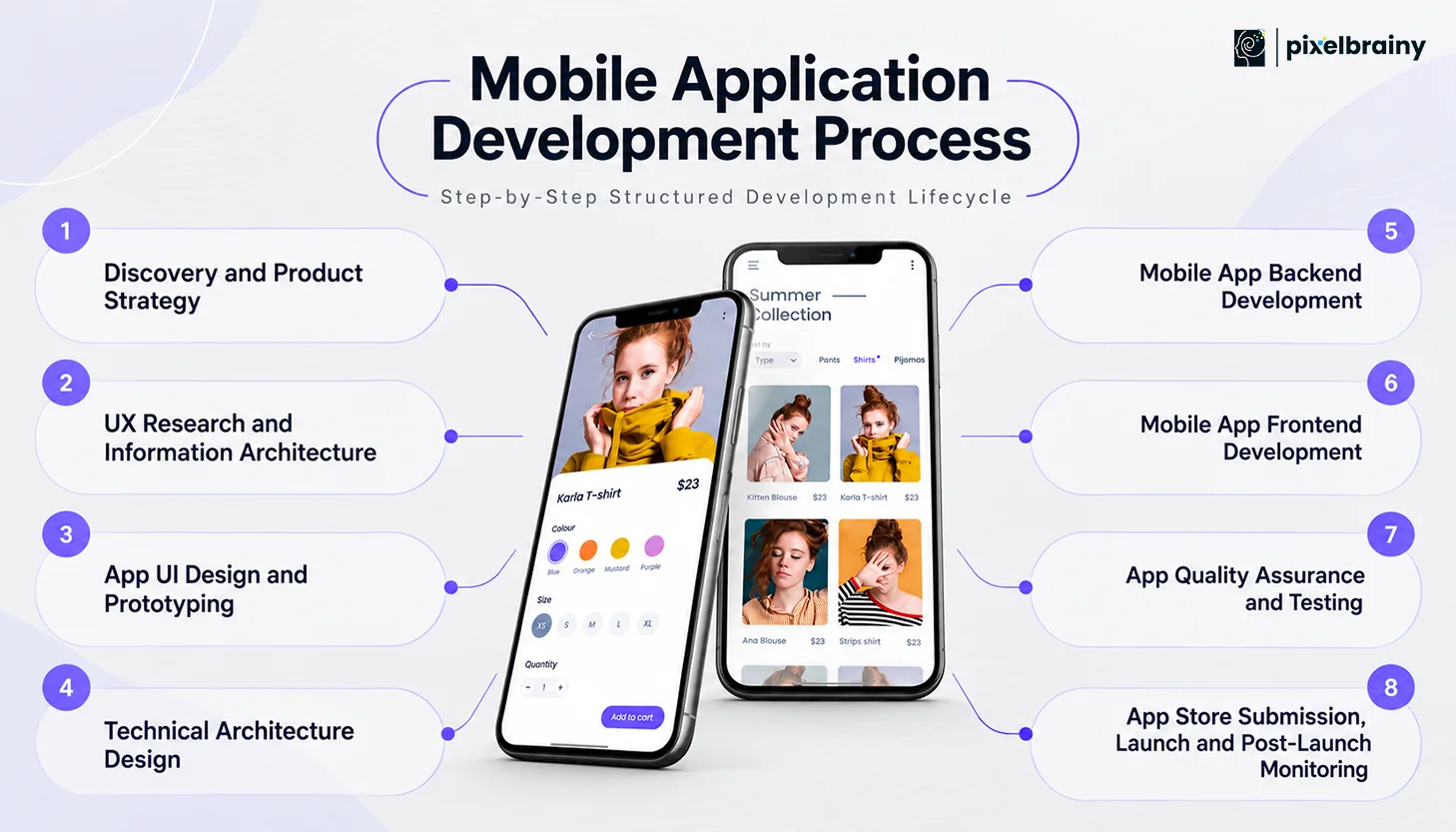
Every mobile application development project should begin by defining the business problem, target users, product objective, and expected commercial outcome. Entrepreneurs and business owners need clarity on why the application should exist before investing in design or development.
The discovery stage should establish:
For example, a retail application may target higher mobile sales and repeat purchases, while a field-service application may focus on reducing manual processes.
A clearly defined product strategy gives mobile app developers a practical scope to work from and prevents unnecessary features from entering development too early.
Practical outcome: A defined product vision, target audience, MVP scope, platform requirements, business objectives, and measurable success criteria.
Once the business objective is clear, product teams need to understand how users will actually interact with the application. UX research examines user expectations, pain points, workflows, and the actions users need to complete.
The team can map:
A retail customer, for example, may need to move from product discovery to checkout with minimal friction. A healthcare mobile application may instead require appointment booking, patient information, reminders, and secure access to records.
A mobile app UI/UX design company can help translate research into information architecture and user flows, but product teams should validate whether those flows reflect actual customer requirements.
Practical outcome: Defined user journeys, information architecture, navigation logic, and prioritized workflows that guide the design phase.
After the user experience has been mapped, designers turn those journeys into interfaces and interactive prototypes. This stage establishes how the application will look, behave, and guide users through important actions.
The design work typically includes:
For example, an e-commerce app may prototype product listings, filters, product details, cart, checkout, and order tracking before development begins. Stakeholders can interact with these flows and identify confusing navigation or unnecessary steps before developers start building the final product.
Working with experienced UI/UX design companies can help businesses evaluate usability before development costs increase. A prototype also gives product leaders a clearer way to communicate changes to designers and developers.
Practical outcome: An approved prototype and interface system that clearly defines the application's key screens, interactions, and user flows.
Also Read: UI/UX Design Cost: Pricing Guide for Digital Products
Technical architecture determines how the mobile application will connect with backend services, databases, APIs, cloud infrastructure, third-party systems, authentication, analytics, and other technical components.
This is also where the retail company in the opening scenario should receive an evidence-based platform recommendation. The CTO or technical decision-maker should compare native, cross-platform, and PWA approaches against the actual product requirements.
| Decision Area | What the Team Should Evaluate |
| Platform | iOS, Android, both, or web-based access |
| Performance | Expected responsiveness and workload |
| Device Features | Camera, GPS, biometrics, sensors, notifications |
| Integrations | APIs, payments, CRM, ERP, logistics, analytics |
| Development Cost | Initial build and ongoing maintenance |
| Scalability | Expected users, data, and future functionality |
| Team Capability | Skills available to build and maintain the product |
If the application requires machine learning or intelligent functionality, AI integration should also be assessed at this stage. The team should determine what data is required, where processing should occur, and how the capability affects architecture and cost.
Practical outcome: A technical blueprint covering platform strategy, architecture, APIs, data, integrations, security, scalability, and deployment requirements.
Also Read: Top 10+ AI Integration Companies in USA
The backend provides the services and data infrastructure that support the mobile application's functionality. Depending on the product, this can include accounts, databases, APIs, business logic, payments, notifications, analytics, content management, and integrations with existing business systems.
Backend development should follow the actual workflows established during discovery and design.
For example, a retail application may require product catalogs, inventory availability, customer accounts, shopping carts, payments, order processing, and delivery information. An enterprise field application may instead need employee authentication, job assignments, customer records, reporting, and synchronization with existing business systems.
The technical team should establish:
A strong backend gives mobile application development solutions the foundation needed to support current requirements and future product growth.
Practical outcome: Secure backend services and APIs that support the approved application workflows and integrations.
Frontend development turns the approved designs and technical specifications into a working application. Developers implement the screens, navigation, interactions, API connections, authentication, device capabilities, notifications, and other functionality defined during planning.
This stage should remain closely aligned with the approved scope. If every new idea is added during coding, the project can experience scope expansion, delays, and unexpected costs.
For example, a retail MVP may initially include:
Advanced loyalty features, complex personalization, or additional marketplace functionality can be evaluated for later releases if they are not essential to the first product objective.
This is where MVP development helps maintain focus. The first release should contain enough functionality to solve the intended problem and generate meaningful user feedback without attempting to include every future feature.
Practical outcome: A functional application implementing the approved product scope and connected to the required backend services.
Also Read: Top 10 AI MVP Development Companies in USA
Testing determines whether the application performs correctly across supported devices, operating systems, network conditions, and real user workflows. It should validate both technical functionality and the experience designed during earlier stages.
A practical QA cycle can include:
For example, an on-demand delivery app should be tested across booking, provider assignment, location tracking, payment, notifications, cancellation, and order completion. A field-service app should also be tested under poor connectivity if employees are expected to work in areas with unreliable networks.
CTOs should pay close attention to technical reliability, security, integrations, and scalability. Product teams should verify that users can complete their most important tasks without unnecessary friction.
Practical outcome: A tested release candidate with documented defects, fixes, performance results, and approval for deployment.
The final stage moves the application from a tested release candidate to a production product. Before submission, the team prepares production builds, store information, screenshots, privacy details, permissions, release configurations, and other required materials.
After approval, monitoring becomes essential. Product leaders should evaluate whether real users are adopting the application and whether the product is achieving the business outcomes defined during discovery.
Key metrics can include:
For example, a retail company may discover through analytics that customers frequently abandon checkout at one particular stage. That information can guide a focused UX improvement in the next release rather than relying on assumptions.
The launch therefore becomes the beginning of an ongoing improvement cycle. Feedback, analytics, support requests, and business results can inform future releases, helping businesses continuously improve their mobile application development services and product roadmap.
Practical outcome: A production application with monitored performance, measurable results, user feedback, and a prioritized roadmap for future improvements.
A structured development lifecycle helps businesses move from idea to launch with clearer decisions, controlled scope, validated technology, and a product roadmap based on real user and business results.
How much does it really cost to develop a mobile application, and why can two companies quote dramatically different prices for what appears to be the same product? The cost to develop a mobile application depends on far more than the number of screens or features listed in a proposal. Platform coverage, application complexity, UI/UX requirements, integrations, testing, backend infrastructure, security, development expertise, and post-launch support can all change the development budget of mobile application projects.
The source material places the overall mobile app development range at approximately $30,000 to $300,000, with costs increasing as complexity, platform coverage, feature depth, integrations, and testing requirements grow. Pasted markdown For this updated guide, the broader planning range is $20,000 to $400,000+, reflecting the wider scope businesses may encounter across basic, advanced, and enterprise applications.
A useful real-world question is: “I am comparing five mobile application development company proposals and the quotes range from $35,000 to $350,000 for what appears to be a similar app with similar stated features. I need to understand what legitimately drives this enormous price variation, what questions reveal whether a low-cost proposal will actually deliver what I need or will blow up the budget with change orders, and what red flags in a mobile app development proposal indicate a company that will underdeliver regardless of their portfolio. What separates a trustworthy mobile application development proposal from one that will create problems after I sign the contract?”
The answer starts with understanding what each proposal actually includes. A low quote may exclude backend work, QA depth, integrations, documentation, deployment, or post-launch support, while a higher quote may include a broader technical scope.
| Application Type | Typical Development Cost | Typical Scope |
| Basic Mobile Application | $20,000 to $70,000 | Focused MVP or straightforward application with essential features, standard UI/UX, limited integrations, and single-platform or relatively simple cross-platform development. |
| Advanced Mobile Application | $70,000 to $180,000 | More complex workflows, custom UI/UX, multiple integrations, advanced backend requirements, broader platform support, comprehensive testing, and more sophisticated functionality. |
| Enterprise Mobile Application | $180,000 to $400,000+ | Large-scale applications requiring complex architecture, enterprise integrations, advanced security, multiple roles, scalability, extensive testing, analytics, and long-term support. |
These ranges are planning estimates rather than fixed market prices. The original source also notes that geographic location, development team expertise, and project management approach can influence the final cost.
Complexity is one of the largest drivers of mobile app development cost for businesses. More workflows, user roles, integrations, custom functionality, and technical dependencies generally require more development and testing effort.
These figures are based on the cost ranges in the existing source material.
Building for one platform generally requires less development effort than supporting multiple platforms. Native iOS and Android applications can require separate implementation and testing, while cross-platform approaches may reduce duplicated development work depending on the requirements.
The design budget depends on whether the product uses a straightforward interface or requires a highly customized experience with detailed interactions, prototypes, design systems, and extensive user research.
A proposal that lists “UI/UX included” without defining the number of screens, prototypes, revisions, and design deliverables deserves closer examination.
The functionality included in the application directly affects the cost estimation of mobile application development. Authentication, payments, real-time functionality, dashboards, location services, machine learning, complex workflows, and other capabilities can substantially increase development effort.
External integrations can create significant differences between apparently similar proposals. Payment gateways, maps, social platforms, CRM systems, ERP systems, analytics platforms, and other APIs may require additional development, authentication, testing, and vendor coordination.
A trustworthy proposal should clearly explain how the application will be tested. Device coverage, operating system versions, functional testing, performance testing, security testing, regression testing, and integration testing can all affect project cost.
The cost to develop a mobile application is only part of the overall investment. Applications require ongoing maintenance for operating system changes, bug fixes, compatibility updates, security improvements, infrastructure, and future functionality.
For example, a $100,000 application could require approximately $20,000 to $30,000 annually for maintenance, depending on its complexity and ongoing support requirements.
A trustworthy proposal should make the relationship between scope, price, timeline, and deliverables easy to understand. When comparing quotes such as $35,000 and $350,000, do not compare the headline numbers alone.
Look for clear answers to:
A proposal that uses broad terms such as “full-featured app” without defining functionality, deliverables, assumptions, exclusions, acceptance criteria, and change-order procedures can create budget uncertainty later.
The original source also emphasizes that cost estimates are rough and should be tailored to the specific project requirements and circumstances.
A reliable mobile app development budget connects every major cost to a clearly defined deliverable, making it easier for businesses to compare proposals and avoid unexpected development expenses.

Also Read: AI App Development Cost: From MVPs to Full-Scale AI App
Modern mobile app development depends on a technology stack that supports coding, design, backend services, integrations, testing, deployment, analytics, and ongoing maintenance. The right tools should match the application's platform, functionality, performance requirements, security needs, development budget, and long-term roadmap.
For example, a business may ask: “Different development companies are recommending different technology stacks for our Android and iOS app. How do we know whether the recommended tools actually fit our product requirements instead of simply matching the developers' existing skills?” This is why technology evaluation should happen alongside product and architecture planning. The source framework covers programming languages, development frameworks, backend services, APIs, testing, version control, CI/CD, design, emulators, and databases used in mobile application development.
| Technology Category | Tools and Technologies | Role in Mobile App Development |
| Programming Languages | Swift, Objective-C, Kotlin, Java, Dart, JavaScript | Programming languages form the foundation of application logic, interfaces, integrations, and platform-specific functionality. Swift and Objective-C support iOS development, while Kotlin and Java are used for Android. Dart is commonly used with Flutter, while JavaScript supports frameworks such as React Native. |
| Native Development Tools | Xcode, Android Studio | Xcode provides the development environment for Apple platforms, while Android Studio supports Android application development. These tools assist with coding, debugging, profiling, testing, and platform-specific implementation. |
| Cross-Platform Frameworks | Flutter, React Native, Xamarin | Cross-platform frameworks allow developers to build applications for multiple platforms while sharing part of the development codebase. Flutter uses Dart, React Native uses React and JavaScript, and Xamarin provides a .NET-based approach to cross-platform development. |
| Hybrid App Development Tools | Apache Cordova, Ionic | Hybrid development tools enable applications to be created using web technologies such as HTML, CSS, and JavaScript. They can be useful when businesses want to reuse existing web development capabilities for mobile application projects. |
| PWA Development Tools | AngularJS, ReactJS, Vue.js | These technologies support web-based application experiences and can be used in progressive web application development. PWAs can provide application-like experiences through browsers and offer an alternative to traditional mobile app distribution. |
| Backend Services | Firebase, AWS Amplify, Backendless | Backend services support authentication, databases, APIs, analytics, cloud functionality, and application data management. They are important for applications requiring user accounts, synchronization, notifications, transactions, or connections with business systems. |
| APIs and Libraries | Google Maps API, Firebase Analytics, Stripe, PayPal | APIs connect mobile applications with external services. Maps can support location-based functionality, analytics can measure user engagement, and payment gateways can support transaction workflows where required. |
| AI Tools & Technologies | AI APIs, machine learning models, generative AI services, AI development frameworks | AI technologies can add capabilities such as personalization, conversational interfaces, content recommendations, predictive insights, image or voice processing, and intelligent automation. The appropriate AI stack depends on whether processing occurs on the device, through a backend, or through an external AI service. |
| Testing Tools | Appium, Espresso, XCTest, Selenium | Testing tools help verify application functionality, compatibility, reliability, and performance. Appium supports automated mobile testing, Espresso is used for Android testing, XCTest supports Apple platforms, and Selenium can support web and PWA testing. |
| Version Control | Git, GitHub, Bitbucket | Version control tracks source-code changes and supports collaboration between developers. Repository platforms also support branching, code reviews, release management, and maintaining a history of development changes. |
| CI/CD Tools | Jenkins, Travis CI, CircleCI | Continuous integration and continuous delivery tools automate parts of the software pipeline, including builds, testing, and deployment preparation. They help development teams identify problems earlier and maintain consistent release workflows. |
| Design and Prototyping Tools | Sketch, Figma, Adobe XD | Design tools support wireframes, user interfaces, interactive prototypes, and visual systems before development begins. They help teams validate user journeys and design decisions before significant coding effort is invested. |
| Emulators and Simulators | Android Emulator, iOS Simulator | These tools allow developers to test application behavior in simulated device environments. They are useful during development, while physical-device testing remains important for validating real-world performance and hardware interactions. |
| Database Solutions | SQLite, Realm, Core Data | Database technologies manage application data and local persistence. SQLite provides lightweight local storage, Realm supports mobile database requirements, and Core Data manages object graphs and persistence within Apple-platform applications. |
The technology stack should match the product's requirements. Retail apps may prioritize payments, accounts, analytics, and inventory, while enterprise apps may require stronger authentication, security, APIs, and integrations.
For custom mobile app development, businesses should evaluate technologies based on their product needs, scalability, maintenance, and long-term roadmap rather than a development team's preferred stack.
Therefore, choosing the right technology stack provides a strong foundation for reliable, secure, and scalable mobile applications.
A mobile application can generate revenue through subscriptions, purchases, advertising, commissions, licensing, or data-driven products. The right model depends on the target audience, usage pattern, product value, and business model. Monetization should be planned during mobile app development because pricing, payment flows, premium functionality, and analytics can influence the product architecture and user experience. Apple also recommends defining the business model before development because it can affect application design decisions.
Consider a startup asking: “We want to build a mobile app that is free to download, but we need a revenue model that can cover customer acquisition, development costs, and long-term growth. Should we use subscriptions, in-app purchases, advertising, commissions, or a combination?” The answer depends on how customers receive value and what payment behavior the product can realistically support.
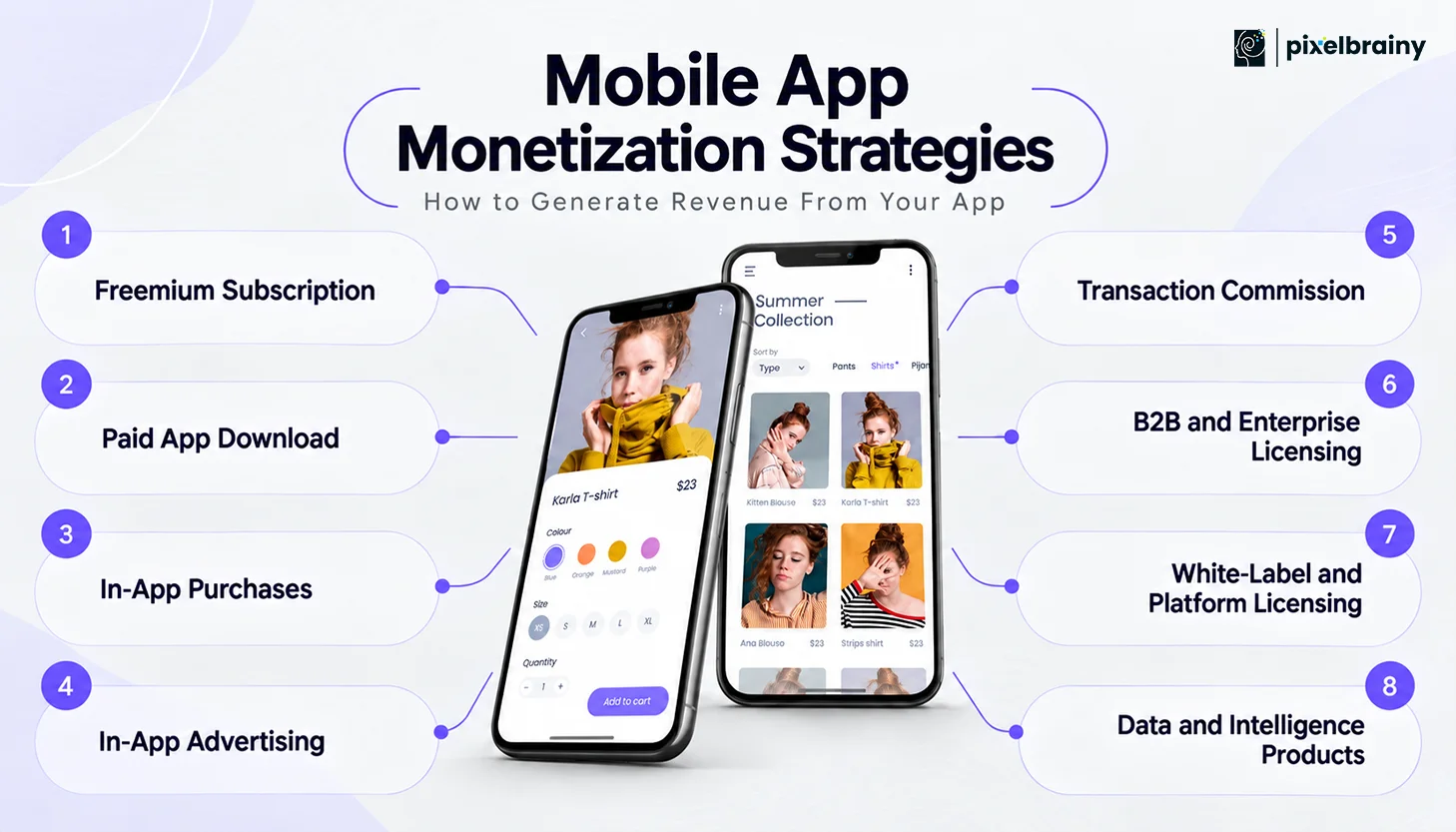
A freemium model gives users access to essential functionality for free while premium features, higher usage limits, exclusive content, or advanced capabilities require a recurring subscription. It can work particularly well when users receive ongoing value from the application.
Key points to consider:
This model can suit SaaS, productivity, fitness, education, AI, content, and professional applications. Apple supports subscription-based in-app purchases for services and periodically updated content.
Users pay a one-time fee before downloading or accessing the application. This approach can work when the application delivers specialized value that users can understand before making the purchase.
Key points to consider:
Professional tools, specialist utilities, premium applications, and niche software can fit this approach. Apple describes paid apps as a model where users pay once for the application's functionality.
In-app purchases allow users to download an application for free and purchase additional features, digital products, content, credits, upgrades, or other functionality inside the app. This model can reduce the initial barrier to adoption while allowing highly engaged users to spend more.
Key points to consider:
This approach is commonly relevant to gaming, entertainment, creative tools, utilities, and consumer applications. Apple supports consumable, non-consumable, and subscription-based in-app purchase models.
In-app advertising allows users to access an application for free while the business generates revenue from advertisements. Common formats include banner, native, interstitial, rewarded, and app-open advertising.
Key points to consider:
Advertising is generally more suitable for applications with frequent usage and substantial audience volume. Poorly placed or excessive advertisements can negatively affect engagement and retention.
A transaction commission model generates revenue by taking a percentage or fixed fee from transactions completed through the application. Revenue can grow as customers make more purchases, bookings, deliveries, or service transactions.
Key points to consider:
This model is suitable for marketplaces, delivery platforms, booking services, on-demand applications, and transaction-focused platforms.
Businesses pay for access through contracts, per-user pricing, annual licenses, or customized enterprise agreements. Additional revenue may come from implementation, integrations, support, maintenance, and professional services.
This model is particularly relevant to enterprise mobile app development, enterprise SaaS, workforce applications, and internal business platforms.
Key points to consider:
For a B2B product, the mobile application may be one part of a larger software platform rather than the entire commercial product.
White-label licensing allows a company to develop a reusable application or technology platform and provide customized versions to multiple businesses. Each customer can have its own branding, workflows, features, and integrations while the underlying technology remains reusable.
Key points to consider:
This approach can suit SaaS providers, technology companies, franchise networks, and platform businesses investing in custom mobile app development.
A mobile application can also support revenue through aggregated insights, analytics, benchmarking, research, or intelligence products. This model requires careful attention to data governance, privacy, consent, security, and applicable regulations.
Key points to consider:
This model can be relevant to B2B intelligence platforms, analytics products, research applications, and data-driven SaaS businesses.
Some applications can benefit from more than one revenue stream. For example, a free consumer app may combine advertising with premium subscriptions, while an AI application could offer a free tier, recurring subscription, and usage-based credits. Hybrid monetization can help businesses address different customer segments without relying on a single revenue source.
When businesses build a mobile app, make a mobile application, or create a mobile application, the monetization strategy should be considered alongside user journeys, product scope, payment requirements, analytics, and operating costs. A mobile app development agency can then incorporate the required revenue mechanisms into the application's technical architecture.
The focus should not be on adding as many revenue streams as possible. A simpler model that matches customer behavior is often easier to understand, implement, measure, and optimize during the development of mobile app products.
A strong mobile app monetization strategy connects customer value with a sustainable revenue model, helping businesses support acquisition, retention, development costs, and long-term growth.
Promoting a mobile application requires more than driving downloads. A sustainable mobile app marketing strategy should attract the right users, convert store visitors into installers, encourage first-time engagement, and bring valuable users back over time. For businesses investing in mobile app development, promotion should therefore be planned alongside product positioning, analytics, onboarding, and retention.
Consider a business asking: “We have invested heavily in developing a mobile app, but how do we get the right users to discover it, install it, use it regularly, and eventually become paying customers without spending our entire marketing budget on paid advertising?” The answer is a combination of organic discovery, paid acquisition, content, social engagement, referrals, PR, retention, and app-store visibility.
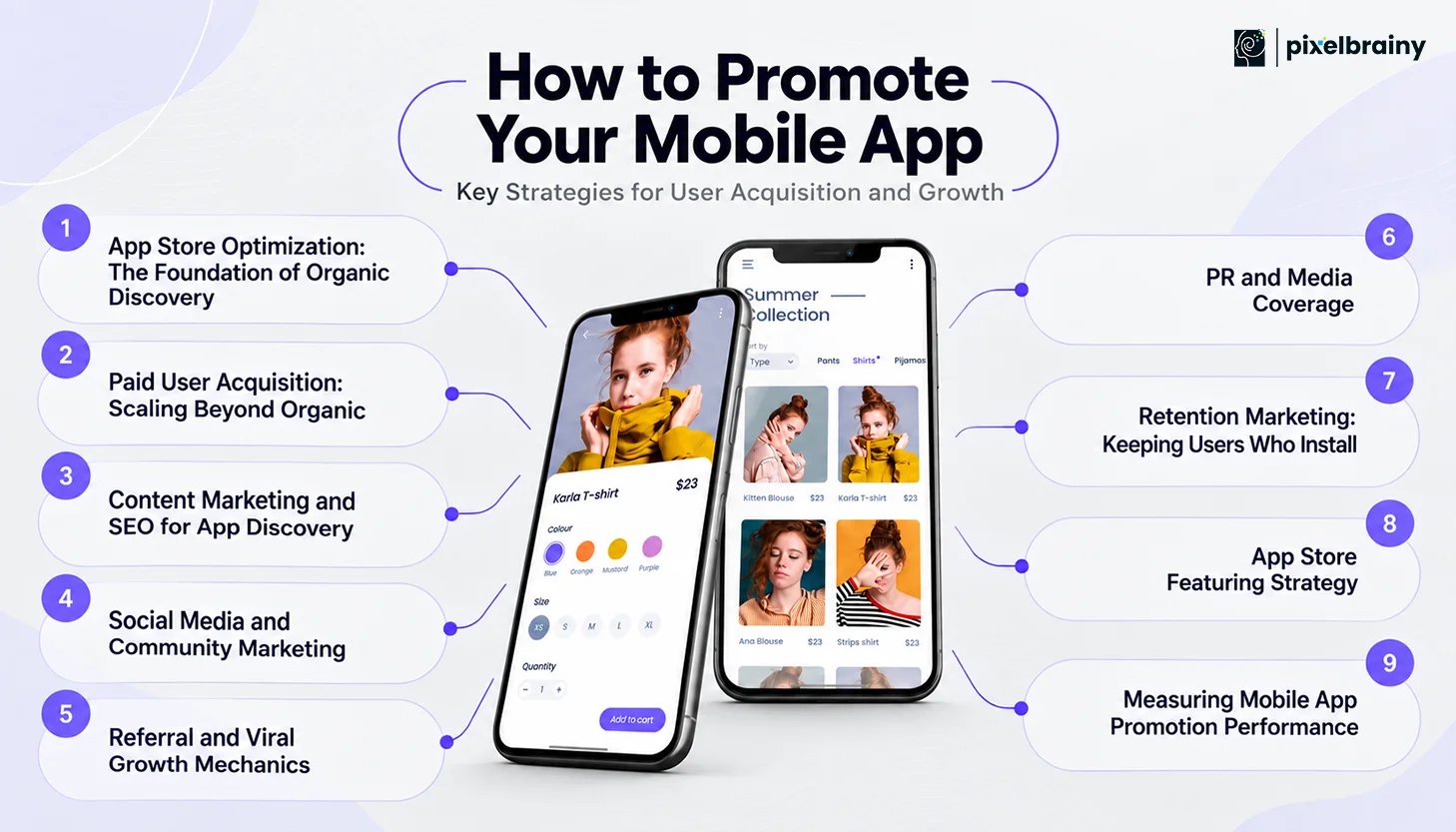
App Store Optimization (ASO) improves how an application appears and converts users within app-store search and browsing experiences. Strong ASO starts with understanding what potential users search for and communicating the application's value clearly through its store listing.
Apple states that App Store search considers factors including metadata relevance, user behavior, downloads, ratings, and reviews. Developers can also test product-page elements such as icons, screenshots, and app previews.
Key strategies:
For businesses planning to create a mobile application, ASO provides an important foundation for organic user acquisition because people already searching for relevant solutions have stronger installation intent.
Paid acquisition allows businesses to reach specific audiences through advertising platforms and campaigns. It can accelerate growth when organic discovery alone cannot generate enough qualified users.
Apple provides advertising opportunities within App Store search and other App Store placements, while App Store analytics can connect acquisition sources with downloads, usage, sales, and subscriptions.
Key strategies:
Paid acquisition should support a validated product rather than compensate for weak onboarding, poor usability, or low retention.
Content marketing helps potential users discover the application before they enter an app store. A business can create educational articles, comparison pages, tutorials, case studies, videos, and problem-focused resources around the needs its application solves.
Key strategies:
This approach can be particularly valuable for companies using custom mobile app development to solve a specific business or consumer problem because educational content can explain the application's value before asking users to install it.
Social media can create awareness, demonstrate product value, and build an ongoing community around the application. The strongest campaigns focus on useful content and conversations rather than repeatedly asking people to download the app.
Key strategies:
For a mobile app development agency or product company, social channels can also demonstrate expertise through behind-the-scenes development, product improvements, customer outcomes, and educational content.
Referral marketing encourages existing users to bring new users into the application. When designed correctly, it can reduce dependence on paid acquisition because satisfied customers become a source of new registrations.
Key strategies:
Referral mechanics work particularly well when the product naturally benefits from network effects, collaboration, sharing, or recommendations.
Public relations can increase awareness and credibility when the application offers a meaningful story. Instead of simply announcing that an app exists, businesses can focus PR around a new product category, customer problem, technology innovation, business milestone, research finding, or significant product launch.
Key strategies:
PR can be especially useful for startups and businesses entering competitive markets where credibility and differentiation matter.
Acquiring users is only part of growth. If people install an application but do not return, increasing advertising spend may simply increase acquisition costs without creating sustainable growth. Retention should therefore be measured alongside downloads and acquisition.
Apple's App Store analytics provides retention data that shows whether users return after installation and allows businesses to analyze engagement patterns across user cohorts.
Key strategies:
A business developing a mobile app should define retention metrics before launch so marketing and product teams can understand whether acquired users are actually becoming active customers.
App-store featuring can provide additional visibility beyond standard search and paid acquisition. Apple provides opportunities for developers to nominate applications for featuring and promotes selected apps, stories, events, and content across App Store experiences.
Key strategies:
Google Play also provides store-listing performance reporting to help developers understand how users interact with their listings and optimize acquisition.
A successful promotion strategy should connect marketing activity with business outcomes. Downloads alone do not show whether an acquisition campaign is working. Businesses should evaluate the complete journey from discovery to installation, activation, retention, and revenue.
Important metrics include:
Apple's analytics tools allow businesses to compare acquisition sources and connect them with downloads, usage, sales, and subscriptions, making it possible to identify which channels attract higher-quality users.
Effective mobile app promotion combines organic discovery, paid acquisition, content, community, referrals, PR, retention, and app-store visibility to turn downloads into sustained user growth and measurable business results.
Real mobile application development success stories and case studies for businesses show that successful apps are usually built around a measurable business problem.
The examples below combine documented results from real applications with representative business scenarios where exact client identities or metrics are not publicly available. This makes the lessons useful for businesses planning mobile app development for business, custom mobile app development, and enterprise mobile app development.
Business situation: Starbucks already had a large customer base, but needed to make loyalty, ordering, payment, and personalized offers more convenient through mobile.
Development approach: The Starbucks app combined mobile ordering and payment with Rewards, personalized offers, location capabilities, and customer purchase data. Its development focused heavily on customer journeys and usability rather than simply adding features. A documented UX case study reported a 67% increase in Rewards sign-ups, a 48% increase in customer engagement, and a 12% revenue uplift among active Rewards members following experience improvements.
The broader Starbucks mobile strategy also demonstrates how personalization can become part of the commercial model. Starbucks has used purchase history and personalized offers to influence customer behavior and increase engagement.
Transferable lesson: Retailers should not treat a mobile app as a smaller version of their website. Loyalty, personalization, convenient ordering, payments, and relevant notifications can turn mobile into a direct revenue and retention channel.
Business situation: Mahindra's tractor service network operates across locations where connectivity can be unreliable. Traditional paper-based service processes and phone-based parts lookups made it difficult for technicians to access service history and complete jobs efficiently.
Development approach: The Mahindra DSS field-service application was designed around technicians working in areas with poor connectivity. The solution included offline functionality, service-ticket management, parts information, and technician workflows. A published case study reports a 41% reduction in average ticket resolution time, a 28% improvement in first-visit fix rate, 100% offline coverage, and a 22-point increase in dealer NPS. The case study notes that its metrics are illustrative ranges because final numbers are under NDA.
A separate field-service implementation for more than 300 technicians reported moving job-sheet processing from three days to same-day and reducing invoicing delays by 62%.
Transferable lesson: For enterprise applications, offline capability, workflow automation, inventory access, digital documentation, and real-time status can create measurable operational ROI. The most valuable features are often those that remove work rather than add functionality.
Business situation: SaaS products often depend on frequent usage for retention. Customers who only interact with a platform from their desktop may have fewer opportunities to use important workflows during the day.
Development approach: Applications such as Slack, Trello, and HubSpot extend their software experiences to mobile users. Features such as notifications, task management, CRM access, and real-time communication help users complete important workflows away from their desks. Fathom's integration with HubSpot provides another example: customers using the integration showed a 33% higher net retention rate.
Transferable lesson: A SaaS mobile app should not simply reproduce the desktop interface. The strongest mobile use cases focus on the workflows customers need when they are away from their desks, creating more frequent product engagement and stronger product value.
Business situation: Consumer applications competing for downloads cannot depend entirely on advertising. They need a product experience that encourages users to return, share, and recommend the application.
Development approach: Duolingo combines mobile-first learning with gamification features such as streaks, achievements, progress tracking, personalized learning, and notifications. These product mechanics encourage consistent learning habits and give users reasons to keep returning.
For a startup with a hypothetical $180,000 app budget and a goal of 2 million downloads in 12 months, this highlights the importance of combining product development with app store optimization (ASO), onboarding, referral strategies, and retention planning.
Transferable lesson: Organic growth is rarely created by ASO alone. A successful consumer app gives users reasons to return and mechanisms that naturally encourage discovery, sharing, and continued engagement.
Business situation: An on-demand marketplace can have an excellent customer-facing application and still lose money if supply, demand, pricing, utilization, and operational costs are poorly managed.
Development approach: Uber combines rider and driver applications with location tracking, ride matching, payment processing, and marketplace pricing mechanisms. Its surge-pricing approach is designed to encourage more drivers to serve areas with high demand and help balance supply with ride requests.
For a representative on-demand startup, a later development phase might prioritize driver allocation, route optimization, demand forecasting, pricing mechanisms, and operational dashboards to improve efficiency.
Transferable lesson: On-demand applications succeed on unit economics, not feature volume. Investment in matching algorithms, utilization, pricing, routing, and operational efficiency can create more commercial value than adding another set of customer-facing features.
Across retail, field service, SaaS, consumer applications, and on-demand marketplaces, the same principle appears repeatedly: mobile application development creates the most value when technology is directly connected to a measurable business objective.
For businesses following a mobile application development guide, the practical questions are therefore not only what features should the app have? but also:
The strongest mobile app success stories are not defined by the number of features they launch, but by how effectively the application improves a measurable business outcome.
Mobile app projects rarely fail because the original idea is impossible. They more often run into trouble because of uncontrolled scope, weak planning, unsuitable technology decisions, inadequate testing, security gaps, or insufficient post-launch investment. For business owners, these problems can increase development costs and delay market entry, while CTOs must also consider architecture, scalability, security, integrations, and long-term maintainability.
A business planning custom mobile app development may ask: “What risks should we identify before development starts, and how can we prevent scope changes, performance issues, security vulnerabilities, poor user retention, and technical problems from affecting our investment?” Addressing these questions early helps business owners protect budgets and timelines while giving CTOs a stronger technical foundation for the product.
The following challenges explain the most common issues affecting mobile app development for business, why they occur, and the practical approaches teams can use to prevent them.
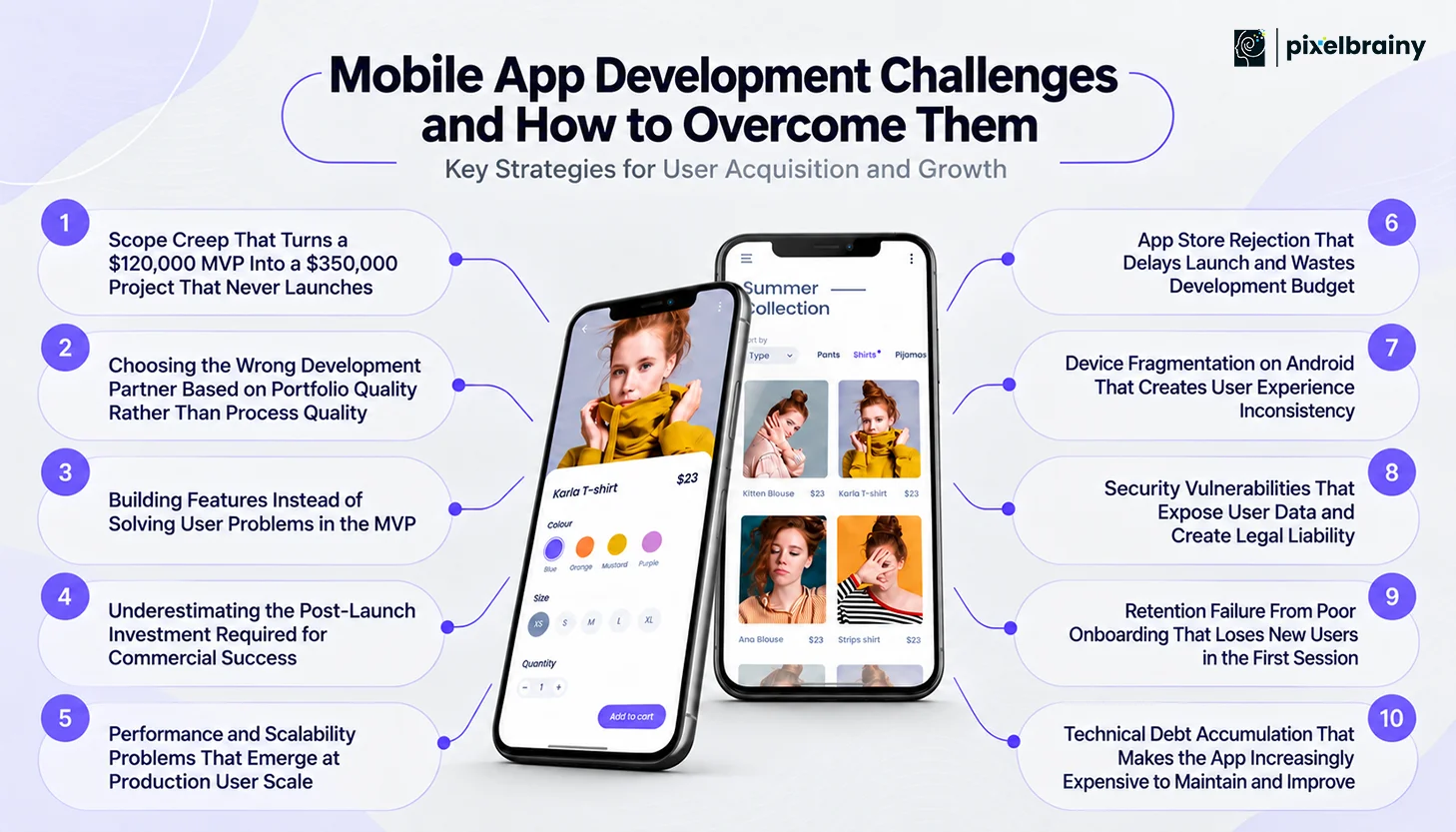
Scope creep happens when new features, integrations, workflows, or design changes are added after development has already started. Each individual request may appear reasonable, but collectively they can change the original project into a much larger product.
Why it happens:
Practical solution:
Define the MVP around a limited set of business-critical user journeys before development starts. Maintain a prioritized product backlog and evaluate every new requirement against budget, timeline, user value, and technical impact. If the scope changes, update the delivery plan and commercial agreement rather than absorbing the work informally.
An impressive portfolio demonstrates what a company has built, but it does not necessarily demonstrate how it manages communication, scope changes, testing, documentation, technical risks, or project delivery.
Why it happens:
Practical solution:
When evaluating a mobile app development company, examine its discovery process, project methodology, QA approach, communication structure, technical architecture practices, documentation, change-request process, and post-launch support. Ask how the company handles missed deadlines, defects, changing requirements, and technical risks.
A trustworthy partner should explain both what it can deliver and what could create additional cost.
First-time app builders can focus heavily on feature quantity while underestimating the quality required to make each important workflow useful. A smaller MVP with five well-executed features can provide more value than a larger application filled with poorly implemented functionality.
Why it happens:
Practical solution:
Start with the core problem the application must solve and identify the minimum user journey required to solve it effectively. Product teams should prioritize features according to customer value, business impact, technical complexity, and evidence from user research.
The goal of custom mobile app development should be a focused first release that proves the product's core value.
Launching the application is not the end of the mobile application development process. After launch, businesses may need to invest in marketing, analytics, customer feedback, bug fixes, performance improvements, new features, operating-system compatibility, and retention activities.
Why it happens:
Practical solution:
Create a post-launch budget before development begins. Define responsibilities for maintenance, monitoring, marketing, analytics, customer support, and product iteration. Establish measurable targets for activation, retention, engagement, acquisition, and revenue so the business can determine whether the application is performing commercially.
An application can perform well during development and still experience slow response times, crashes, database bottlenecks, or backend failures when real users create significantly higher traffic.
Why it happens:
The source material also highlights performance and battery consumption as important considerations during mobile application development and recommends rigorous testing before release.
Practical solution:
Include performance engineering in the architecture and QA process. Conduct load and stress testing, monitor API response times, optimize database queries, test different network conditions, and establish scalability thresholds before launch.
App-store review requirements can create unexpected delays when privacy disclosures, permissions, payments, metadata, account access, or other submission requirements are incomplete or incorrectly implemented.
Why it happens:
Practical solution:
Treat App Store and Google Play requirements as part of the development process rather than a final administrative step. Review current policies early, implement required privacy and permission flows correctly, prepare store assets in advance, and conduct a pre-submission compliance review.
This reduces the risk of discovering a launch-blocking issue after the application is technically complete.
Android applications need to operate across a broad range of devices, screen sizes, hardware configurations, and operating-system versions. An application that works correctly on one device may display or perform differently on another.
Why it happens:
Practical solution:
Create a device testing matrix based on the application's target markets and user demographics. Test important screen sizes, operating-system versions, hardware profiles, network conditions, and lower-end devices. Responsive layouts and adaptive interfaces should be considered during design and development rather than added at the end.
Mobile applications can handle personal information, payment data, health information, authentication credentials, business records, and other sensitive information. Weak security in APIs, authentication, local storage, or third-party integrations can expose this information.
Practical solution:
Build security into the architecture from the beginning. Use appropriate authentication and authorization, secure API communication, protected data storage, dependency management, logging, access controls, and security testing. For applications handling sensitive or regulated information, security requirements should be reviewed with the appropriate technical and compliance teams.
An application can generate thousands of installs but still struggle commercially if new users cannot understand its value quickly. Complicated registration, unclear navigation, excessive permissions, or lengthy introductory screens can prevent users from reaching the application's core benefit.
Why it happens:
Practical solution:
Design onboarding around the shortest path to the application's core value. Explain only what users need at that moment, minimize unnecessary steps, personalize the experience where appropriate, and use analytics to identify where new users abandon the journey.
The original development guidance also emphasizes user-friendly design and valuable features as important considerations when addressing mobile app challenges.
Technical debt develops when teams use shortcuts in architecture, coding, testing, documentation, or infrastructure to meet immediate deadlines. These shortcuts can make future development slower and increase the risk of introducing new defects.
Why it happens:
Practical solution:
Maintain clear architecture standards, code reviews, automated testing, documentation, dependency updates, and regular technical-debt reviews. Product and engineering teams should distinguish between a deliberate MVP simplification and a shortcut that creates unnecessary long-term risk.
For businesses investing in mobile app development for business, controlling technical debt is especially important because the application may need to support new integrations, users, platforms, and business workflows over several years.
Successful mobile application development requires controlling scope, validating technology, testing realistically, protecting user data, planning for growth, and investing beyond the initial launch.
Mobile app security should be built into the product from architecture through production rather than treated as a final testing step. Applications can handle credentials, personal information, financial data, healthcare records, and business information, making authentication, data protection, secure APIs, code security, and compliance essential parts of mobile application development.
For example, a CTO may ask: “Our mobile app will handle customer accounts, payments, and sensitive personal data. What security controls should we build before launch, and how can we verify that our development team has protected the application against realistic threats?” The answer involves multiple security layers, from authentication and encrypted communication to secure storage, application protection, compliance, and penetration testing.
The OWASP Mobile Application Security Verification Standard provides a useful security baseline covering authentication, secure storage, cryptography, network communication, platform interaction, code security, resilience, and privacy.
| Security Domain | What the Application Should Protect | Key Security Practices | Risks if Not Implemented Properly |
| Authentication and Access Control | User accounts, credentials, sessions, roles, and protected application functionality | Implement MFA for sensitive applications, use biometric authentication where appropriate, support OAuth 2.0 and OpenID Connect for suitable identity integrations, use secure session management, expire access tokens appropriately, protect refresh tokens, and enforce authorization on the backend. | Account takeover, stolen sessions, unauthorized access, privilege escalation, and exposure of protected resources. |
| Data Transmission Security | Information moving between the mobile application, APIs, databases, and third-party services | Enforce HTTPS, use current TLS configurations including TLS 1.3 where supported, validate certificates correctly, consider certificate pinning for highly sensitive applications, secure API tokens, validate input, and implement rate limiting. | Attackers on public or untrusted networks may intercept, modify, or redirect unprotected communications. OWASP identifies cleartext network traffic as a significant mobile security weakness. (OWASP MASVS Network Security) |
| Local Data Storage Security | Passwords, authentication tokens, personal information, payment-related data, cached records, and cryptographic keys | Use iOS Keychain for appropriate sensitive credentials and secrets, Android Keystore for cryptographic key management, encrypt sensitive local databases, minimize stored data, and securely invalidate or delete sensitive information during logout or account deletion. | Lost or compromised devices can expose sensitive information stored in plaintext or insecure application storage. |
| Code Security and Reverse Engineering | Application logic, proprietary algorithms, sensitive functionality, and binary integrity | Consider Android code obfuscation, jailbreak and root detection for high-risk applications, anti-tampering controls where justified, secure dependency management, and server-side enforcement of critical business rules. | Reverse engineering, application modification, fraud, unauthorized functionality, and exposure of sensitive application logic. |
| API Security | Backend endpoints, authentication tokens, business logic, user data, and transaction workflows | Authenticate every sensitive API request, enforce server-side authorization, validate inputs, implement rate limits, protect tokens, restrict unnecessary data returned by APIs, and monitor suspicious requests. | Broken access control, data exposure, API abuse, injection attacks, and unauthorized transactions. |
| Privacy and Data Protection | Personal information, location data, identifiers, behavioral data, and other user information | Collect only necessary information, define retention periods, provide appropriate privacy disclosures, protect stored and transmitted data, control access, and implement applicable user privacy rights. | Privacy violations, regulatory penalties, loss of customer trust, and unnecessary exposure of sensitive information. |
| GDPR Requirements | Personal data relating to users covered by EU data protection requirements | Assess lawful processing, consent where required, data minimization, security controls, retention, user rights, breach response, and appropriate privacy documentation. | Regulatory exposure and privacy violations when personal data is processed without appropriate controls. |
| HIPAA Requirements | Protected health information in applications that fall within HIPAA's scope | Apply appropriate administrative, physical, and technical safeguards, control access to protected health information, secure transmission and storage, and maintain appropriate audit and security processes. | Unauthorized disclosure of protected health information and regulatory consequences. |
| PCI DSS Requirements | Payment card data and payment-processing environments | Minimize direct handling of cardholder data, use appropriate payment providers and secure payment integrations, protect payment-related information, and understand the application's specific PCI DSS responsibilities. | Payment data exposure, fraud risk, compliance problems, and increased security obligations. |
| SOC 2 Requirements | Enterprise systems, customer data, access controls, and supporting infrastructure | Implement appropriate controls around security, access management, monitoring, change management, incident response, and operational processes when SOC 2 is relevant to the business or enterprise customer requirements. | Reduced enterprise trust and difficulty meeting customer security requirements. SOC 2 is an assurance framework rather than a universal legal requirement for every mobile app. |
| COPPA Requirements | Personal information collected from children under 13 in covered U.S. services | Determine whether COPPA applies, obtain required parental consent where applicable, minimize children's data collection, provide appropriate notices, and implement required data protection practices. | Regulatory exposure and inappropriate collection or disclosure of children's personal information. |
| Security Audits and Penetration Testing | Application code, APIs, authentication, storage, infrastructure, and attack surfaces | Conduct static and dynamic security testing, API testing, vulnerability scanning, dependency analysis, penetration testing, and remediation testing before production for applications where the risk justifies it. | Vulnerabilities may remain undiscovered until attackers, researchers, or customers identify them after launch. |
| Ongoing Security Maintenance | Application dependencies, APIs, cloud infrastructure, credentials, and newly discovered vulnerabilities | Monitor security events, update dependencies, rotate credentials when required, patch vulnerabilities, review access permissions, perform periodic testing, and maintain an incident-response process. | Security weaknesses accumulate over time and can turn previously secure applications into vulnerable production systems. |
Therefore, strong mobile app security protects user data, reduces business risk, supports compliance, and gives business owners and CTOs greater confidence that the application is ready for production.
A professional mobile app development team needs a combination of product, design, engineering, quality assurance, infrastructure, and delivery expertise. The exact structure depends on application complexity, platform strategy, budget, and whether the business builds the product internally or works with an external development partner.
For example, a startup may ask: “Do we really need separate product, UX, UI, development, QA, DevOps, and project management roles for our first mobile app, or can a smaller team deliver the MVP without creating unnecessary costs?” The answer depends on the product's complexity and development model. Some roles can be combined for a simple MVP, while others become essential as the application grows.
The product manager owns the product vision, feature prioritization, roadmap, and communication between business and development teams. This role ensures development effort remains focused on features that deliver business value and translates requirements into actionable product specifications.
Role status: Critical full-time role for products with ongoing development. Can be part-time or handled by the founder for a simple MVP.
The UX designer researches users, creates information architecture, maps user journeys, and designs interactions that help users complete tasks efficiently. Strong UX directly affects usability, retention, and the overall quality of the mobile experience.
Role status: Critical full-time role for complex applications with multiple user types or workflows. Can be project-based for simpler applications.
The UI designer develops the visual design system, screen designs, components, and assets that turn UX concepts into a consistent product interface. On smaller projects, UX and UI responsibilities can be combined into a single product designer role.
Role status: Full-time or project-based depending on application complexity, branding requirements, and design scope.
The iOS developer builds the iPhone and iPad application using technologies such as Swift and SwiftUI. Responsibilities include implementing interfaces, integrating APIs, supporting Apple platform capabilities, optimizing performance, and preparing the application for App Store requirements.
Role status: Critical full-time role for native iOS development.
The Android developer builds the Android application using Kotlin and modern Android development technologies. The role also addresses device compatibility, Android-specific functionality, Google Play requirements, and performance across different hardware configurations.
Role status: Critical full-time role for native Android development.
Cross-platform developers use frameworks such as React Native or Flutter to develop Android and iOS applications from a shared codebase. They manage cross-platform compatibility and can work with native developers when platform-specific integrations require additional implementation.
Role status: Critical full-time role for cross-platform projects. Native specialists can be added when complex platform-specific functionality is required.
The backend developer builds the server-side infrastructure supporting the mobile application, including APIs, databases, business logic, authentication, and third-party integrations. Backend architecture directly affects application performance, data reliability, security, scalability, and the ability to introduce new features.
Role status: Full-time for applications with complex backend requirements. Can be part-time when the product primarily relies on third-party services.
The QA engineer creates and executes the testing strategy covering functionality, device compatibility, performance, security, integrations, and real-world usage conditions. Strong QA helps identify defects before they reach users and reduces the risk of poor ratings and expensive post-launch fixes.
Role status: Critical full-time role for production applications. At minimum, dedicated part-time QA should be included in MVP development.
The DevOps engineer manages cloud infrastructure, CI/CD pipelines, deployment automation, monitoring, and production environments. This role helps development teams release updates reliably and identify production incidents quickly.
Role status: Full-time for high-traffic or infrastructure-heavy applications. Can be part-time or shared across smaller projects.
The project manager coordinates timelines, resources, communication, risks, milestones, and delivery responsibilities across the development team. In an agency environment, this person often becomes the primary client contact and ensures the project remains aligned with its agreed scope and schedule.
Role status: Full-time for large or complex projects. Can be handled by a product manager or senior developer on smaller teams.
The best mobile application development team structure also depends on how the business plans to build and maintain the product.
| Team Model | Cost Profile | Quality and Control | Best Suited For |
| In-House Team | Higher ongoing cost because of salaries, benefits, infrastructure, recruitment, and management. | Provides strong control over product decisions, code quality, IP, and development priorities. | Businesses with long-term product roadmaps and continuous development requirements. |
| Development Agency | Project or retainer-based cost without the full overhead of building an internal team. | Provides access to an established team and processes. IP ownership and maintenance terms should be clearly defined in the contract. | Startups and businesses that need experienced specialists without building a complete internal team. |
| Freelancer Team | Often lower initial cost and flexible staffing. | Quality and coordination can vary significantly between individuals. Businesses need strong project management and clear IP agreements. | Smaller projects, MVPs, specialist tasks, or businesses with internal technical leadership. |
| Hybrid Team | Combines internal leadership costs with external development costs. | Provides internal product and technical oversight while using an agency or offshore development team for implementation. | Businesses wanting greater control while reducing the cost of maintaining a large engineering team. |
For many businesses, the hybrid model can provide a practical balance. An in-house product manager and technical lead can own product decisions, architecture oversight, quality control, and communication while an external development team handles design, coding, testing, or specialized implementation.
Regardless of the model, businesses should clarify IP ownership, source-code access, documentation, maintenance responsibility, security standards, and post-launch support before development begins.
The right mobile app development team is not necessarily the largest team. It is the team with the right combination of product, design, engineering, QA, infrastructure, and delivery expertise for the application's actual complexity.
Finding the right mobile app development company is about more than comparing portfolios or choosing the lowest quote. The right development partner should understand your business objective, target users, technical requirements, budget, timeline, and long-term product roadmap. For businesses investing in custom mobile app development, the development team's communication, technical process, QA practices, and post-launch support can have as much impact on the outcome as its coding capabilities.
A business owner may ask: “We have received proposals from several mobile app development companies, but each one recommends a different technology stack, timeline, and price. How can we determine which company genuinely understands our requirements, has the right technical expertise, and will deliver what it promises without unexpected costs later?” A structured evaluation process can help answer that question before signing a contract.
Start by documenting what the application needs to achieve. A clear project brief helps potential development partners understand the scope and provide more meaningful estimates.
Define:
For entrepreneurs and business owners, this stage creates budget and scope clarity. For CTOs, it provides the technical context needed to evaluate architecture and development feasibility.
Research companies based on their actual capabilities rather than relying only on search rankings or marketing claims. Look for teams that have experience with applications similar in complexity, industry requirements, platform needs, or integrations.
Review:
Create a shortlist of companies that appear capable of handling your specific requirements instead of contacting a large number of unrelated vendors.
A portfolio shows what a company has built, but case studies can reveal more about how it approached the underlying business problem. Look beyond visual design and ask how the development team contributed to product strategy, architecture, testing, and measurable outcomes.
Check:
A visually impressive portfolio does not automatically mean a company is the right partner for your project.
Reputation can provide useful evidence about how a development company works after the contract is signed. Review independent client feedback where available and look for recurring comments about communication, quality, deadlines, transparency, and support.
Consider:
Avoid relying on awards or ratings alone. A company with an impressive reputation may still be unsuitable if its development process does not match your project requirements.
Before hiring a mobile app development company, discuss the project directly with the people who will actually manage and develop it. This can reveal whether the team understands your requirements or is simply trying to sell development services.
Ask questions such as:
A strong development partner should be willing to identify risks instead of promising that everything will be easy.
The development team should have the technical capabilities required for your application rather than simply promoting its preferred technology stack.
Evaluate expertise in:
For CTOs and technical decision-makers, it is also important to understand who will make architecture decisions and whether senior technical expertise will remain involved throughout the project.
Do not compare proposals based only on the final price. Two companies can quote very different amounts because their definitions of scope, testing, integrations, design, documentation, deployment, and support may be different.
Before signing, verify:
A trustworthy mobile application development company should clearly identify assumptions, exclusions, dependencies, and circumstances that could affect the original estimate.
Launching an app is only the beginning of its operational lifecycle. Applications require bug fixes, operating-system compatibility updates, security patches, performance monitoring, infrastructure maintenance, and product improvements.
Ask the development company:
A development partner that offers ongoing mobile app development services can provide continuity when the application moves from initial launch into regular product iterations.
Successful custom mobile app development requires continuous collaboration between the business and development team. The company should be comfortable working with your product, design, marketing, operations, and technical teams where necessary.
Look for:
The goal is not simply to hire developers but to establish a working relationship that can support the product throughout its lifecycle.
Before hiring mobile app developers, request references from clients with projects comparable to yours. Speaking directly with previous clients can reveal information that may not appear in a portfolio or proposal.
Ask previous clients:
This final step can help validate whether the development company's claims match the experience of its previous customers.
The best partner is not necessarily the company with the largest portfolio, lowest price, or most impressive sales presentation. It should be a team that understands your business objectives, explains technical tradeoffs clearly, manages scope responsibly, maintains development quality, and provides support after launch.
For businesses planning to hire mobile app developers, a structured evaluation process reduces the risk of choosing a partner based only on price or portfolio appearance. It also gives business owners and CTOs a clearer basis for comparing proposals, technical capabilities, communication practices, and long-term support.
The right mobile app development company should bring together business understanding, technical expertise, transparent communication, reliable delivery, and long-term support to turn your app idea into a sustainable product.
Businesses looking for a mobile technology partner need more than a team that can write code. They need a company that can understand the product, recommend the right technology, create a usable experience, manage the development process, and remain accountable after launch. PixelBrainy is a leading mobile app development company in USA that works with businesses to turn product requirements into customized mobile experiences.
A practical example is a company that has already evaluated its requirements and knows it needs a React Native application with offline capability, push notifications, biometric authentication, Stripe and Salesforce integrations, a custom admin dashboard, real-time synchronization, deep linking, iOS and Android App Store optimization, and 12 months of post-launch maintenance. With a $280,000 budget and a 20-week timeline, the right development partner should be evaluated on relevant technical experience, delivery process, team structure, communication, testing, and post-launch support, not simply on the number of projects shown in a portfolio.
PixelBrainy has experience working on mobile applications ranging from straightforward products to more complex digital solutions. The team considers product requirements, design, development, integrations, testing, and ongoing support as connected parts of the project.
PixelBrainy focuses on creating intuitive and engaging mobile experiences around user needs. This approach is particularly important for applications involving onboarding, transactions, dashboards, multiple user journeys, or frequent engagement.
Different businesses require different workflows, integrations, platforms, and functionality. PixelBrainy works with clients to understand their requirements and align the solution with their product vision and business objectives rather than applying the same approach to every project.
PixelBrainy keeps its development approach aligned with evolving technologies and can explore AI solutions for mobile app products where they provide meaningful business or user value. Potential applications include personalization, recommendations, intelligent automation, conversational experiences, and predictive functionality.
Clear communication is essential when a project has a defined budget and deadline. PixelBrainy emphasizes keeping clients involved, providing project updates, and incorporating feedback throughout the development process.
For a business planning mobile application development for businesses, this means discussing scope, priorities, technical decisions, milestones, and support requirements before they become costly changes.
PixelBrainy's portfolio includes projects across event management, fintech, payments, and mobile experience design, giving prospective clients examples of its design and product work.
Designed to make event planning, organization, and coordination easier for planners and attendees through a streamlined mobile experience.
A fintech mobile experience focused on transactions, balance tracking, and helping users develop smarter financial habits through a simple interface.
A payment-focused mobile experience designed around seamless transactions, usability, and secure financial management.
A mobile redesign project focused on improving interfaces, enhancing functionality, and creating a smoother overall user experience.
Whether the objective is to create mobile app experiences for customers, employees, financial services, events, or other business workflows, the development partner should be able to connect product requirements with practical technology decisions. PixelBrainy's approach combines user-focused design, customized solutions, modern technology, transparent communication, and project experience.
Businesses evaluating mobile app development services should also conduct their own due diligence by reviewing relevant case studies, discussing technical requirements, confirming project milestones, understanding source-code and IP ownership, and speaking with references where available. This helps determine whether a partner is genuinely suited to the scope, budget, timeline, and support expectations of the project.
Connect with PixelBrainy's app development experts to discuss your requirements and plan your next mobile product.

A successful mobile application starts with a clear business objective and continues with the right decisions at every stage, from platform selection and feature planning to UI/UX design, technology selection, development, testing, launch, and ongoing maintenance. This guide has covered the major areas businesses need to consider when planning mobile application development, including app types, development platforms, core and advanced features, development costs, monetization, promotion, security, common challenges, team structure, and the process required to take an idea from concept to launch.
For businesses planning mobile application development for businesses, these considerations help connect product requirements with budget, timeline, technical feasibility, user expectations, and long-term growth. Whether the objective is to build a mobile application for customers, employees, commerce, financial services, SaaS, or another business model, the development approach should be based on the application's purpose and measurable business goals.
The right combination of strategy, technology, design, and expertise can turn building a mobile app into a sustainable digital product rather than simply another software project.
Book an appointment with our mobile app development experts to discuss your project and plan your next step.
Mobile application development is the process of planning, designing, developing, testing, launching, and maintaining software for smartphones and other mobile devices. It can include native iOS or Android development, cross-platform development, backend services, APIs, databases, security, analytics, and ongoing updates based on business and user requirements.
The cost to build a mobile app in 2027 can range from about $20,000 to $400,000+, depending on complexity, platforms, UI/UX, features, integrations, testing, and maintenance. A basic MVP may require $20,000-$70,000, while advanced and enterprise applications can require $70,000-$180,000 and $180,000-$400,000+ respectively.
Mobile app development can take several weeks for a focused MVP and several months for a complex business or enterprise application. The timeline depends on scope, platforms, design, integrations, backend requirements, testing, team size, and store approval. Clearly defined requirements and priorities help businesses establish a realistic development schedule.
Native mobile app development creates separate applications for platforms such as iOS and Android using platform-specific technologies. Cross-platform development uses frameworks such as React Native or Flutter to share more code across platforms. Native development can offer deeper platform optimization, while cross-platform development can reduce duplicated effort and accelerate delivery.
Build for the platform where your highest-value customers are concentrated and where your product has the strongest business opportunity. Consider audience demographics, geography, device usage, revenue potential, technical requirements, and budget before deciding. Some businesses may launch iOS first, while others benefit from Android or simultaneous cross-platform development.
A progressive web app, or PWA, is a web application designed to provide an app-like experience through a browser. It can be suitable when businesses prioritize accessibility, faster deployment, and lower initial investment. A native app is generally preferable when the product requires deeper device capabilities, advanced integrations, or extensive platform-specific functionality.
Mobile apps make money through subscriptions, in-app purchases, advertising, transaction commissions, paid downloads, enterprise licensing, and white-label solutions. The best model depends on customer behavior, product value, purchase frequency, and business economics. Some applications combine multiple revenue streams to increase monetization opportunities while supporting customer acquisition, retention, and long-term development.
An MVP, or minimum viable product, is the smallest practical version of a mobile application that solves its core user problem. It prioritizes essential functionality instead of launching every planned feature. Businesses can validate demand, collect user feedback, measure results, and use evidence to guide subsequent product development and investment.
Find a reliable mobile app development company by reviewing relevant case studies, technical capabilities, development methodology, communication practices, security processes, client references, pricing transparency, and post-launch support. Ask shortlisted companies to explain how they would approach your requirements, integrations, timeline, architecture, testing strategy, ownership terms, and maintenance obligations.
Mobile app maintenance commonly costs around 20% to 30% of the initial development investment annually. The budget can cover bug fixes, operating system updates, security improvements, infrastructure, performance optimization, third-party API changes, compatibility updates, analytics, and enhancements. Actual mobile app maintenance costs depend on complexity, usage, integrations, and support requirements.
Promote a mobile app through App Store Optimization, paid acquisition, SEO content, social media, referrals, partnerships, public relations, email campaigns, and retention marketing. Track impressions, installs, activation, engagement, retention, conversion, and customer acquisition cost. This helps businesses identify channels that attract valuable users instead of measuring success through downloads alone.
Mobile apps commonly fail because of unclear product-market fit, uncontrolled scope, poor user experience, weak performance, security issues, unsuitable technology choices, insufficient testing, poor onboarding, ineffective marketing, or inadequate post-launch investment. Successful mobile application development requires businesses to validate priorities early, control scope, test realistically, and continuously improve the product.
Yes, founders can build a mobile app without a technical background by working with an experienced development company, agency, freelancer, or technical co-founder. The business team can define the problem, users, goals, budget, and priorities, while technical specialists handle architecture, coding, integrations, testing, deployment, security, and maintenance.
React Native is a cross-platform framework for creating mobile applications for iOS and Android using a shared JavaScript or TypeScript codebase. It can be a strong option when businesses want efficient cross-platform mobile app development while accessing native capabilities. Evaluate performance, integrations, product complexity, team expertise, and long-term maintenance before choosing it.
The right mobile app development company in the USA should match your product requirements, technology needs, budget, timeline, industry, and support expectations. Compare relevant case studies, technical expertise, client references, communication, security, contracts, and maintenance. For PixelBrainy, businesses can review relevant portfolio projects and discuss their requirements to assess project fit.

About The Author
Sagar Bhatnagar
Sagar Sahay Bhatnagar brings over a decade of IT industry experience to his role as Marketing Head at PixelBrainy. He's known for his knack in devising creative marketing strategies that boost brand visibility and market influence. Sagar's strategic thinking, coupled with his innovative vision and focus on results, sets him apart. His track record of successful campaigns proves his ability to utilize digital platforms effectively for impactful marketing efforts. With a genuine passion for both technology and marketing, Sagar continuously pushes PixelBrainy's marketing initiatives to greater success.

Working with PixelBrainy has been a great experience. They took our vision for an AI-powered platform and turned it into a fully functional product. What impressed me most was their strong understanding of both design and development, and their ability to handle complex requirements with ease. The team was responsive, cooperative, and always open to feedback. They kept things organized, communicated clearly, and delivered quality work on time. I highly recommend PixelBrainy to anyone looking for a skilled and reliable development partner.

Working with the PixelBrainy team has been a highly positive experience. They understand the design requirements and create beautiful UX elements to meet the application needs. The dev team did an excellent job bringing my vision to life. We discussed usability and flow. Sagar worked with his team to design the database and begin coding. Working with Sagar was easy. He has the knowledge to create robust apps, including multi-language support, Google and Apple ID login options, Ad-enabled integrations, Stripe payment processing, and a Web Admin site for maintaining support data. I'm extremely satisfied with the services provided, the quality of the final product, and the professionalism of the entire process. I highly recommend them for Android and iOS Mobile Application Design and Development.

Great experience working with them. Had a lot of feedback and I found that unlike most contractors they were bugging me for updates instead of the other way around. They were extremely time conscience and great at communicating! All work was done extremely high quality and if not on time, early! They were always proactive when it comes to communication and the work is great/above par always. Very flexible and a great team to work with! Goes above and beyond to present us with multiple options and always provides quality. Amazing work per usual with Chitra. If you have UI/UX or branding design needs I recommend you go to them! Will likely work with them in the future as well, definitely recommended!

PixelBrainy is a joy to work with and is a great partner when thinking through branding, logo, and website layout. I appreciate that they spend time going into the "why" behind their decisions to help inform me and others about industry best practices and their expertise.

I hired them to design our software apps. Things I really like about them are excellent communication skills, they answer all project suggestions and collaborate right away, and their input on design and colors is amazing. This project was complex and needed patience and creativity. The team is amazing to do business with. I will be using them long-term. Glad to see there are some good people out there. I was afraid to try and outsource my project to someone but I am glad I met them! I really can't say enough. They went above and beyond on this project. I am very happy with everything they have done to make my business stand out from the competition.

It was great working with PixelBrainy and the team. They were very responsive and really owned the project. We'll definitely work with them again!

I recently worked with the PixelBrainy team on a project and I was blown away by their communication skills. They were prompt, clear, and articulate in all of our interactions. They listened and provided valuable feedback and suggestions to help make the project a success. They also kept me updated throughout the entire process, which made the experience stress-free and enjoyable.

PixelBrainy is very good at what it does. The team also presents themselves very professionally and takes care of their side of things very well. I could fully trust them taking up the design work in a timely and organised manner and their attention to detail saved us lots of effort and time. This particular project was quite intense and the team showed that they function very well under pressure. Very much looking forward to working with her again!

It's always an absolute pleasure working with them. They completed all of my requests quickly and followed every note I had for them to a T, which made our process go smoothly from start to finish. Everything was completed fast and following all of the guidelines. And I would recommend their services to anyone. If you need any design work done in the future, PixelBrainy should be your first call!

They took ownership of our requirements and designed and proposed multiple beautiful variants. The team is self-motivated, requires minimum supervision, committed to see-through designs with quality and delivering them on time. We would definitely love to work with PixelBrainy again when we have any requirements.

PixelBrainy was a big help with our SaaS application. We've been hard at work with a new UI/UX and they provided a lot of help with the designs. If you're looking for assistance with your website, software, or mobile application designs, PixelBrainy and the team is a great recommendation.

PixelBrainy designers are amazing. They are responsive, talented, and always willing to help craft the design until it matches your vision. I would recommend them and plan to continue them for my future projects and more!!!

They were awesome! Did a good job fast, and good communication. Will work with them again. Thank you

Creative, detail-oriented, and talented designers who take direction well and implement changes quickly and accurately. They consistently over-delivered for us.

PixelBrainy team is very talented and creative. Great designers and a pleasure to work with. PixelBrainy is an excellent communicator and I look forward to working with them again.

PixelBrainy has a very talented design team. Their work is excellent and they are very responsive. I enjoy working with them and hope to continue on all of our future projects.


Transform your ideas into reality with us.
Across these industries, each engagement brings unique challenges, from early-stage product development to scaling complex systems, helping us build a practical understanding of real-world product environments.