

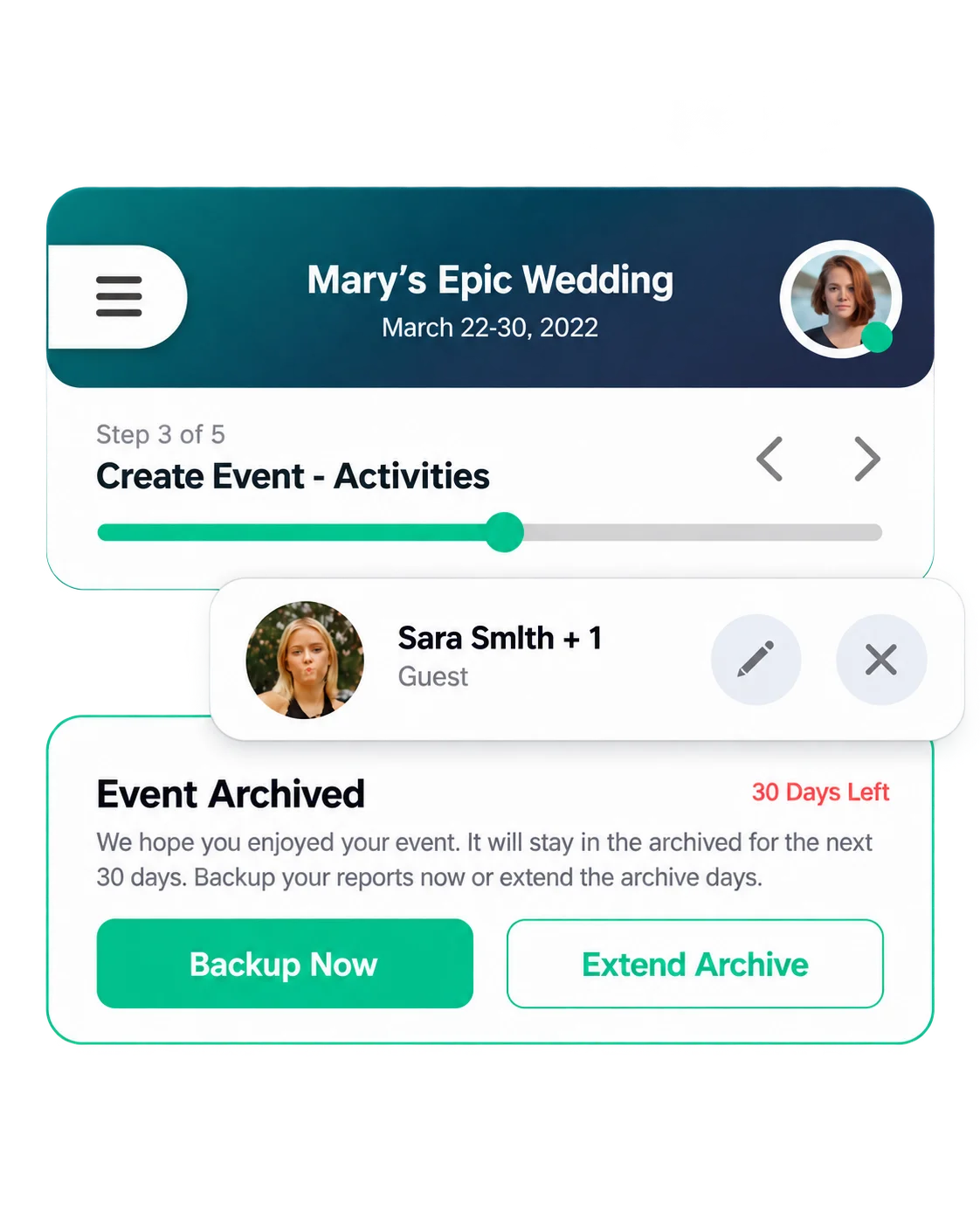
Event Organizer
Creates and manages events, tracks, activities, invitations, RSVPs, attendees, messages and reports.
PixelBrainy redesigned Event Playbook from the client's initial prototype and then developed the complete product from the ground up as a cross-platform event planning and management app for iOS and Android. Along with the mobile app, we designed and developed the operational Web Admin and marketing website, and created an initial web application concept for investor discussions.
The product was built to support both event organizers and attendees, from simple gatherings to multi-day events with different schedules, activities, RSVPs, and attendee groups.

Working with the PixelBrainy team has been a highly positive experience. They understand the design requirements and create beautiful UX elements to meet the application needs.
The dev team did an excellent job bringing my vision to life. We discussed usability and flow. Sagar worked with his team to design the database and begin coding. Working with Sagar was easy. He has the knowledge to create robust apps, including multi-language support, Google and Apple ID login options, Ad-enabled integrations, Stripe payment processing, and a Web Admin site for maintaining support data.
I'm extremely satisfied with the services provided, the quality of the final product, and the professionalism of the entire process. I highly recommend them for Android and iOS Mobile Application Design and Development.

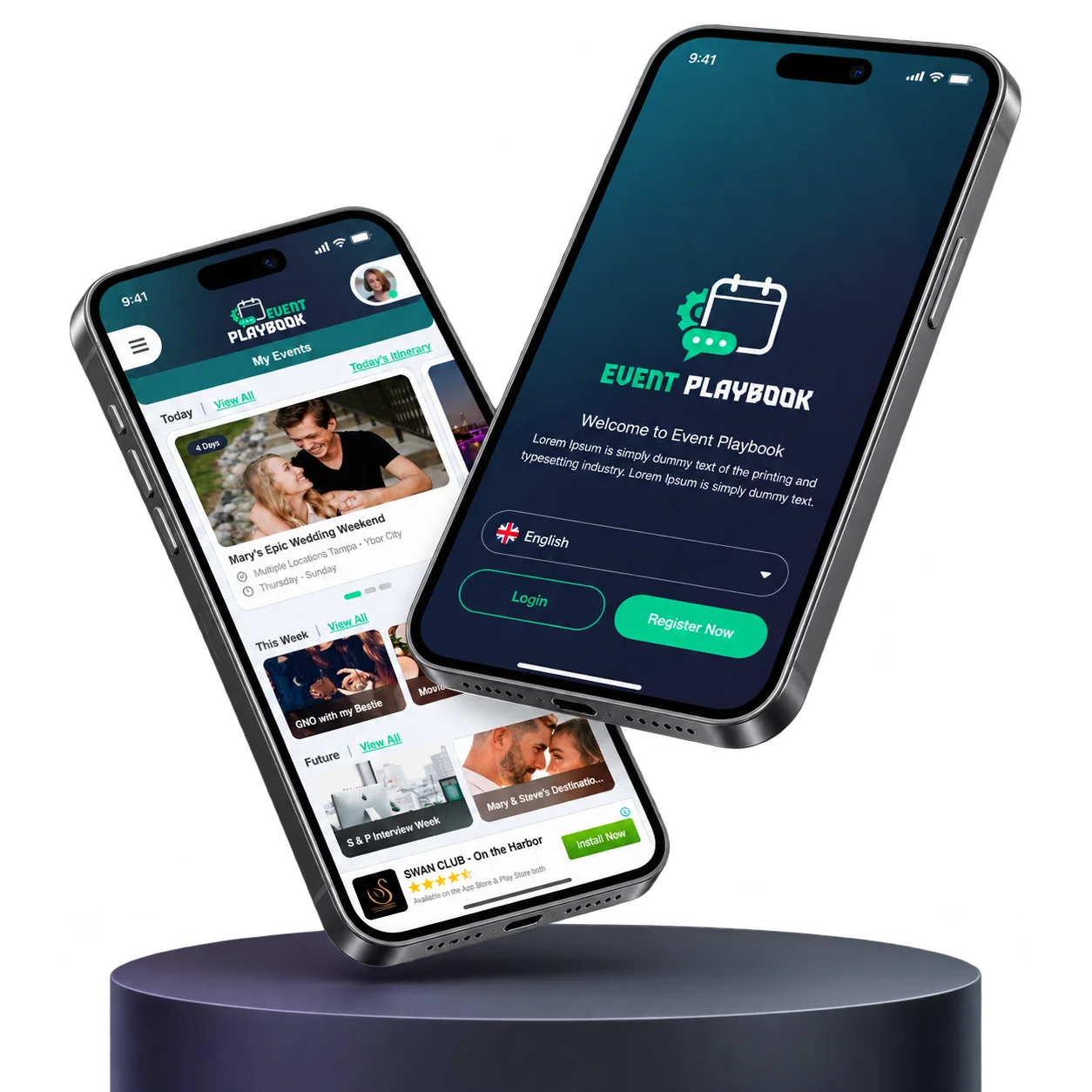
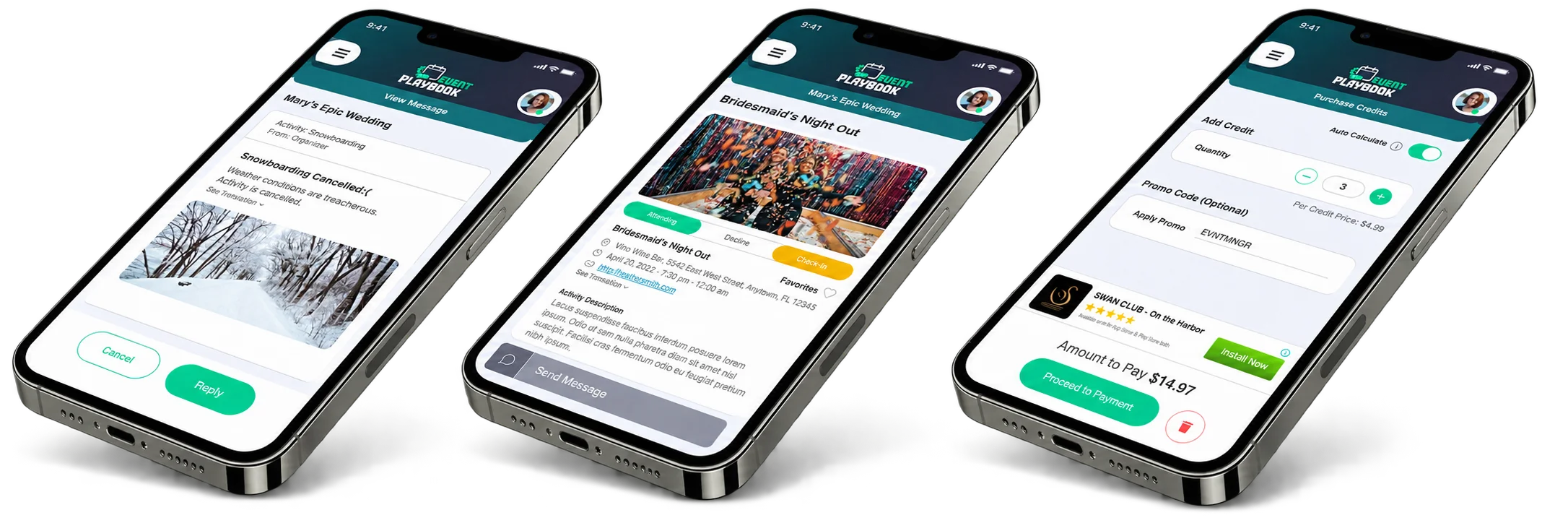
Event Playbook was created to make planning and attending events easier from one place. Instead of relying only on email, calendar invitations and scattered event information, users can create an event, invite people, organize activities, collect RSVPs and keep the event schedule together inside the app.
The product supports both simple and more structured events. An organizer can create a free or paid event, build different tracks, add activities, invite attendees, manage RSVPs, communicate with participants and generate reports. Attendees can join through an invitation or event code, respond to the event, follow their schedule and keep track of the activities that matter to them.
Creates and manages events, tracks, activities, invitations, RSVPs, attendees, messages and reports.
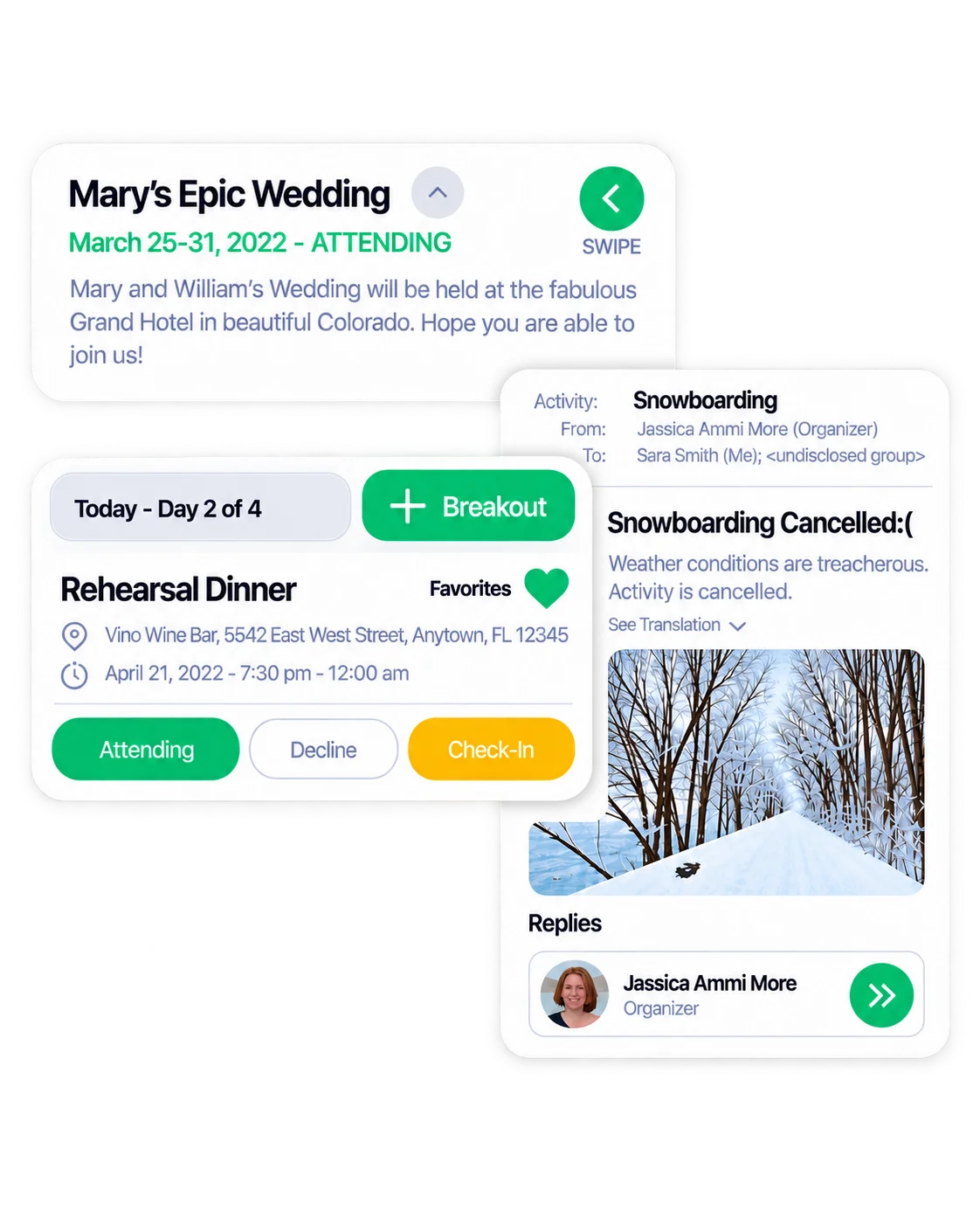
Joins events, responds to invitations and RSVPs, follows activities and itineraries, checks in and receives event information.
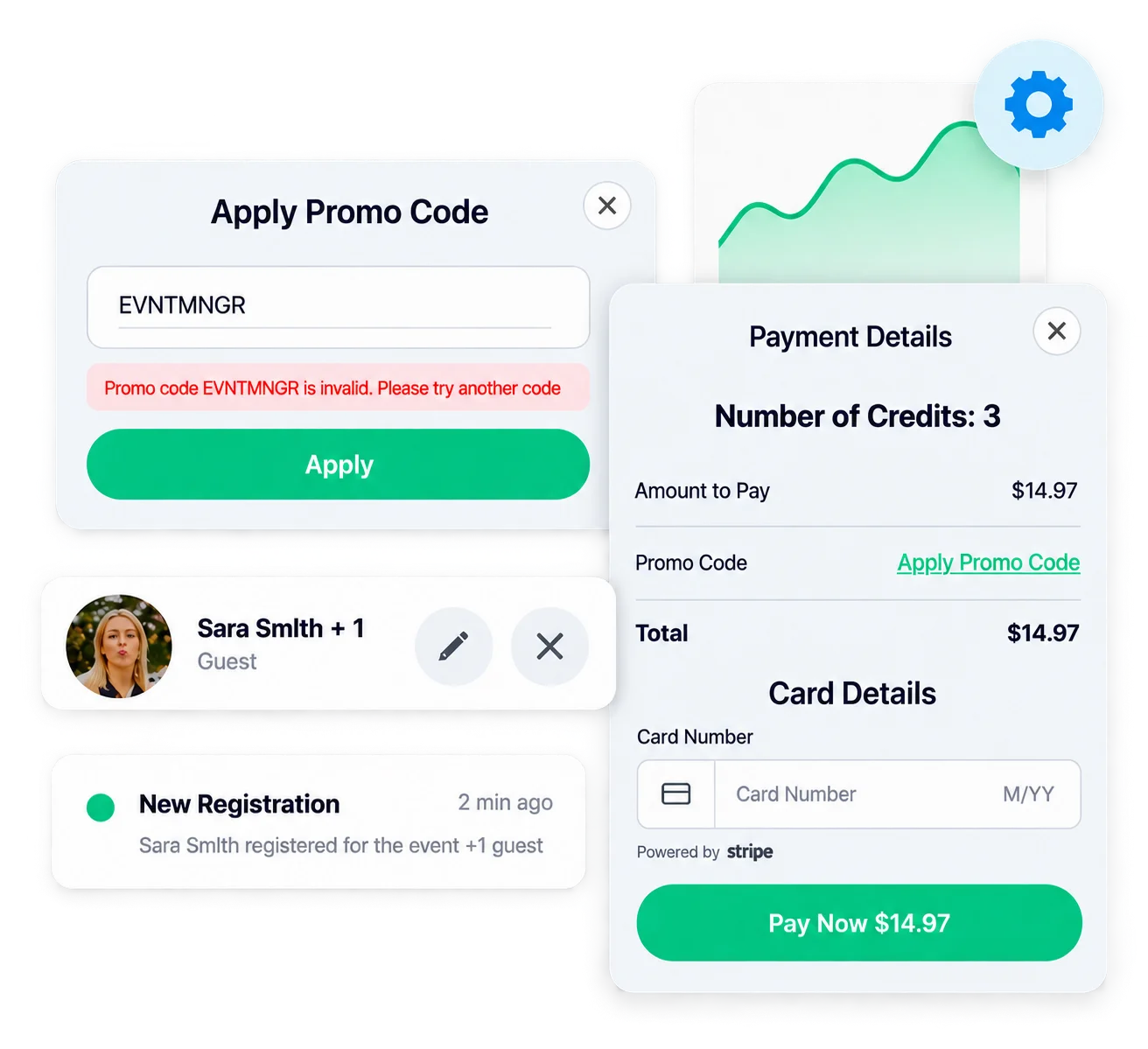
Manages users, app content, payments, refunds, promo codes and other operational data through the Web Admin.
The client came to us with an existing product concept and a large set of early mobile app designs. The functionality was already ambitious, but the experience needed a clearer structure before the product could move confidently into development.
The previous designs explored several different visual styles, layouts and interaction patterns. As the feature set grew, screens for event creation, event management, invitations, attendees, credits, reports and itineraries also needed to work together as one product rather than feeling like separate parts of the app.
The challenge was not simply to make the application look better.
We needed to make a complex event management workflow easier to understand on a mobile screen while keeping the functionality the client had planned.

Paid events could include multiple tracks, activities, RSVP sets, attendee groups and configuration options.

The same user could organize one event while attending another, so both contexts had to remain easy to understand.

The early designs used different colors, component styles and action patterns across major screens.

The experience needed to work for a simple event as well as a multi-day event involving vendors, guests, activities and different schedules
We retained the core product idea and existing Event Playbook logo, but redesigned the visual and interaction system around the actual requirements of the application.
The new direction introduced a consistent color palette, clearer hierarchy, reusable cards, form patterns, buttons, tabs, status states and modal interactions. This gave different areas of the app a common structure and made it easier to add new screens without changing the interaction language every time.


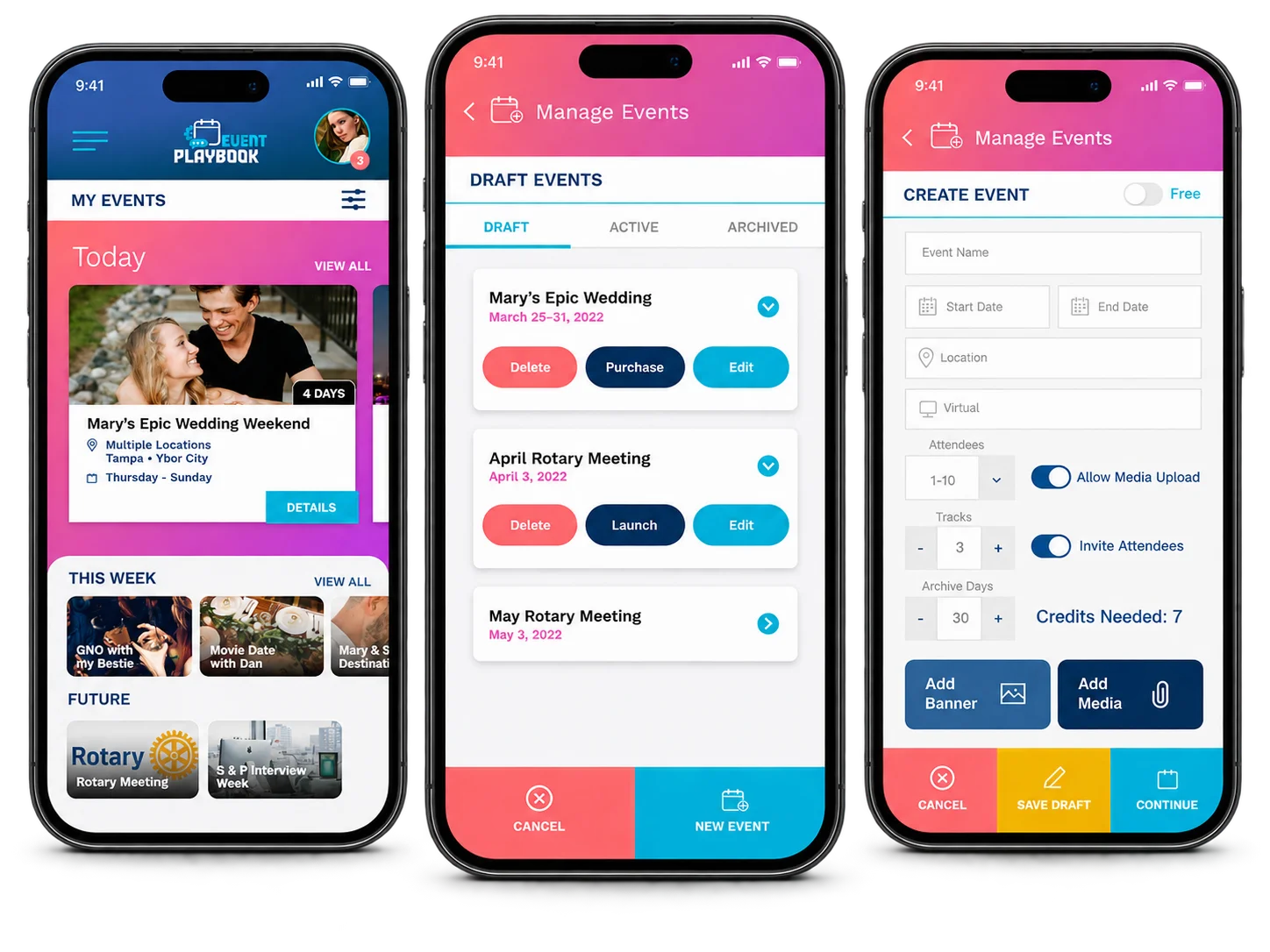

The earlier UI moved between different gradients, colors, card styles and action treatments across screens such as My Events, Manage Events and Purchase Credits.


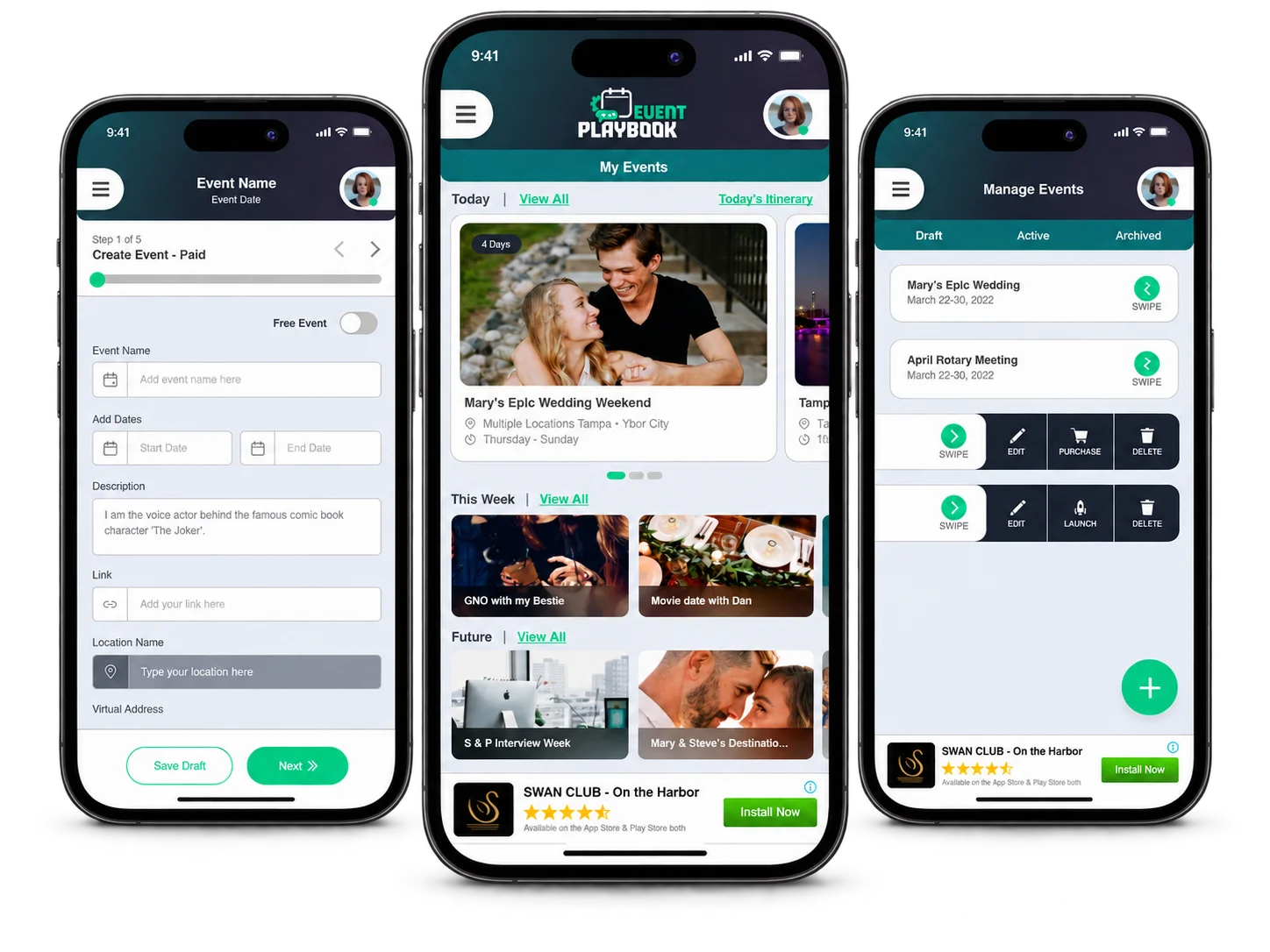

The redesigned product uses a more consistent dark navy and teal direction, predictable content containers, recurring controls and clearer primary and secondary actions across the app.
Creating a paid event was one of the most complex parts of Event Playbook. An organizer could define event dates, attendee capacity and archive duration, create different tracks, add activities, configure RSVPs and finally build the attendee list. Several of these choices could also affect the credits required for the event.
Trying to place everything on one screen would have made the setup difficult to follow, especially on mobile. We organized the paid event creation process into five clear stages:
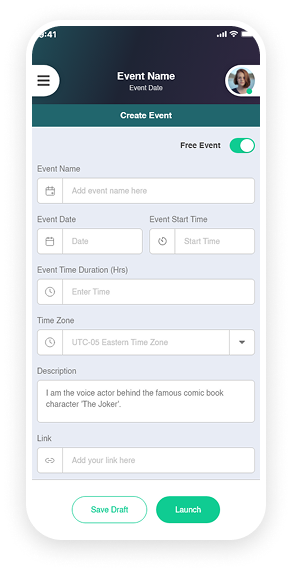
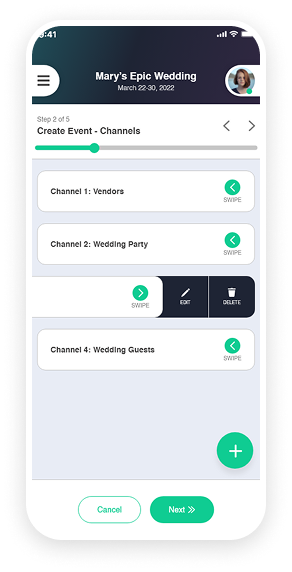
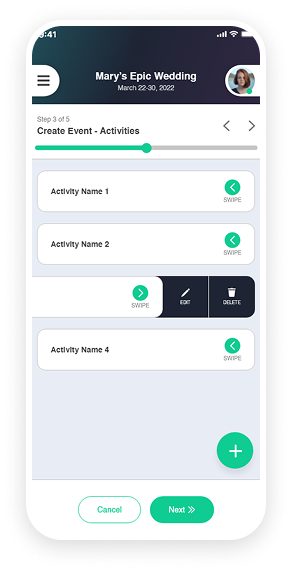
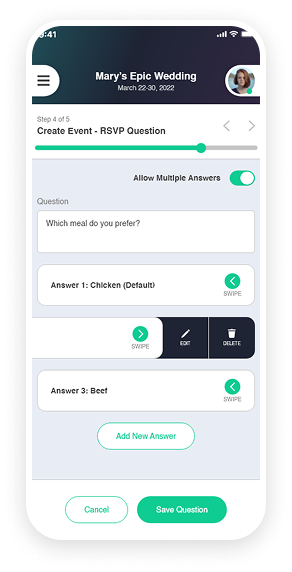
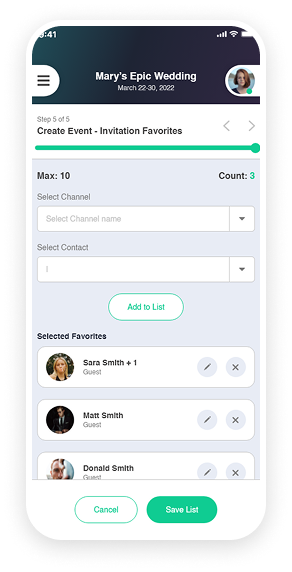
Beyond the guided event creation flow, Event Playbook includes a range of features to help organizers manage events and give attendees a simpler way to participate, communicate and follow their schedules.

Organizers can create different attendee groups, assign activities to selected tracks and manage different schedules within the same event.

Attendees can view relevant activities through event-specific itineraries and a daily itinerary that brings together the events and activities they plan to attend.

The app supports free and paid events, credit purchases, promo codes, ad-free upgrades and Stripe payment processing as part of its commercial model.

Invite attendees, collect RSVP responses, manage attendee limits and handle participation states such as invited, attending, declined and waitlisted.

Event Playbook supports in-app communication between organizers and attendees, along with preferred languages and translation options for event content.
Social Login · Profile & Contacts Management · Google Maps Integration · Camera & Media Upload · Email Notifications · Ads Integration
Let's discuss your requirements with PixelBrainy experts.
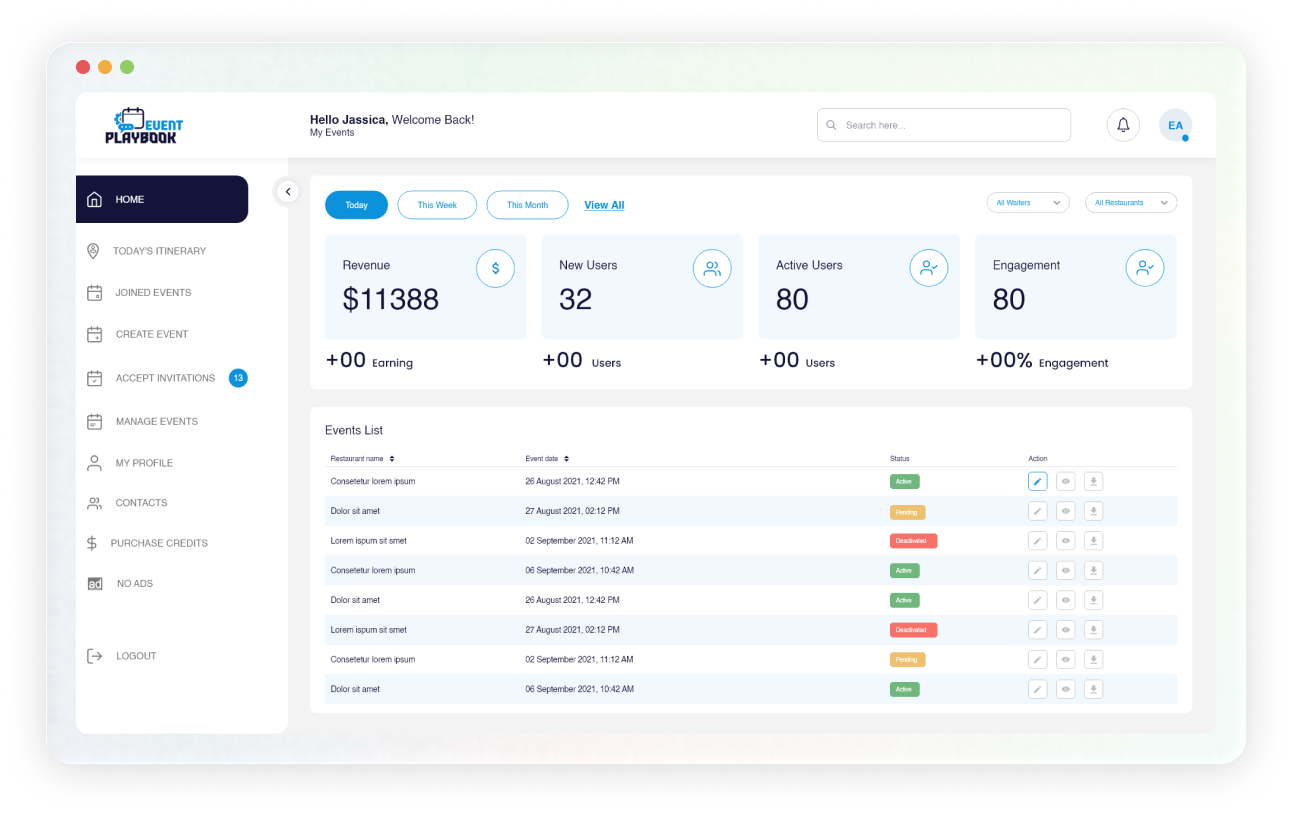
PixelBrainy also designed and developed the operational Web Admin used to manage the platform behind Event Playbook. The admin gives the internal team control over users, application content, payments, promo codes and other support data required to run the product.
The client specifically referenced the Web Admin as part of the completed development work and highlighted its role in maintaining support data.

View users, edit user details and manage account states.

Maintain application content such as Privacy Policy, Terms & Conditions and supporting data.

Monitor payments and process refunds where required.

Create and configure different types of promo codes, including discount rules, credit limits, expiry conditions and user-specific promotions.
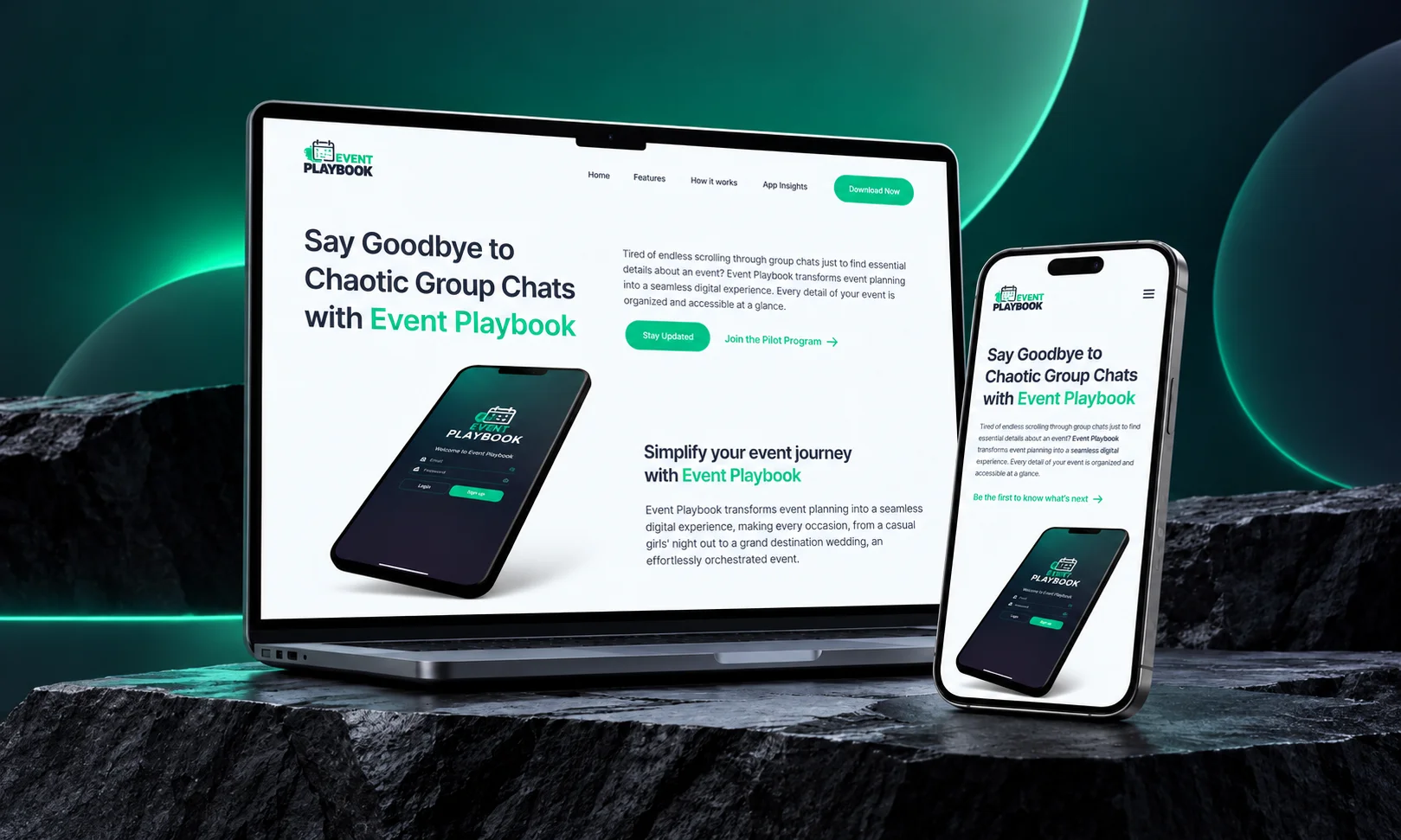
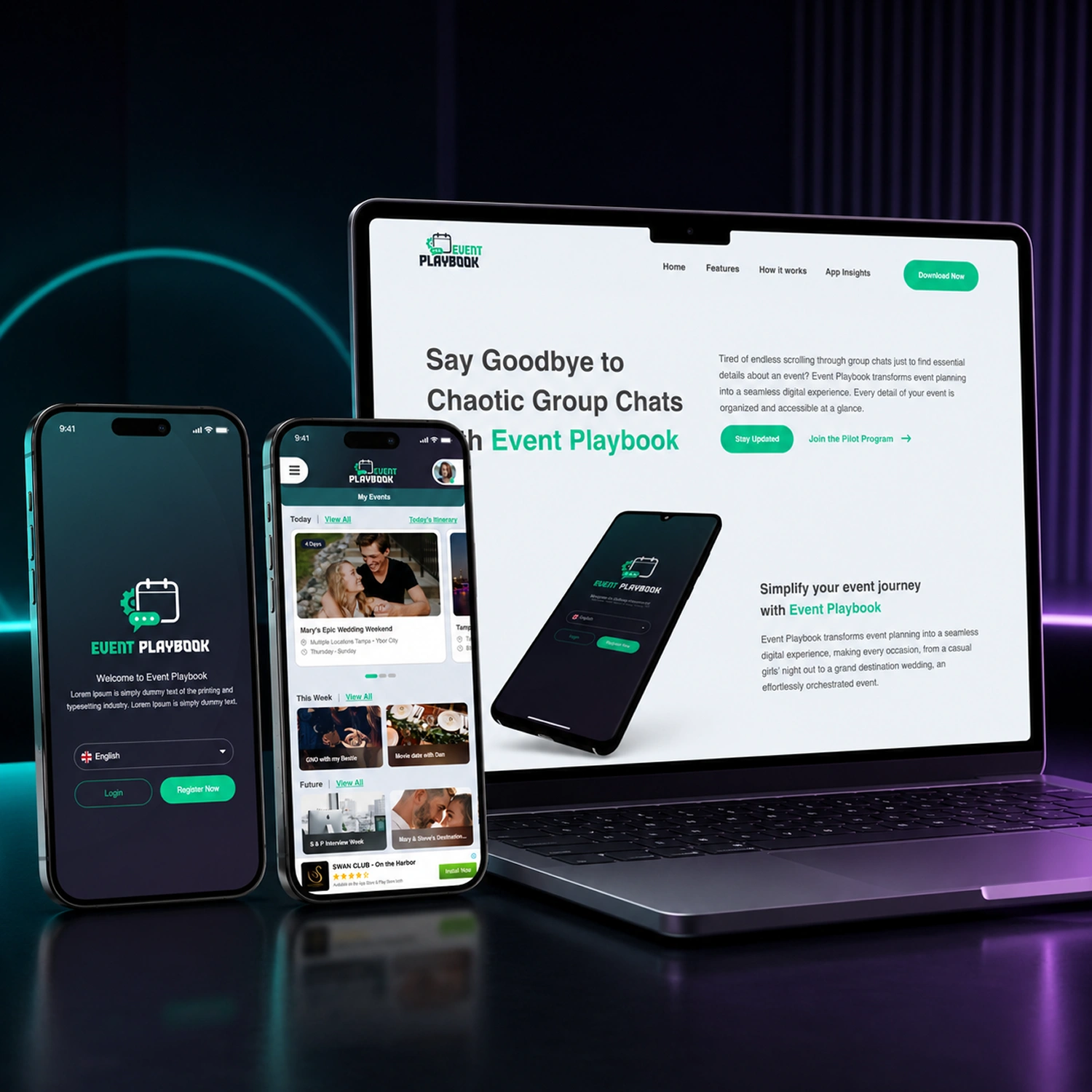
We also designed and developed the Event Playbook landing page to give the product a clear web presence outside the app stores. The page introduces Event Playbook, explains the product experience, highlights key mobile app features and gives visitors direct access to the iOS and Android downloads.
The visual direction follows the same Event Playbook identity used across the redesigned mobile experience so the website and application feel part of the same product.
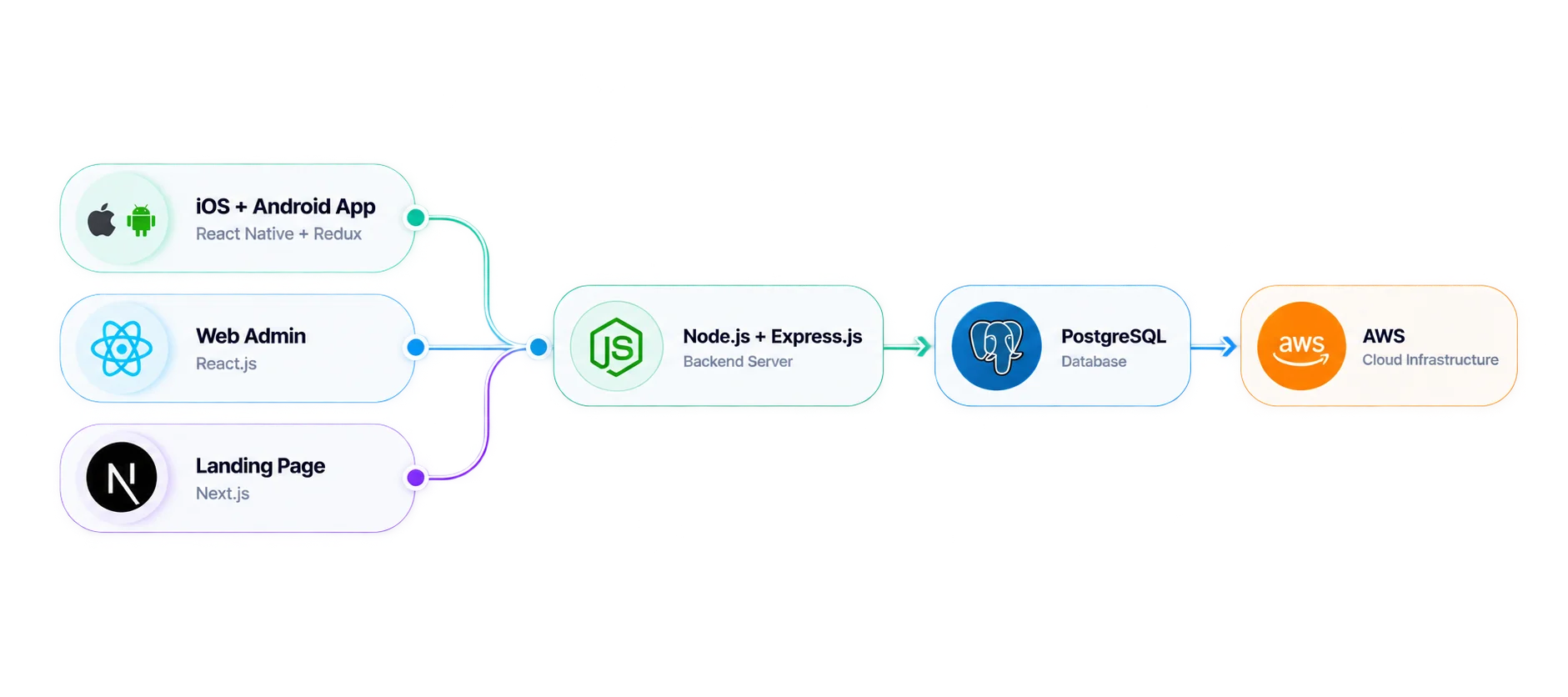
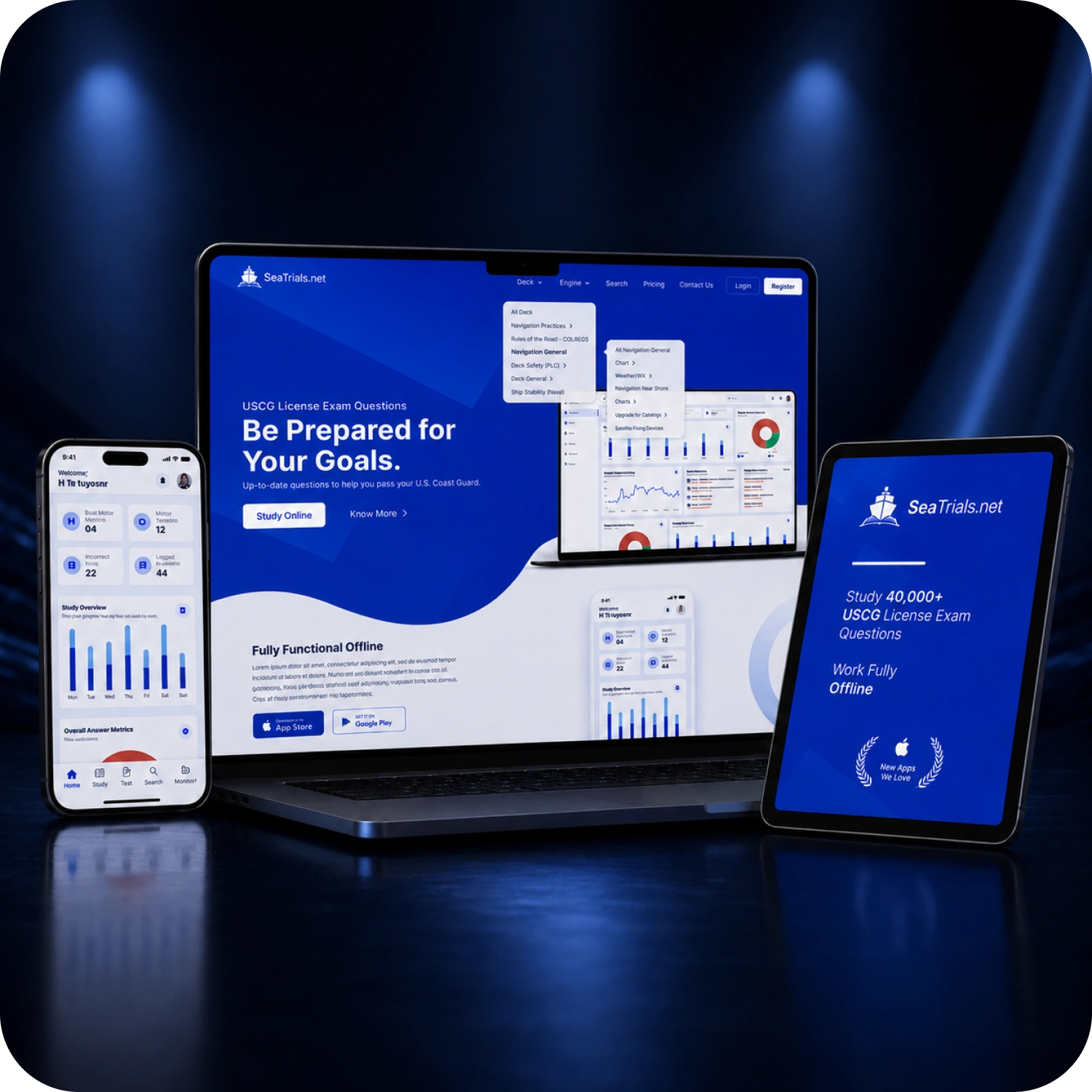
Event Playbook was developed using a shared technology foundation across the mobile app, Web Admin, backend, and landing page. The product also included integrations and capabilities such as Google and Apple login, Stripe payment processing, multilingual support, advertising integration, location functionality, media uploads, and email notifications.
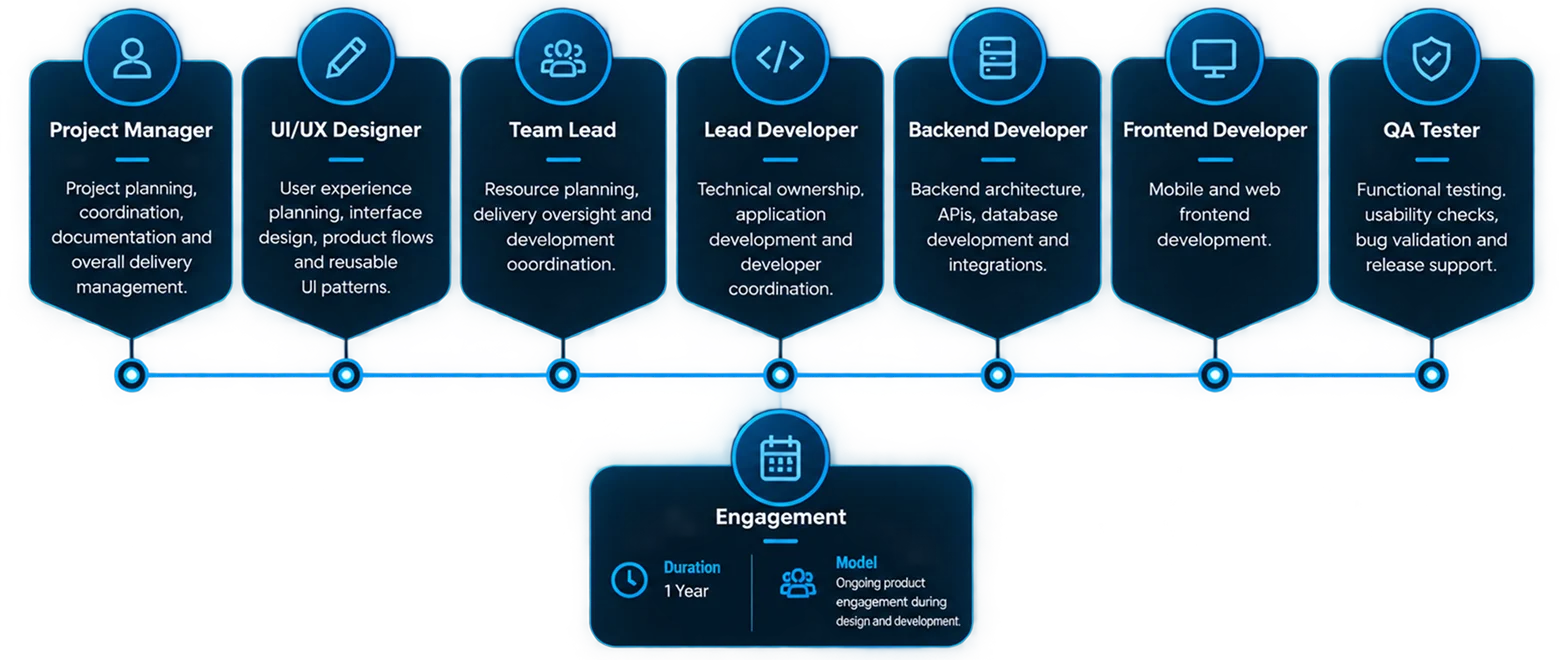
The project was delivered through a multidisciplinary team covering product design, project management, mobile and web development, backend engineering, testing and deployment.
Event Playbook was successfully delivered as a working mobile application for both iOS and Android, covering organizer and attendee experiences.
The Web Admin gave the internal team one place to manage users, content, payments, refunds, promo codes and other operational data.
The final product brought event creation, tracks, activities, invitations, RSVPs, attendee management, itineraries, messaging and reporting into one connected experience.
Free and paid events, credits, promo codes, advertising, ad-free upgrades and Stripe payments created a foundation for generating revenue directly through the platform.
Language preferences and translation support made the product more practical for events involving attendees with different language preferences.
The landing page gave Event Playbook a dedicated web presence to explain the product, build credibility and direct visitors to the mobile apps.
The desktop web application concept helped demonstrate how Event Playbook could expand beyond mobile for future enterprise use and investor discussions.
 “The dev team did an excellent job bringing my vision to life. We discussed usability and flow. I’m extremely satisfied with the services provided, the quality of the final product, and the professionalism of the entire process.”
Whether you're building a mobile app from the ground up or improving an existing product, PixelBrainy can help with UI/UX design, mobile app development, backend systems, Web Admin platforms and product launch.


Working with the PixelBrainy team has been a highly positive experience. They understand the design requirements and create beautiful UX elements to meet the application needs. The dev team did an excellent job bringing my vision to life. We discussed usability and flow. Sagar worked with his team to design the database and begin coding. Working with Sagar was easy. He has the knowledge to create robust apps, including multi-language support, Google and Apple ID login options, Ad-enabled integrations, Stripe payment processing, and a Web Admin site for maintaining support data. I'm extremely satisfied with the services provided, the quality of the final product, and the professionalism of the entire process. I highly recommend them for Android and iOS Mobile Application Design and Development.

PixelBrainy designers are amazing. They are responsive, talented, and always willing to help craft the design until it matches your vision. I would recommend them and plan to continue them for my future projects and more!!!

PixelBrainy has a very talented design team. Their work is excellent and they are very responsive. I enjoy working with them and hope to continue on all of our future projects.
Alex Hughes
Founder SeaTrials
Heather Smith
Founder EventPlaybook
Lian Swanson
Founder & CEO Kolorful
Alex Hughes
Founder SeaTrials
Heather Smith
Founder EventPlaybook
Lian Swanson
Founder & CEO Kolorful

Drop your ideas at
info@pixelbrainy.com
Our Address
30 N Gould St Ste R Sheridan, WY 82801, USA