

Independent Designers
Create branded forms that stay consistent with the digital experiences and identities they design.
PixelBrainy took FigForm from an existing UI and prototype to a fully functional SaaS product, handling the end-to-end product development and AI integration.
The platform gives designers, agencies, marketers and growing teams a flexible way to create branded forms, surveys and quizzes, publish them across the web, collect responses and use AI to make form creation and response analysis easier.

“Working with PixelBrainy has been a great experience. They took our vision for an AI-powered platform and turned it into a fully functional product. What impressed me most was their strong understanding of both design and development, and their ability to handle complex requirements with ease.
The team was responsive, cooperative, and always open to feedback. They kept things organized, communicated clearly, and delivered quality work on time.
I highly recommend PixelBrainy to anyone looking for a skilled and reliable development partner.”

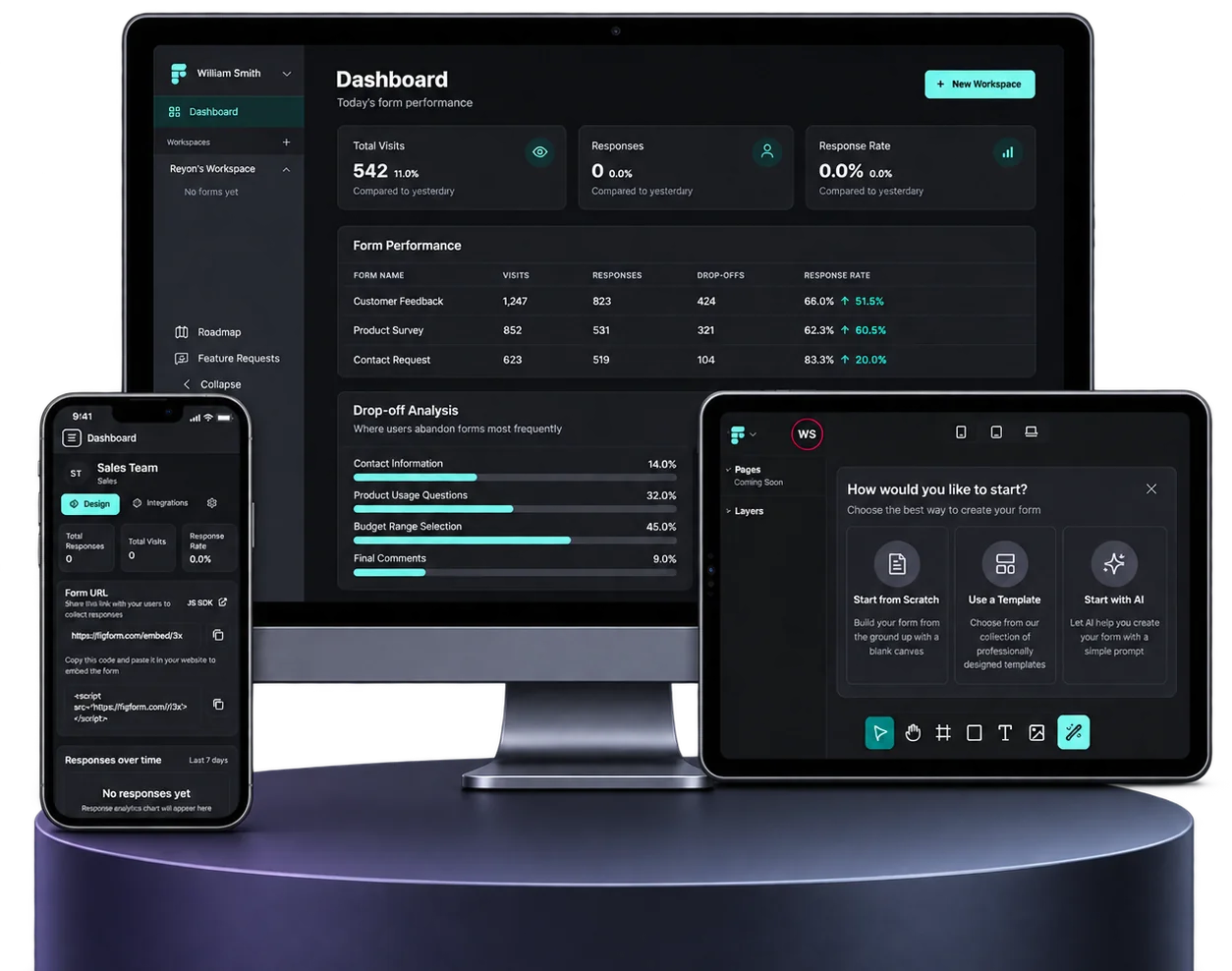
FigForm is a design-first form-building platform created for people who want more control over how their forms look and feel.
Instead of being limited to rigid form templates, users can create branded forms, surveys and quizzes through a visual editor, customize the experience around their brand, publish forms through a direct link or embed them into an existing website, and keep responses together inside the platform.
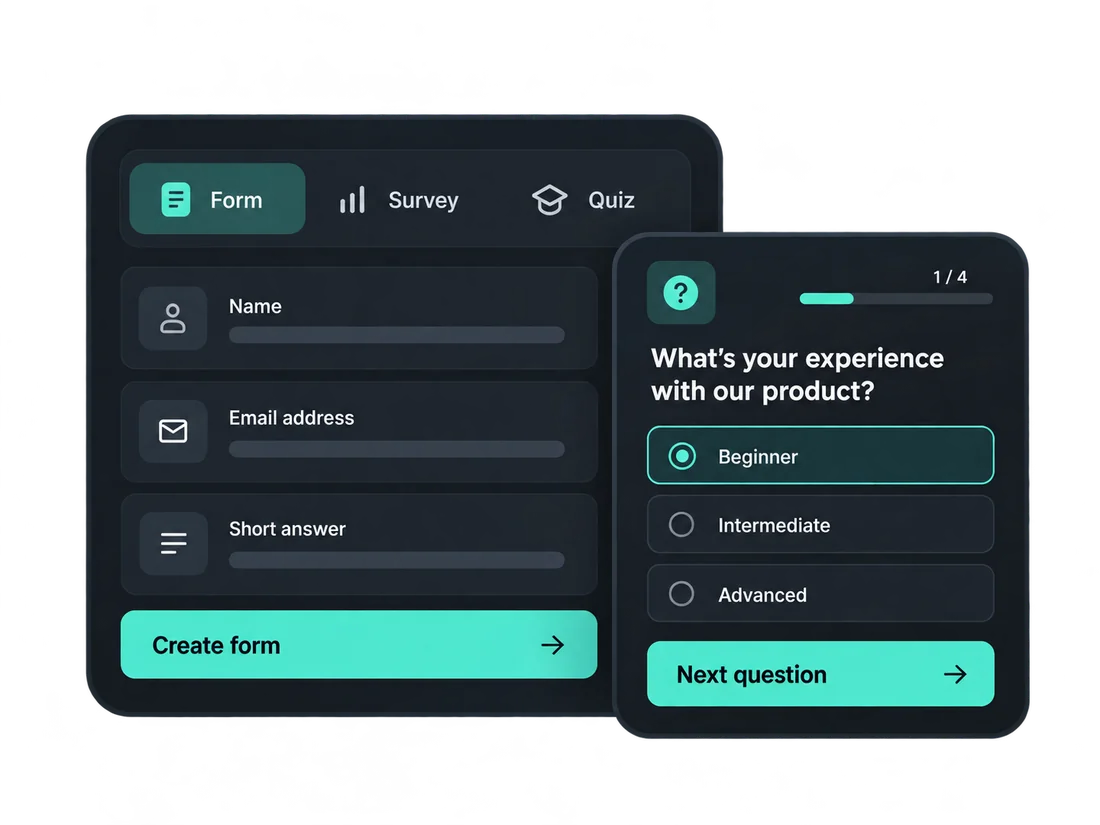
Users can start from a blank canvas, choose a template or use AI to create the first version of a form, giving different types of users a starting point that suits the way they prefer to work.

Create branded forms that stay consistent with the digital experiences and identities they design.

Build and manage branded forms across multiple clients, campaigns, and ongoing creative projects.

Create lead-generation, feedback, and research forms without relying on developers for every update.

Launch forms quickly, collect responses, and connect form data with wider business workflows.
The client came to us with the initial FigForm UI and prototype.
The vision was clear, but turning that prototype into a working commercial product required much more than implementing screens. The platform needed a flexible visual editor, multiple AI capabilities, response analytics, publishing and embedding, workspace management, subscriptions, payments and external integrations to work together as one product.
At the same time, FigForm needed to remain easy enough for users who wanted to create a form quickly without learning a complicated design tool.

The editor needed to give users meaningful control over layout, typography, styling and form structure without making everyday form creation feel difficult.

Different AI capabilities needed to help with form creation, classification, optimization and response analysis without taking control away from the user.

The product also needed to handle what happens after a form is built: publishing, embedding, collecting responses, tracking performance and connecting data with external systems.

Workspaces, plans, AI usage limits, paid subscriptions, payments and upgrade paths needed to operate alongside the core form-building experience.
The visual editor sits at the center of FigForm. Users needed enough freedom to build forms that could feel like part of their website or brand rather than a separate third-party widget. At the same time, the editor needed to remain understandable for people who were not professional designers.
The final experience organizes the editor around a familiar visual workflow. The goal was to give FigForm the flexibility of a visual design environment while keeping the experience focused on one job: creating better forms without writing code. The live product continues to position the editor around precise styling, component-based building blocks and responsive design controls.
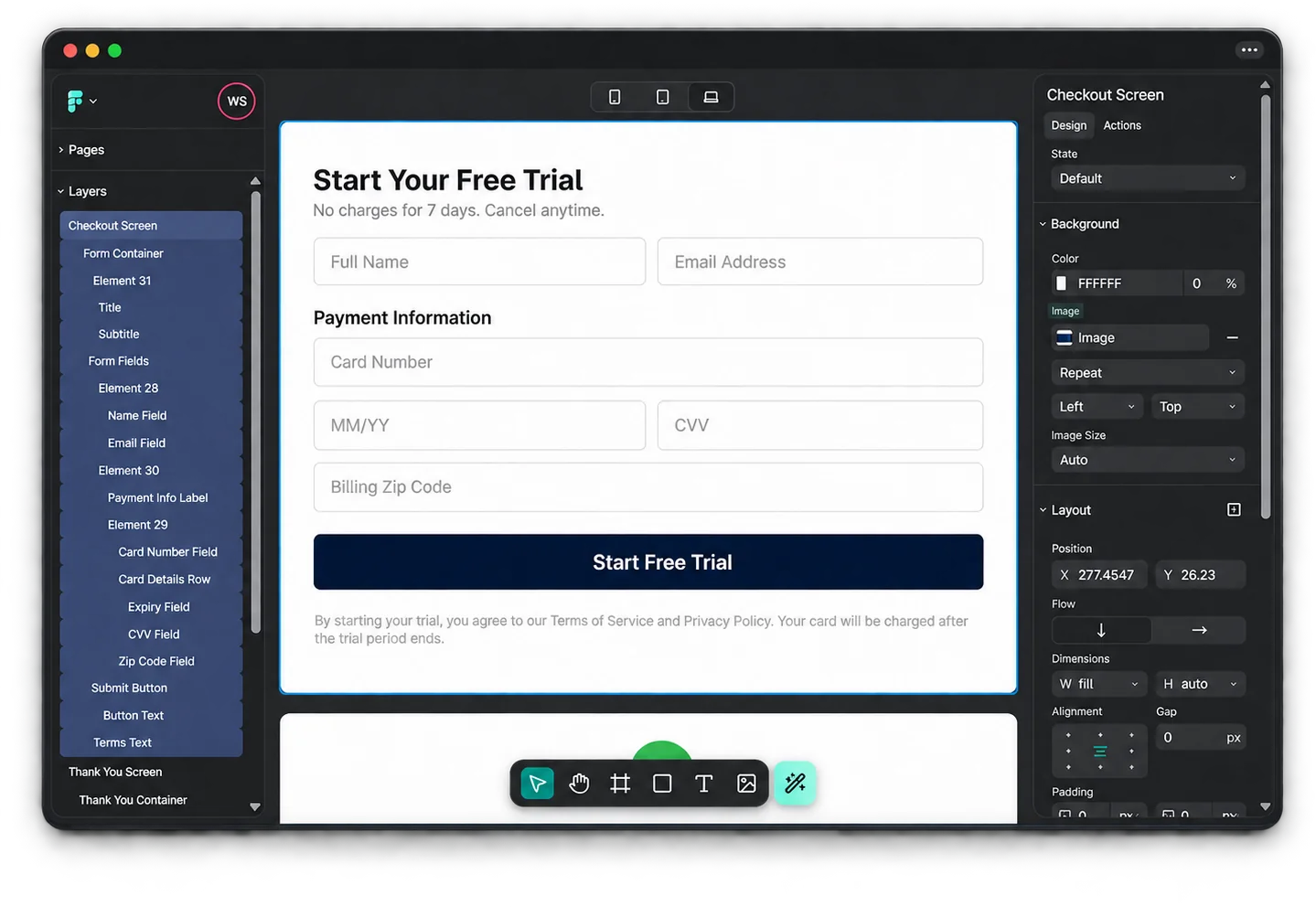
View and manage form elements through a clear, structured layers panel for easier organization.
Preview forms across desktop, tablet and mobile to maintain a consistent experience on every screen.
Adjust content, layout, spacing, background and typography based on the element currently selected.
Build and arrange form content directly on the canvas while seeing the experience take shape.
Add and arrange text, form fields, images and structural elements directly within the editor.





The flexibility of a visual design environment, focused on creating better forms without writing code.
Not every user wants to begin a form in the same way.
FigForm gives users three starting points depending on how much control or assistance they need. The AI Assistant remains available inside the editor to help users improve the form as they work. It can assist with areas such as field suggestions, structure, content, mobile optimization and form improvements while the user continues to control the final experience.
This combination allows experienced users to work manually while giving users who want a faster starting point a practical way to move from an idea to an editable form.
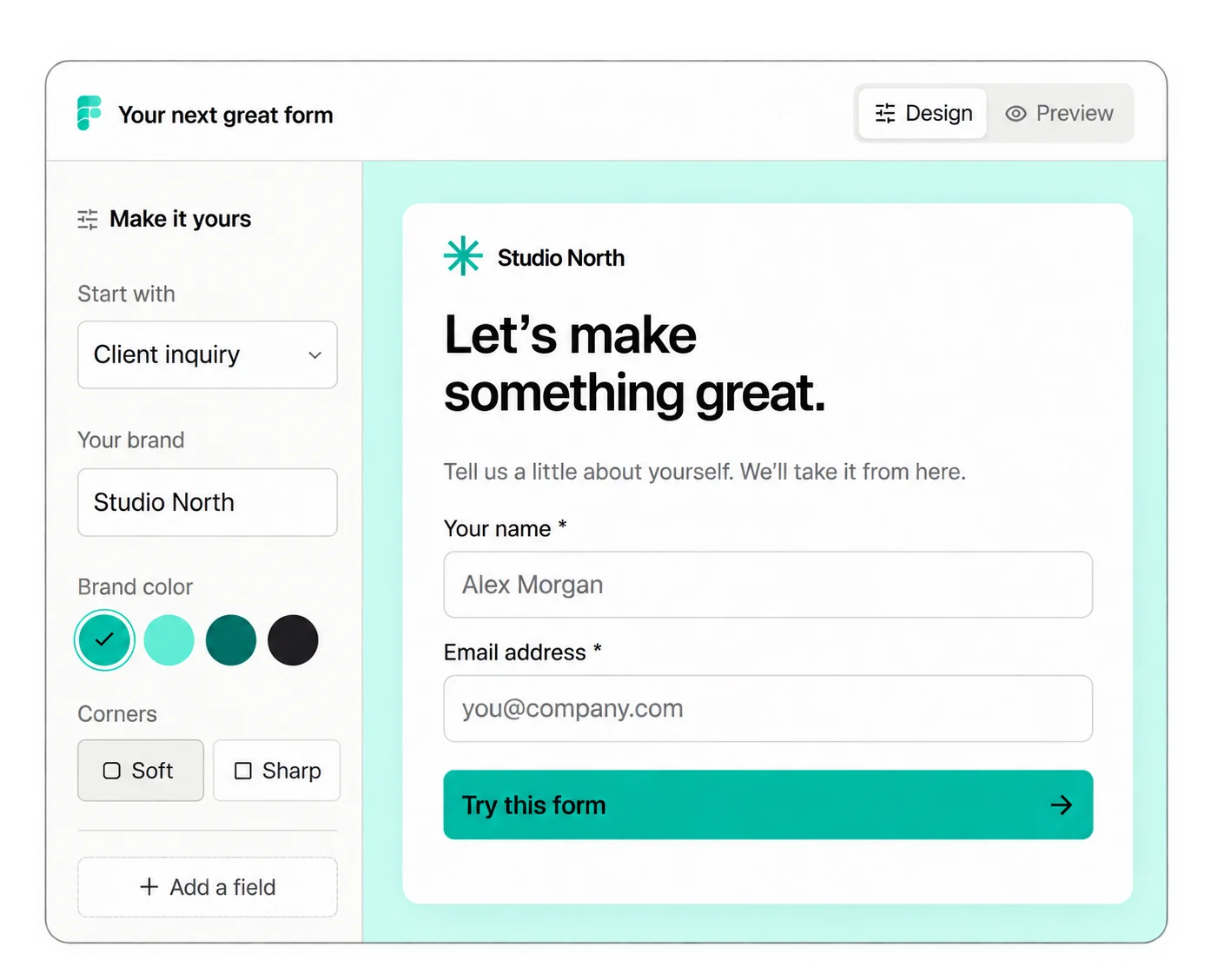
Open a blank canvas and build the form manually with full control over the structure and design.
Start with an existing professionally designed form and customize it around the use case and brand.
Describe what the form needs to achieve and use AI to build the initial structure, suggest fields and improve the form as you work.
Form data often needs to move beyond the form platform itself. FigForm includes an integrations layer designed to connect submissions and form activity with external business tools.
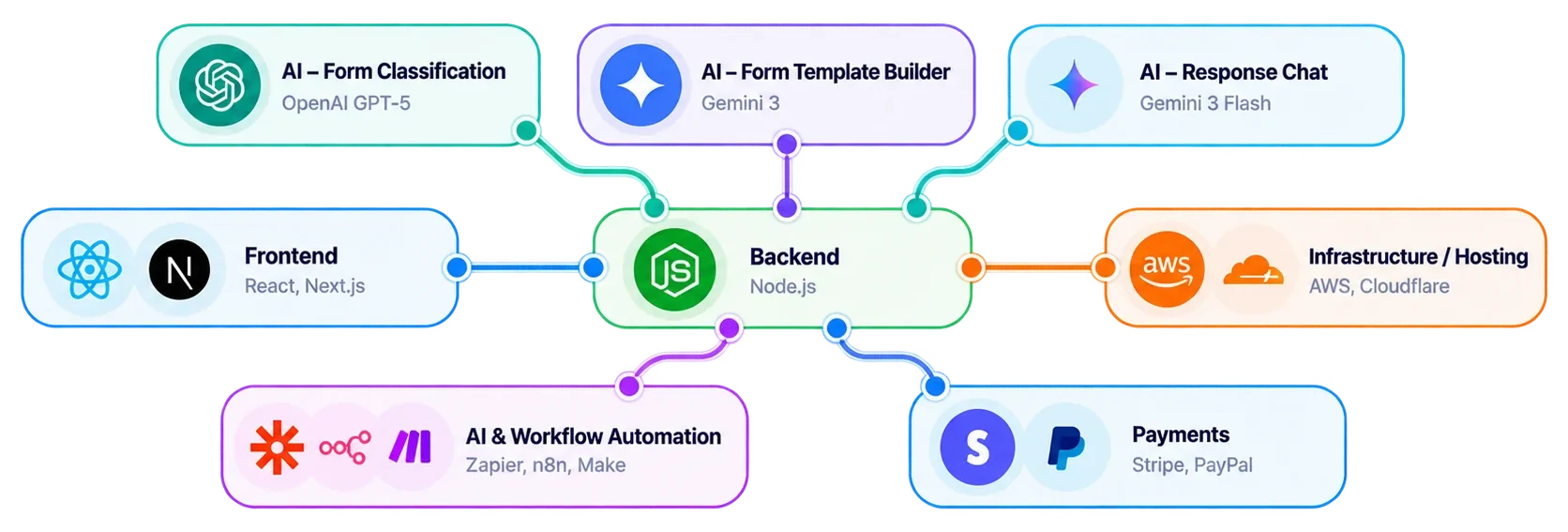
The product interface supports integration use cases around webhooks, CRM systems, data destinations and analytics tools, with examples including Webhook, HubSpot, Airtable and Google Tag Manager. Separate from these customer-facing integrations, PixelBrainy also used Zapier, n8n and Make as part of the AI and workflow automation layer supporting form-building and integration processes.
 Webhook
 HubSpot
 Airtable
 GTM
GTM Zapier
 n8n
n8n Make
MakeBeyond the editor and AI-assisted creation experience, FigForm includes a wider set of capabilities for building, publishing, managing and understanding forms.
Ask questions about collected response data in natural language, such as how many responses were received today, which answers are most common or what the overall response trend looks like.
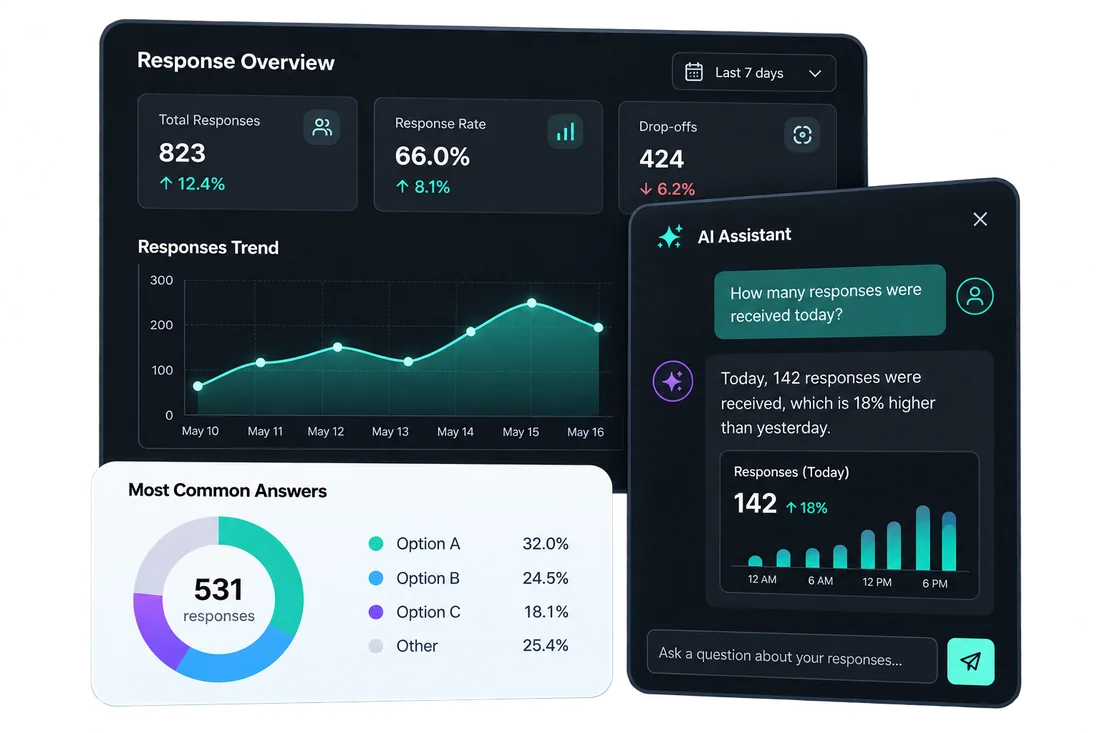
Create different respondent journeys based on selected answers, routing users toward the most relevant form or follow-up path.

Use the same product foundation across different data-collection use cases rather than maintaining separate tools. FigForm's public plans currently support unlimited forms, surveys and quizzes.
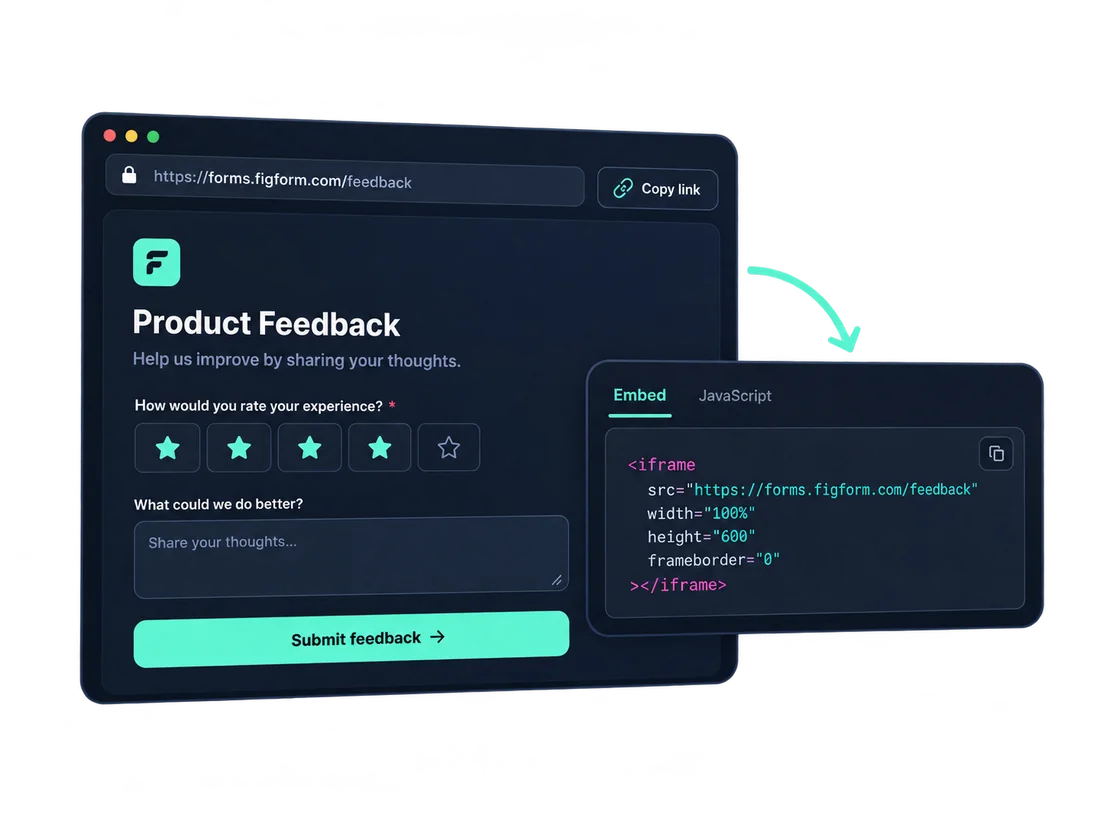
Publish forms through a direct link or embed them into existing websites using provided code or JavaScript integration.
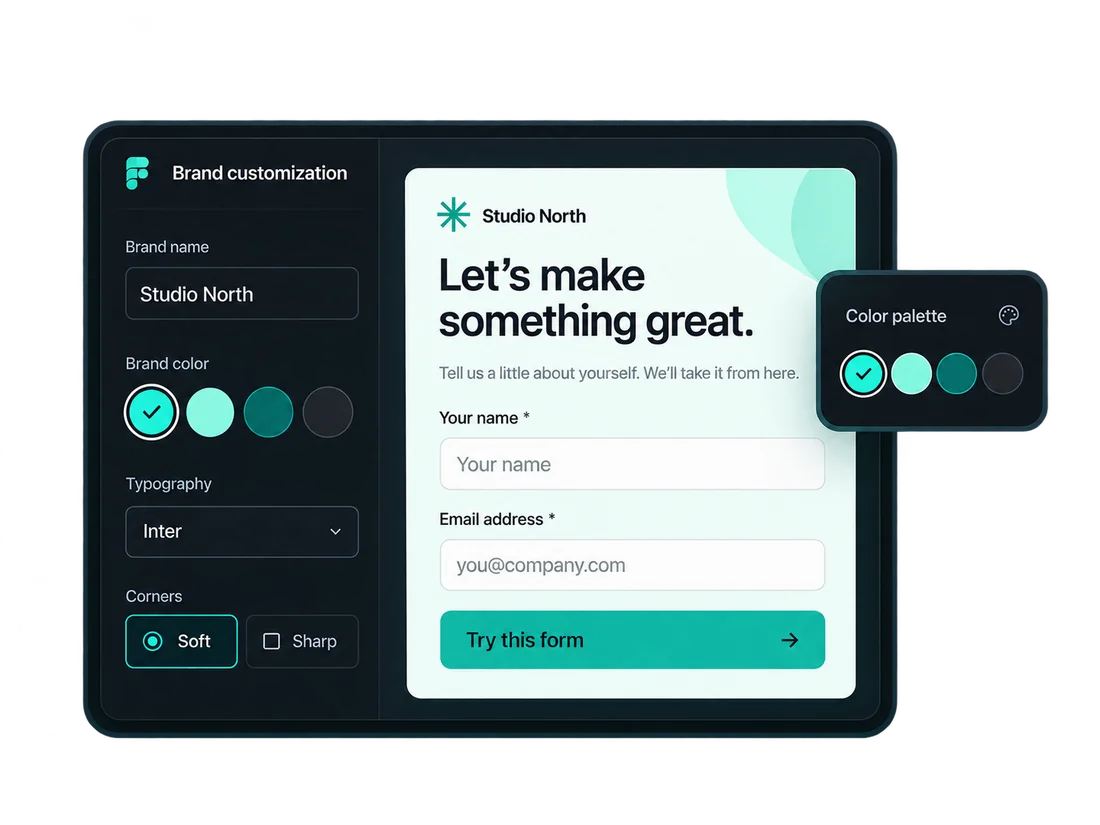
Control colors, typography, layout and styling so forms remain consistent with the brand around them.
Organize forms into separate workspaces for different teams, clients, projects or business functions as usage grows.
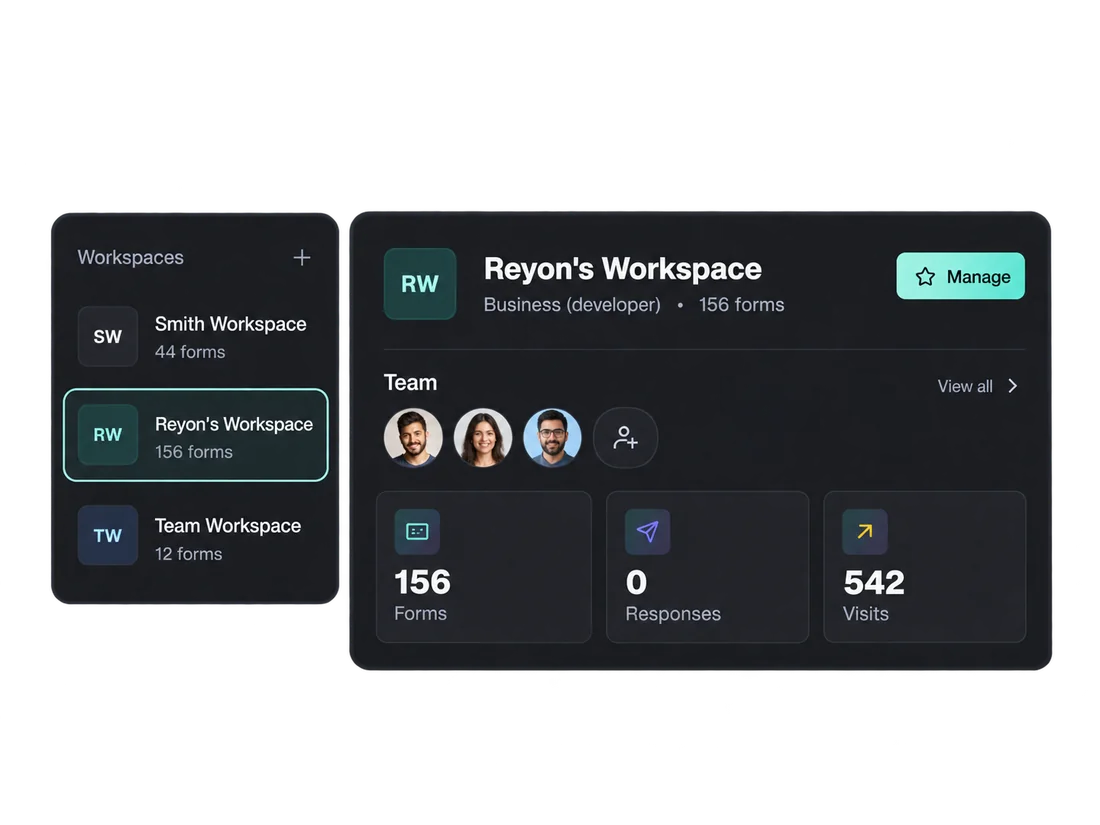
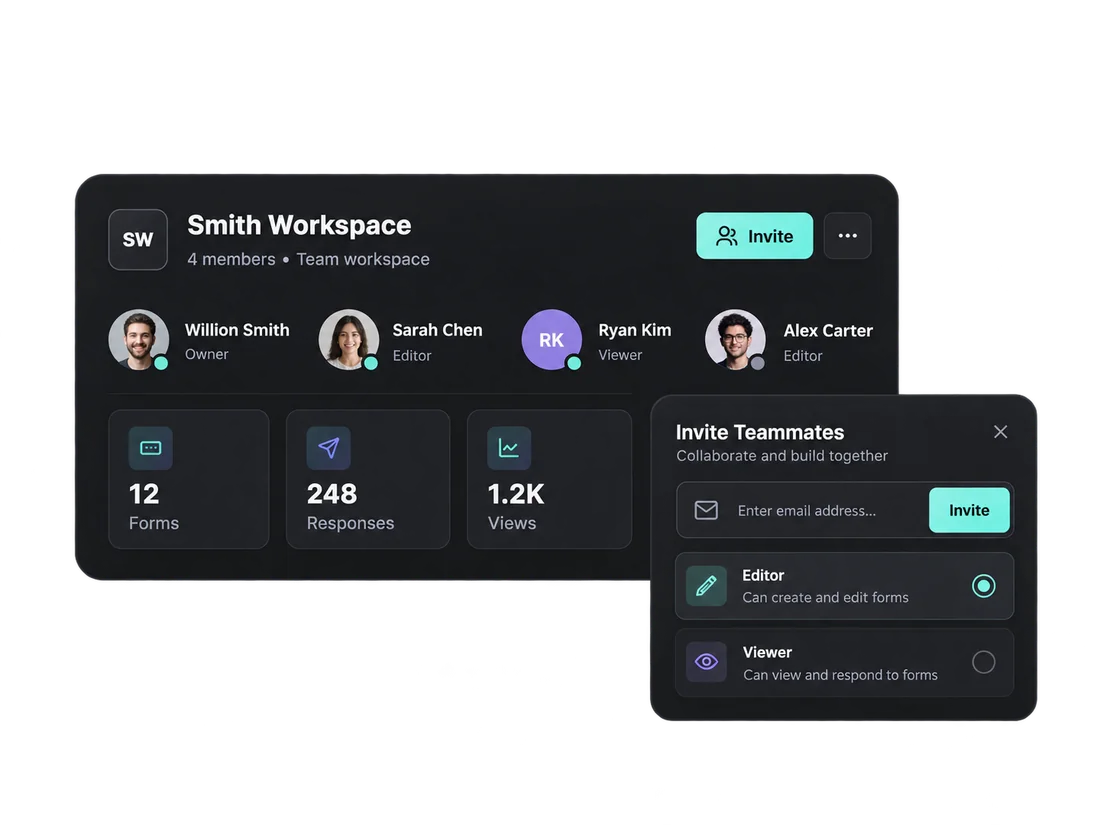
Support multiple users within the same workspace so teams can manage forms, responses and shared product activity together.
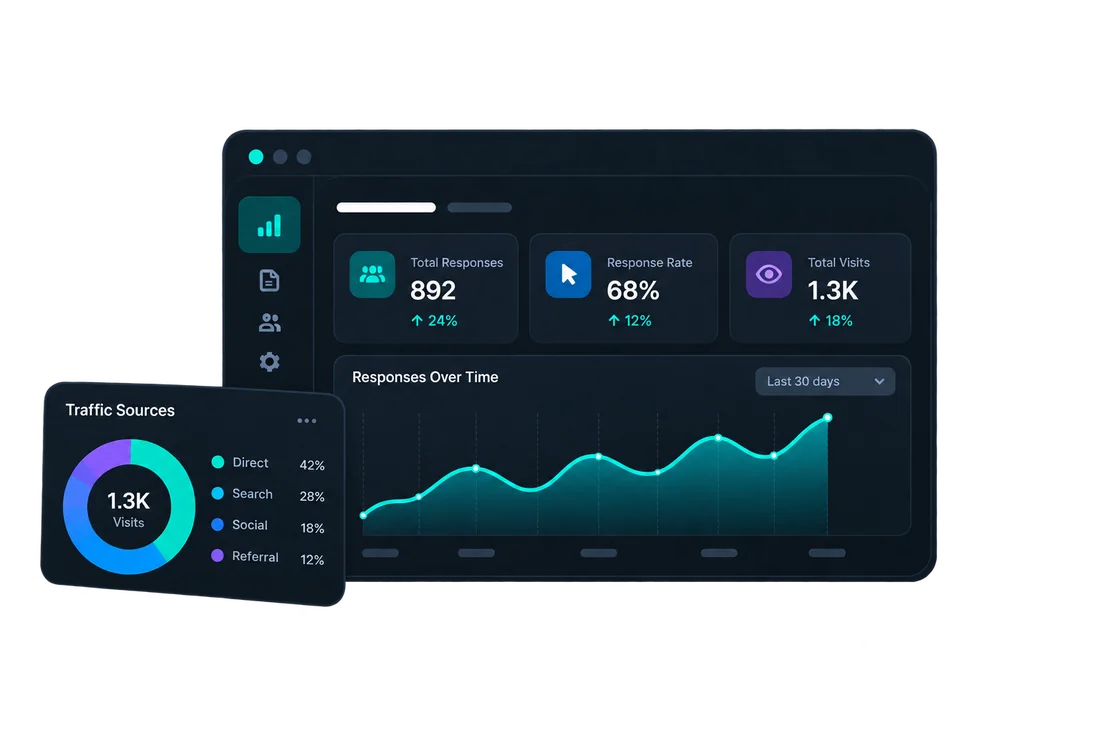
Track visits, responses and response rates to understand how individual forms perform and where engagement changes.
Let’s discuss your product requirements with PixelBrainy experts.
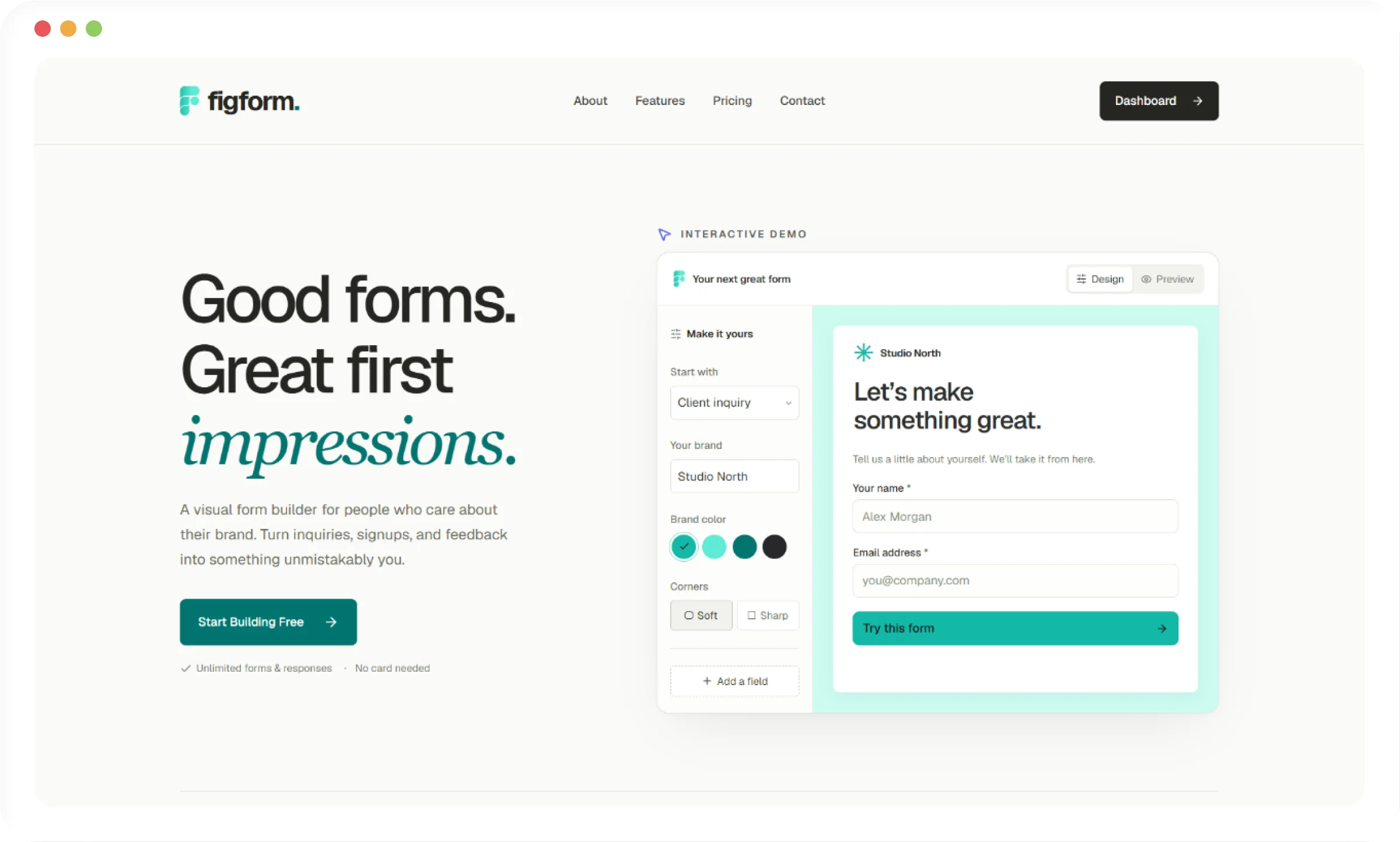
PixelBrainy also designed and developed the FigForm marketing website to introduce the product, explain its value and convert visitors into product users.
The website positions FigForm around a simple idea: forms should feel like part of the brand rather than a generic third-party experience. The site introduces the visual editor, shows how forms can be customized and published, presents practical use cases, explains the subscription plans and gives visitors a direct path into the product.
The public website currently highlights designers, creative agencies, marketing teams and founders while demonstrating branded form creation, embedding, response collection and AI-assisted starting points.
FigForm combines a modern web application stack with multiple AI models selected for different product responsibilities.
Rather than relying on one AI model for every task, the product uses different models for different jobs across form creation, classification and response analysis. This allowed the AI layer to become part of the actual product workflow rather than appearing as a single standalone chatbot feature.
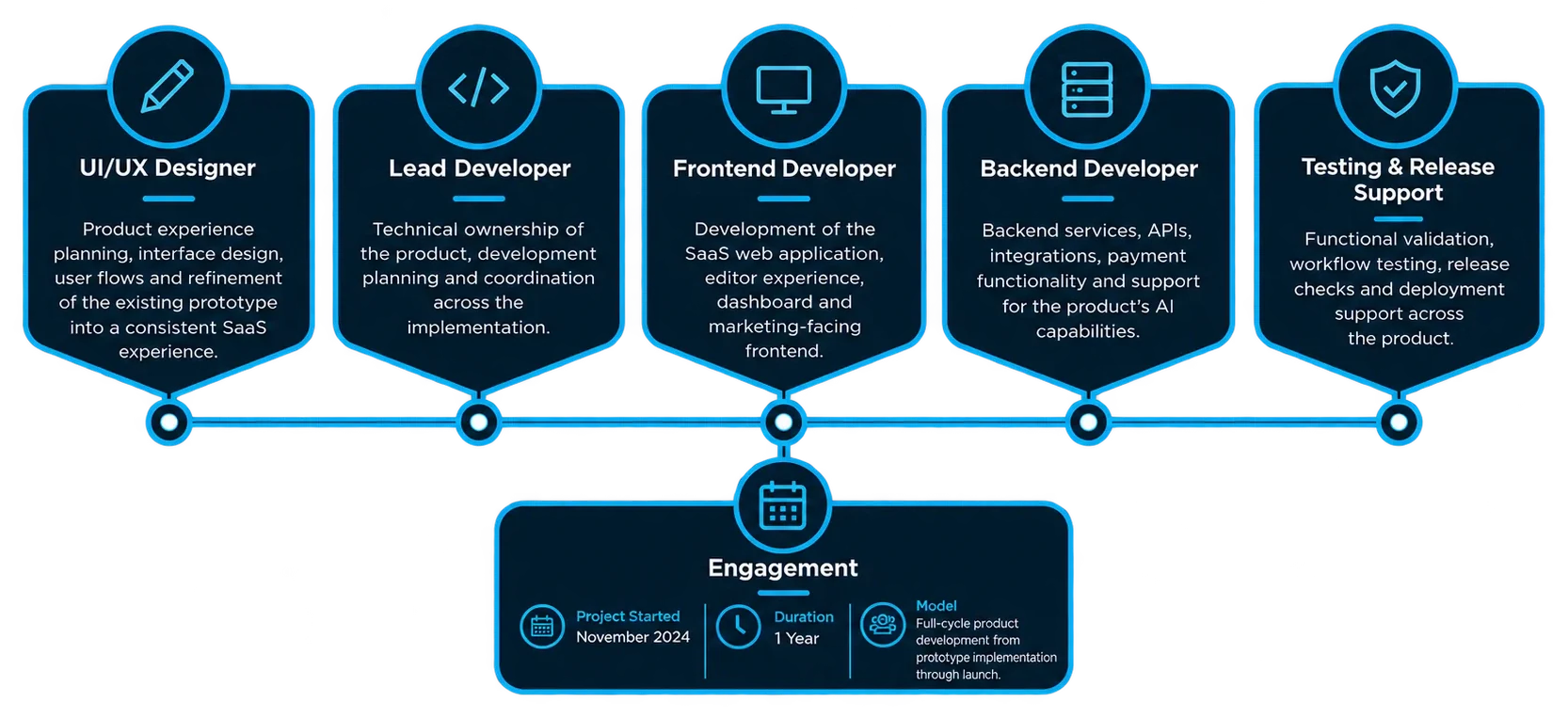
FigForm was delivered through a multidisciplinary team covering product design, frontend development, backend engineering, AI integration, testing and deployment.
PixelBrainy took FigForm from an existing UI and prototype to a fully functional SaaS product, handling the end-to-end product development and AI integration. The platform gives designers, agencies, marketers and growing teams a flexible way to create branded forms, surveys and quizzes, publish them across the web, collect responses and use AI to make form creation and response analysis easier.
FigForm moved from the client-provided UI and prototype into a fully functional product available to public users.
Users are actively creating and publishing forms through the platform.
The subscription model is operational, allowing users to upgrade into paid plans rather than limiting the product to free usage.
AI functionality for form-related workflows and response intelligence was implemented as part of the working product.
The platform includes live integration capabilities that connect form activity with broader business workflows.
PixelBrainy's engagement covered the path from prototype implementation through frontend and backend development, AI integration and launch.



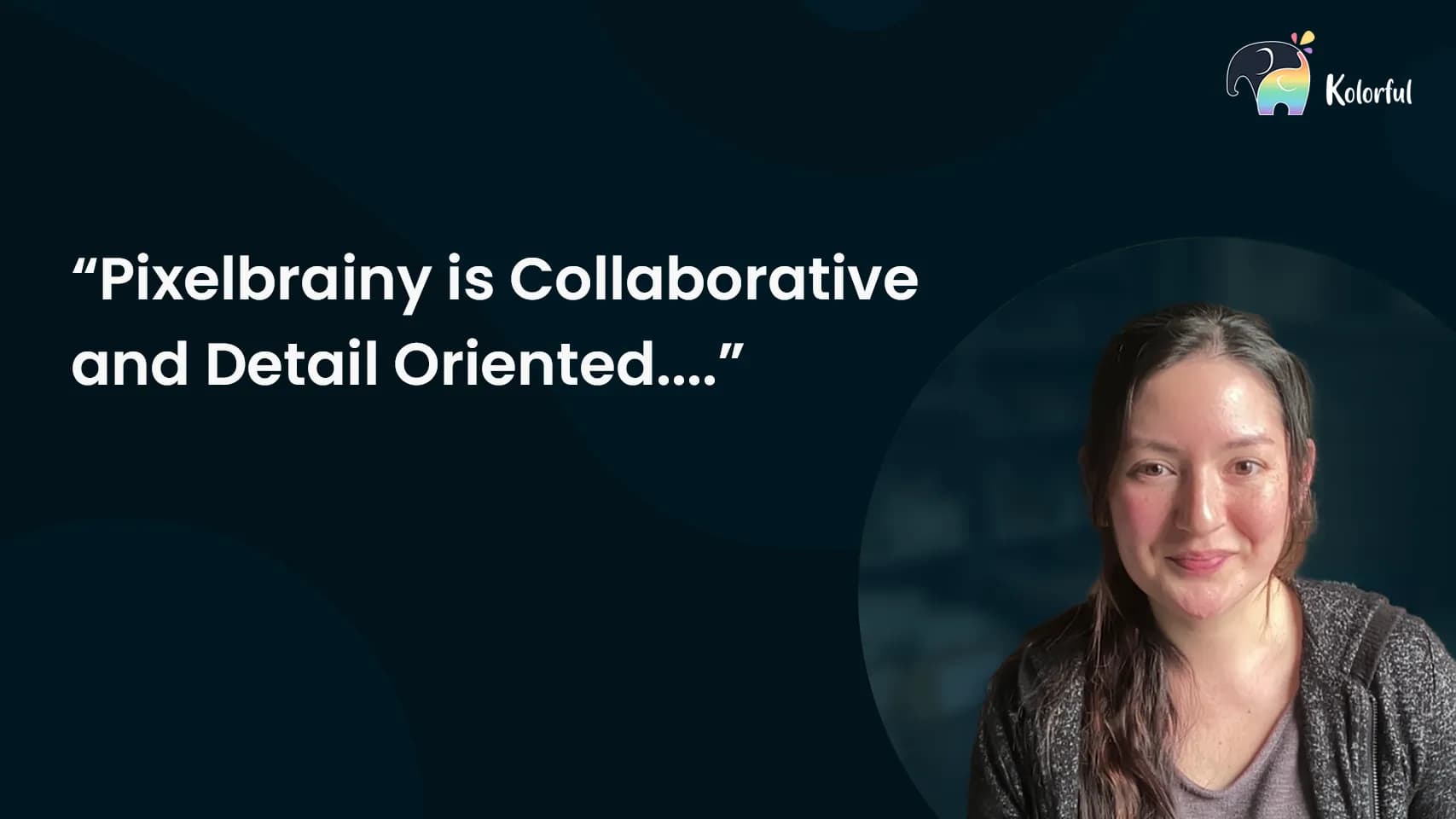
“Working with PixelBrainy has been a great experience. They took our vision for an AI-powered platform and turned it into a fully functional product. What impressed me most was their strong understanding of both design and development, and their ability to handle complex requirements with ease.
The team was responsive, cooperative, and always open to feedback. They kept things organized, communicated clearly, and delivered quality work on time. I highly recommend PixelBrainy to anyone looking for a skilled and reliable development partner.”
Turn your idea into a scalable AI SaaS product.



Working with PixelBrainy has been a great experience. They took our vision for an AI-powered platform and turned it into a fully functional product. What impressed me most was their strong understanding of both design and development, and their ability to handle complex requirements with ease. The team was responsive, cooperative, and always open to feedback. They kept things organized, communicated clearly, and delivered quality work on time. I highly recommend PixelBrainy to anyone looking for a skilled and reliable development partner.
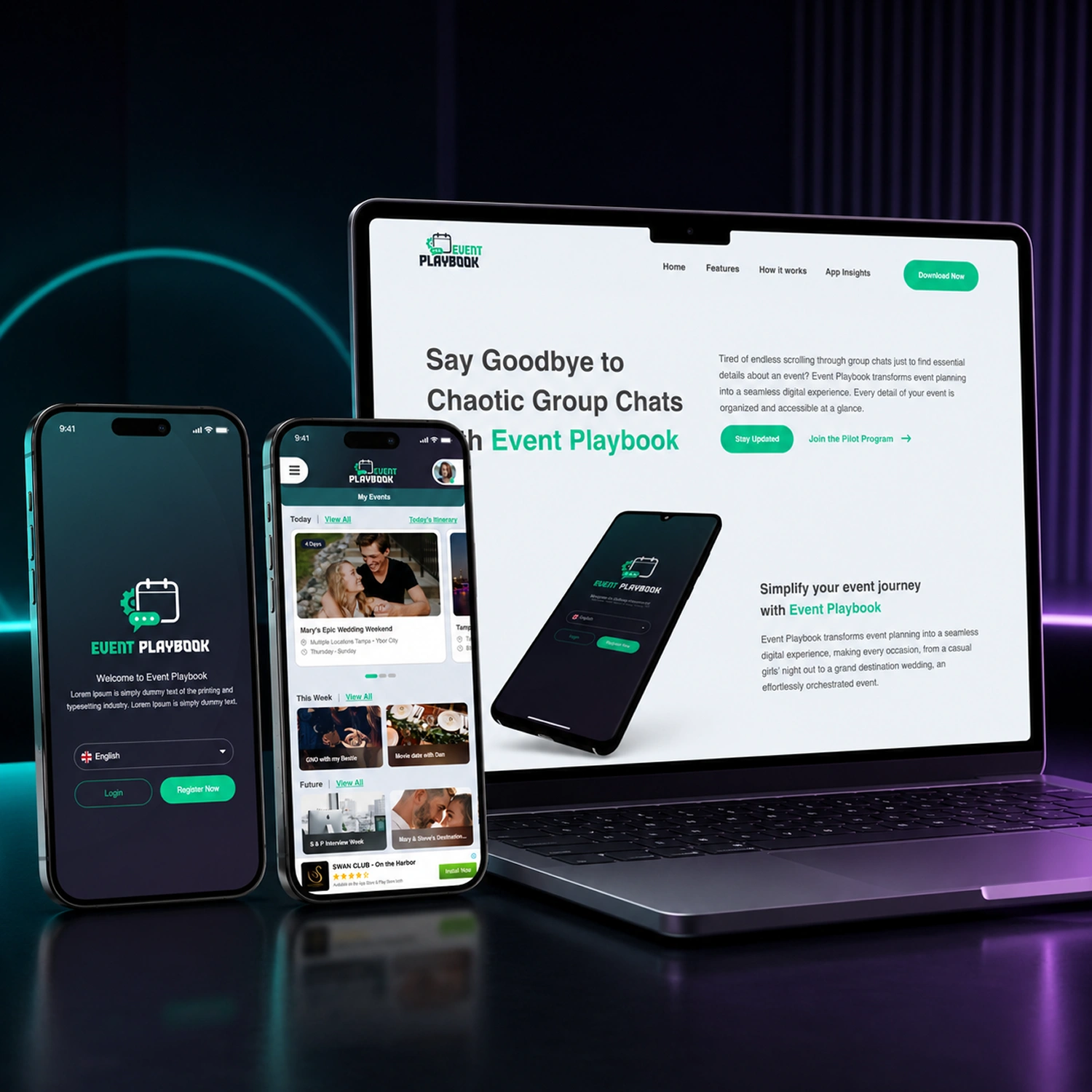

Working with the PixelBrainy team has been a highly positive experience. They understand the design requirements and create beautiful UX elements to meet the application needs. The dev team did an excellent job bringing my vision to life. We discussed usability and flow. Sagar worked with his team to design the database and begin coding. Working with Sagar was easy. He has the knowledge to create robust apps, including multi-language support, Google and Apple ID login options, Ad-enabled integrations, Stripe payment processing, and a Web Admin site for maintaining support data. I'm extremely satisfied with the services provided, the quality of the final product, and the professionalism of the entire process. I highly recommend them for Android and iOS Mobile Application Design and Development.
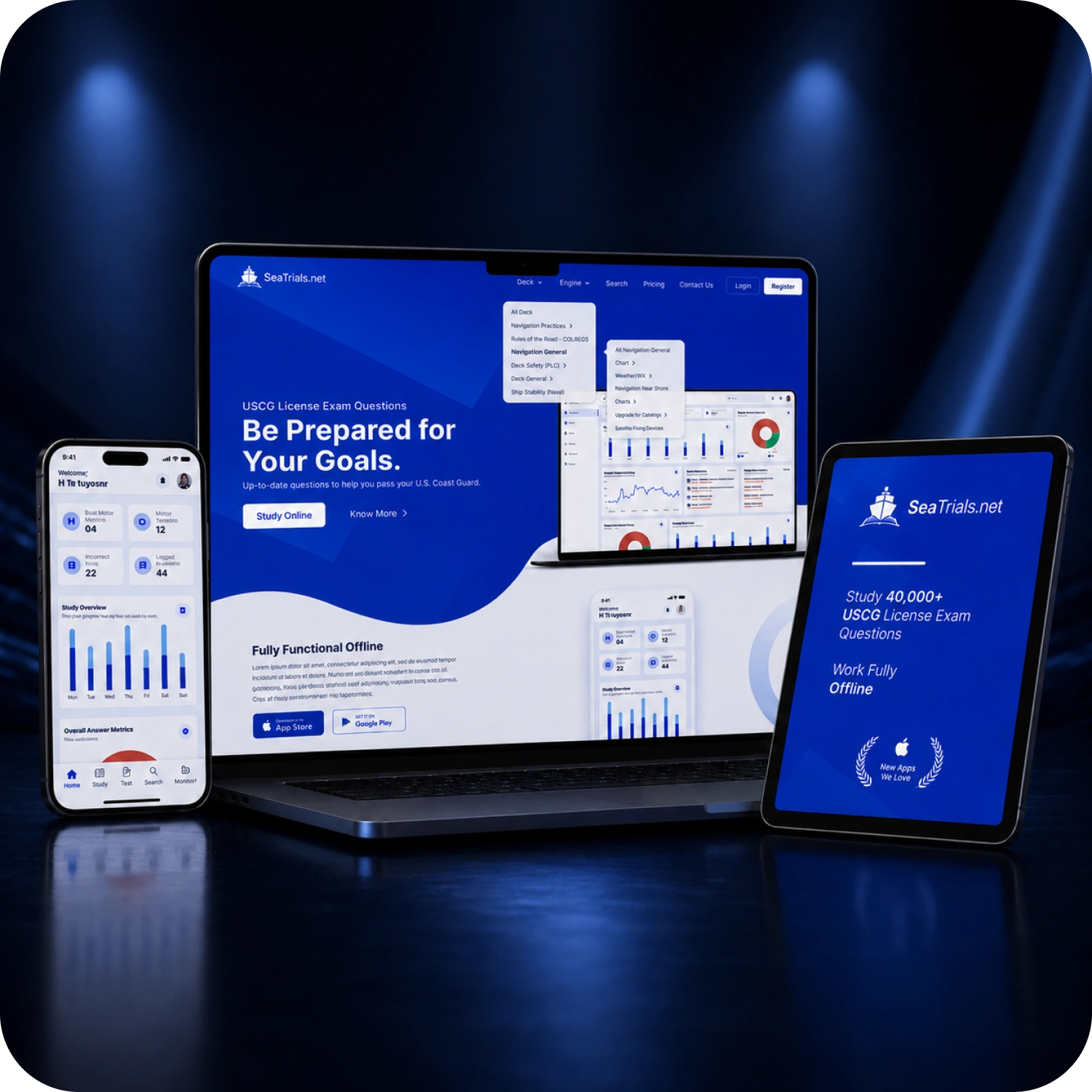

PixelBrainy designers are amazing. They are responsive, talented, and always willing to help craft the design until it matches your vision. I would recommend them and plan to continue them for my future projects and more!!!

Alex Hughes
Founder SeaTrials

Heather Smith
Founder EventPlaybook
Lian Swanson
Founder & CEO Kolorful
Alex Hughes
Founder SeaTrials
Heather Smith
Founder EventPlaybook
Lian Swanson
Founder & CEO Kolorful

Drop your ideas at
info@pixelbrainy.com
Our Address
30 N Gould St Ste R Sheridan, WY 82801, USA